


- Home
- Sendaro Online
- Automatic waybills

Create waybills automatically from your shop’s orders.
For online shops in Bulgaria.
The customer picks a courier and an office, parcel locker or address at checkout, and the order reaches Sendaro with every detail. The waybill is created from it in one click, for one order or all of them.
14 days free · No card · No contract
How it works
How an order becomes a waybill.
Real Sendaro screens with the Urban Ride demo shop.
- 01
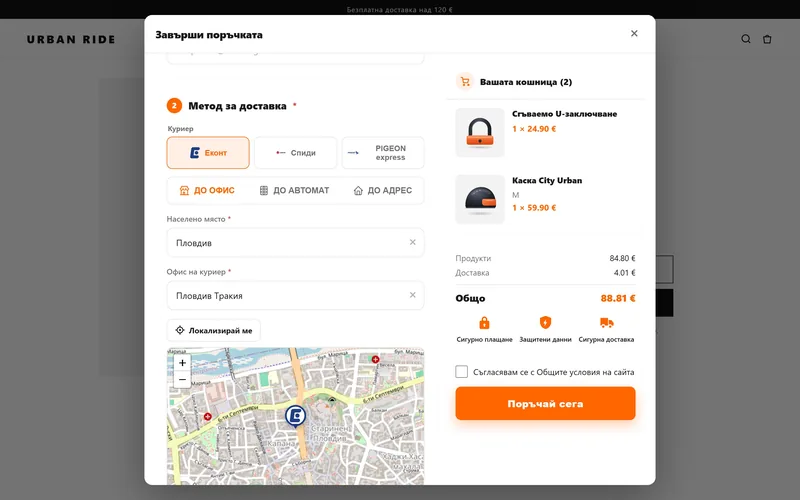
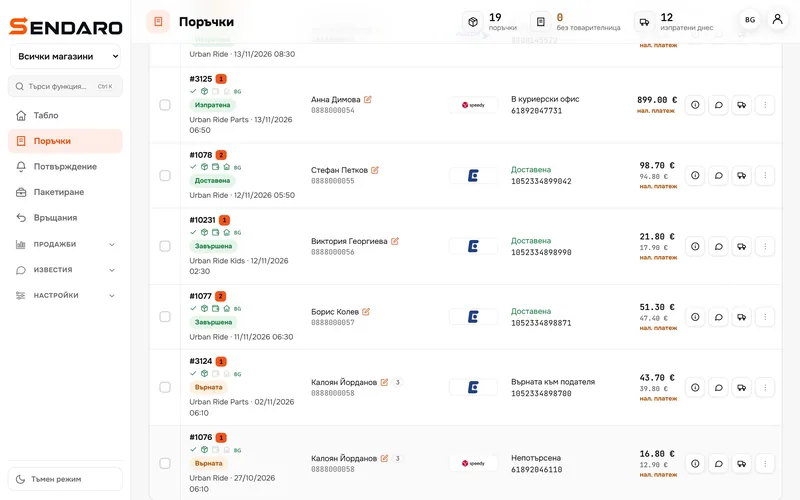
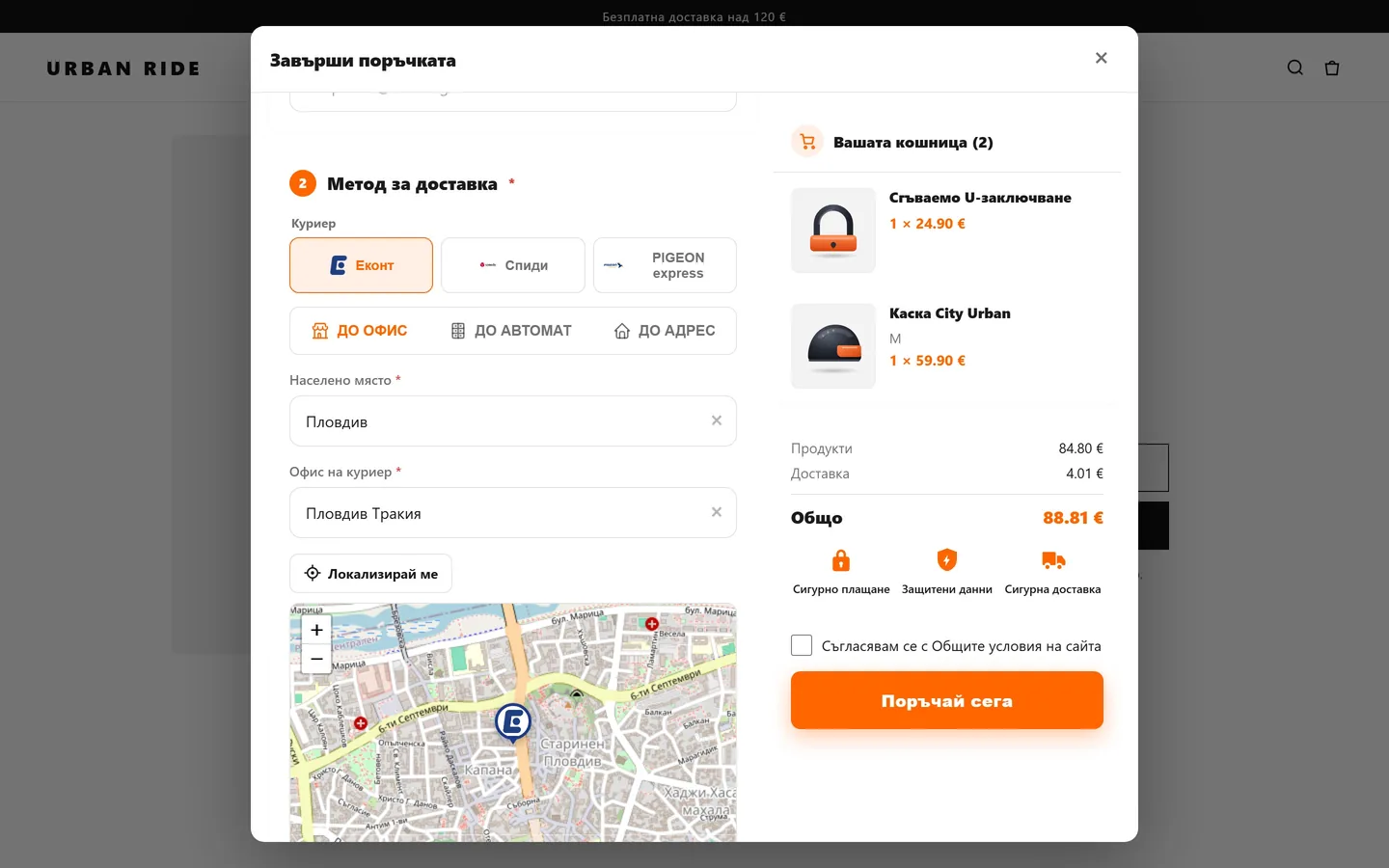
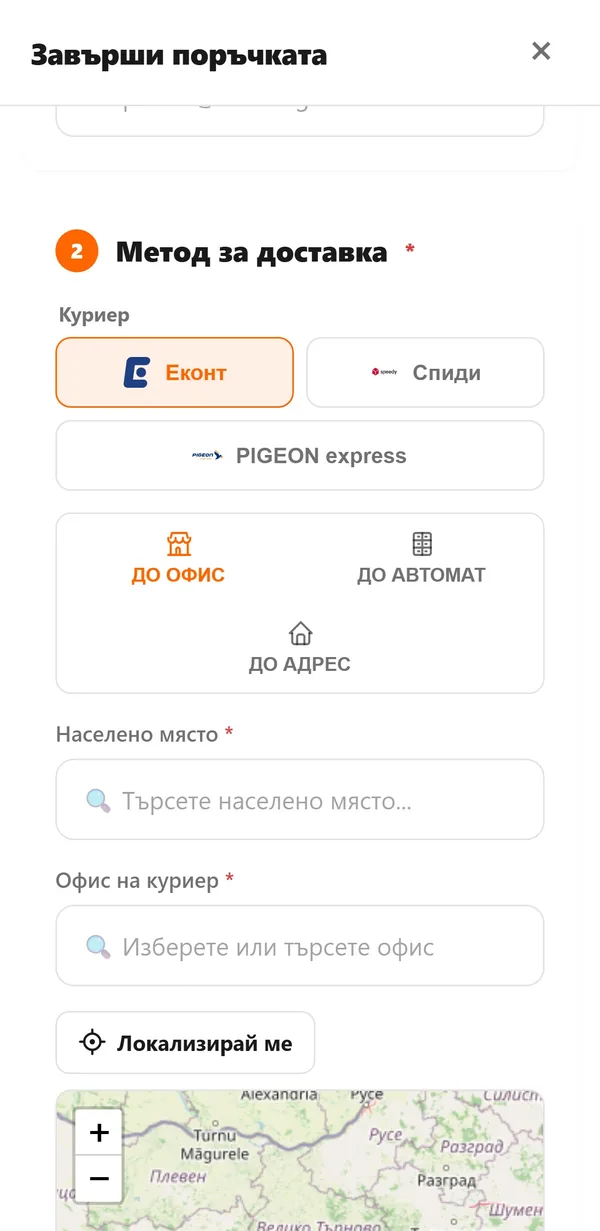
The customer picks a courier and office
At the shop’s checkout, the customer picks a courier and an office, parcel locker or address. The office comes from the courier’s list, not a free-text description.
- 02
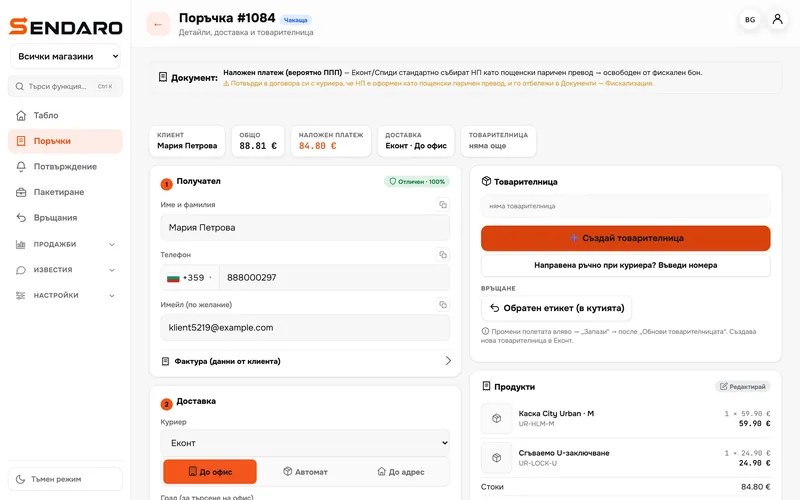
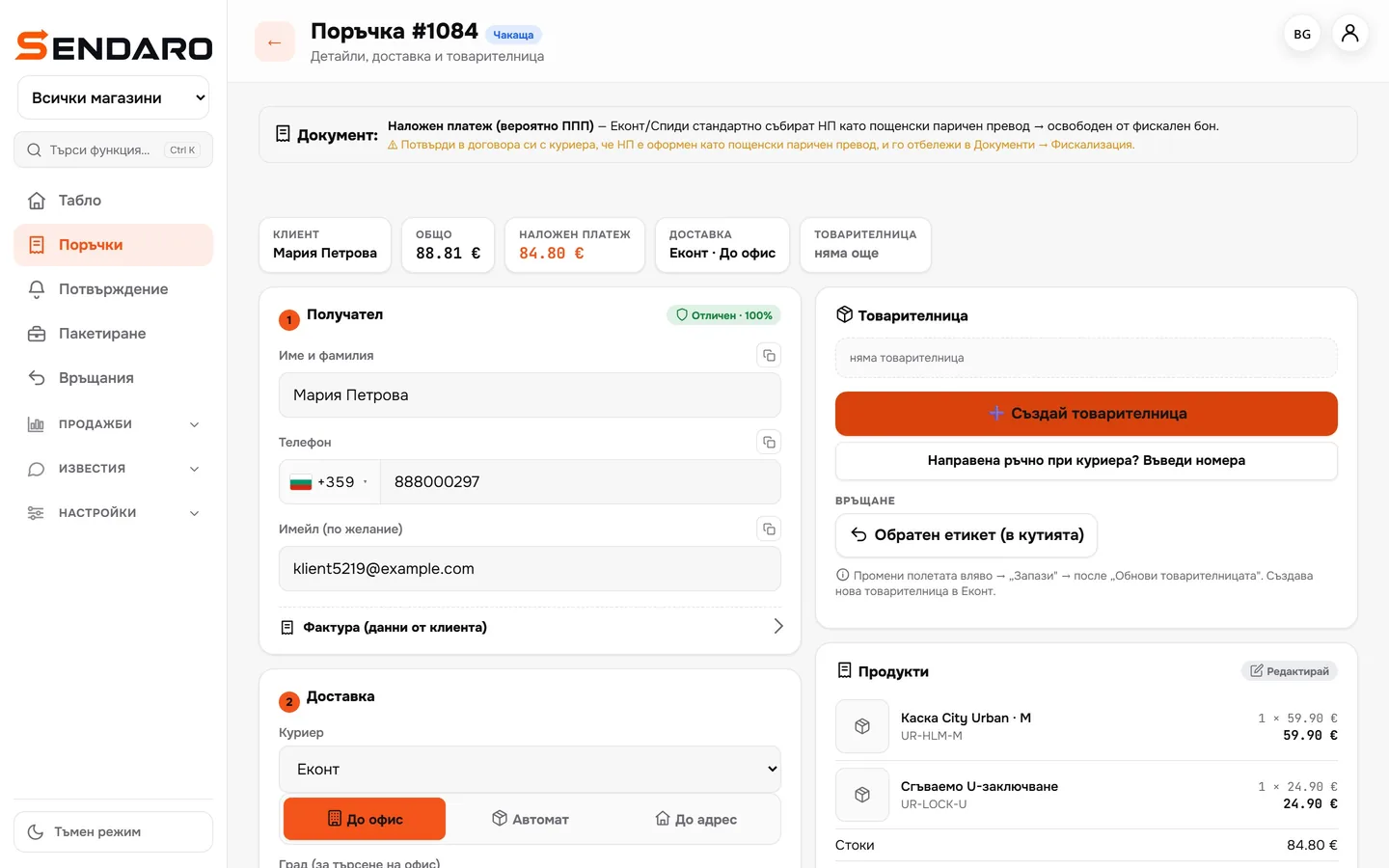
The order arrives complete
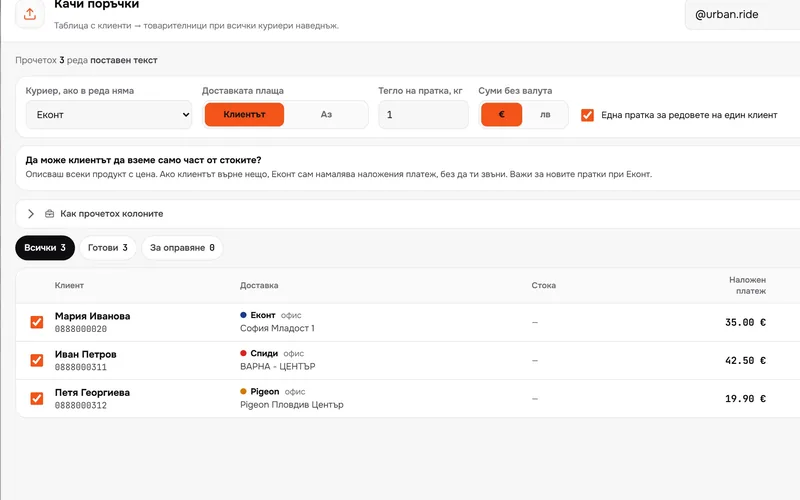
The recipient, phone, office or address and the cash-on-delivery amount go into the order automatically. You don’t retype the customer’s details.
- 03
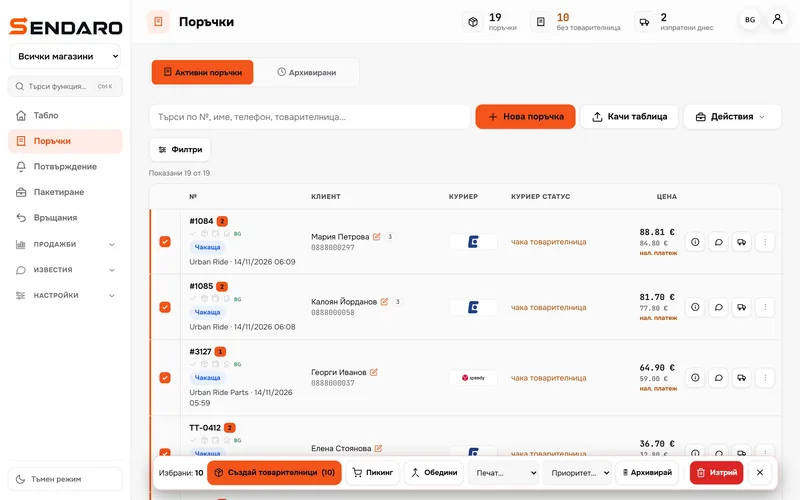
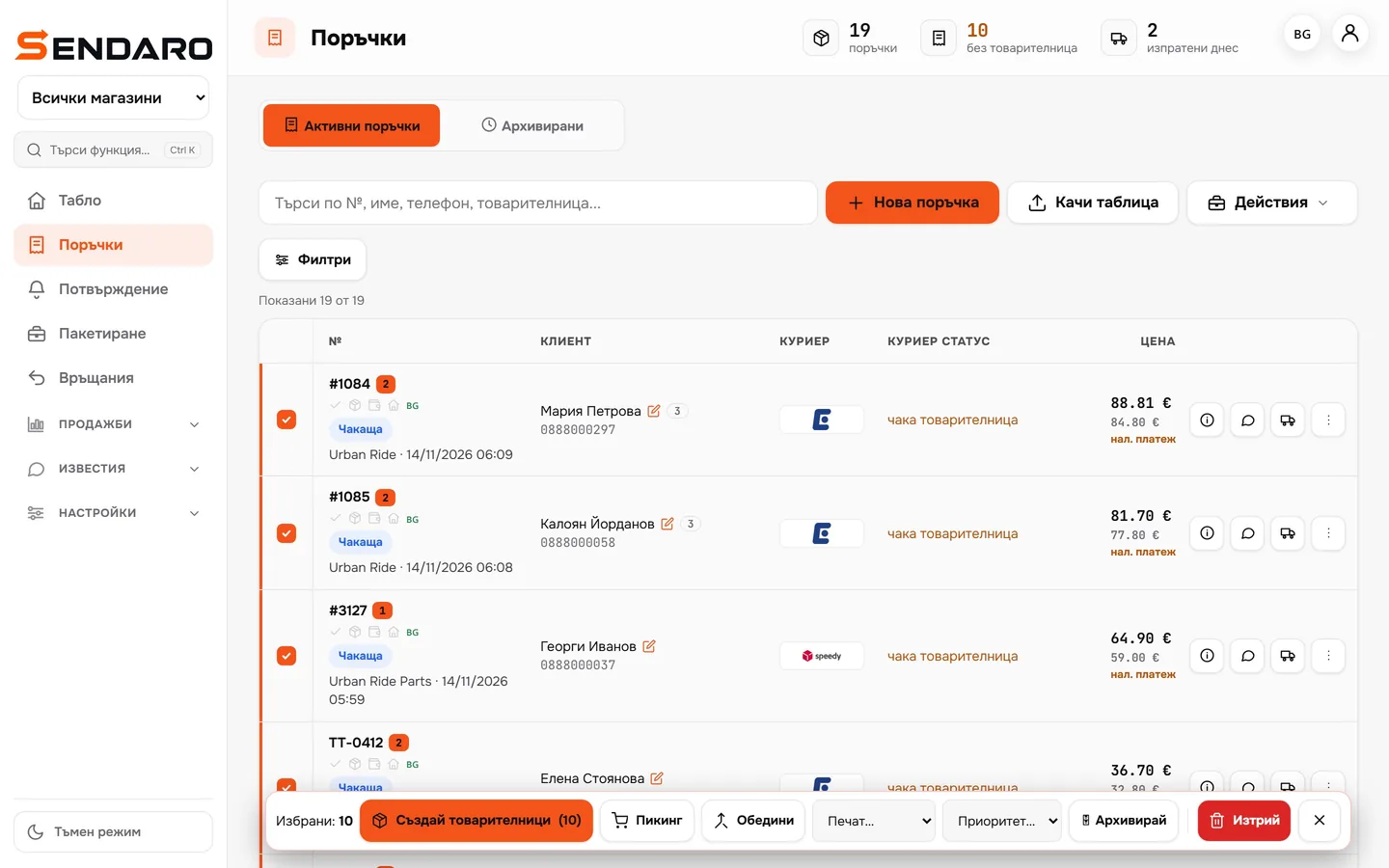
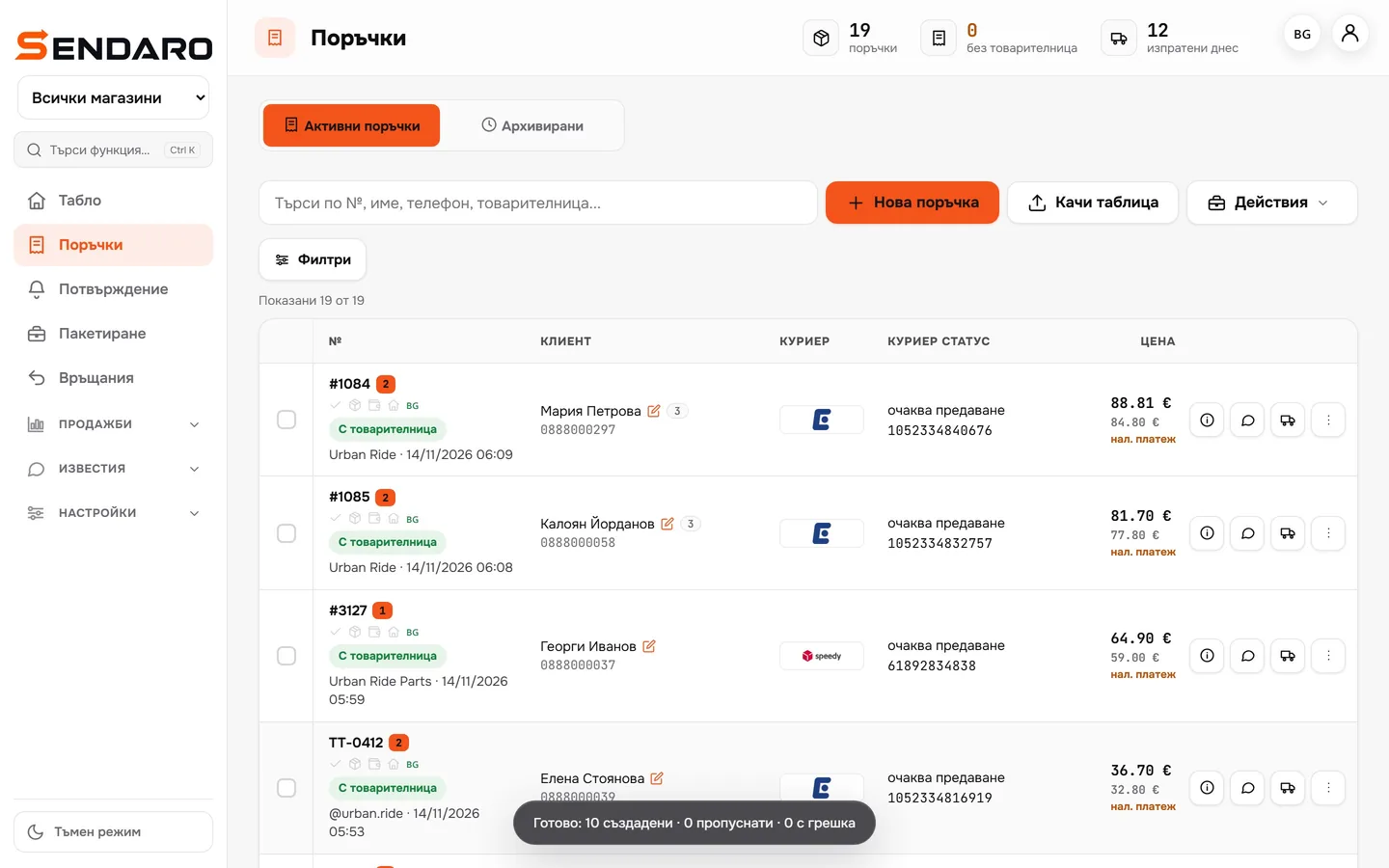
Select the orders
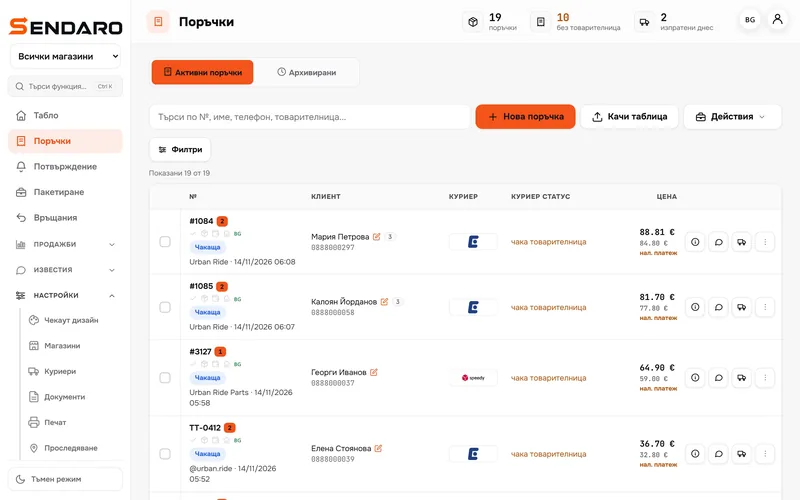
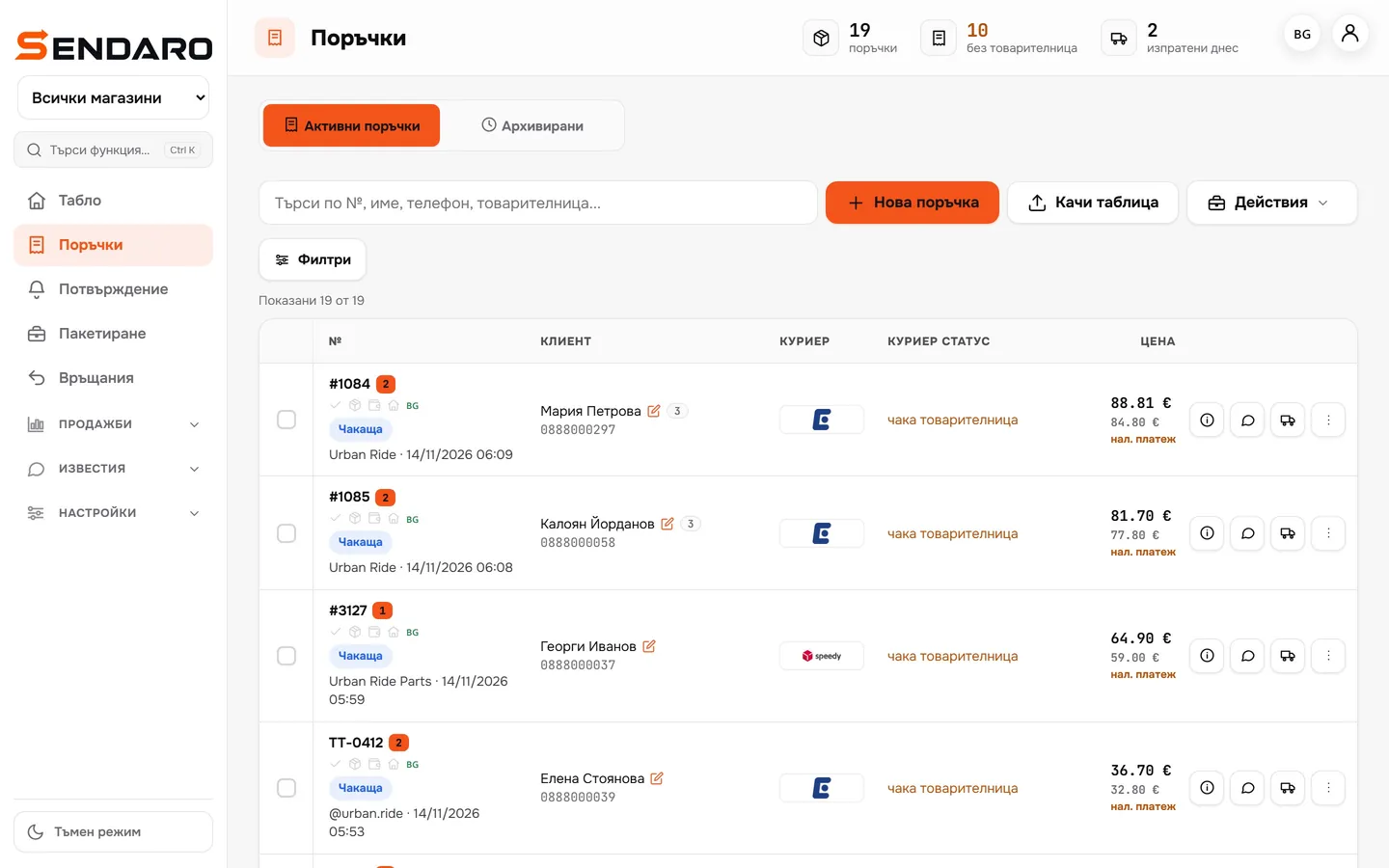
The ‘No waybill’ filter shows what’s waiting. Select one, a few or all of them.
- 04
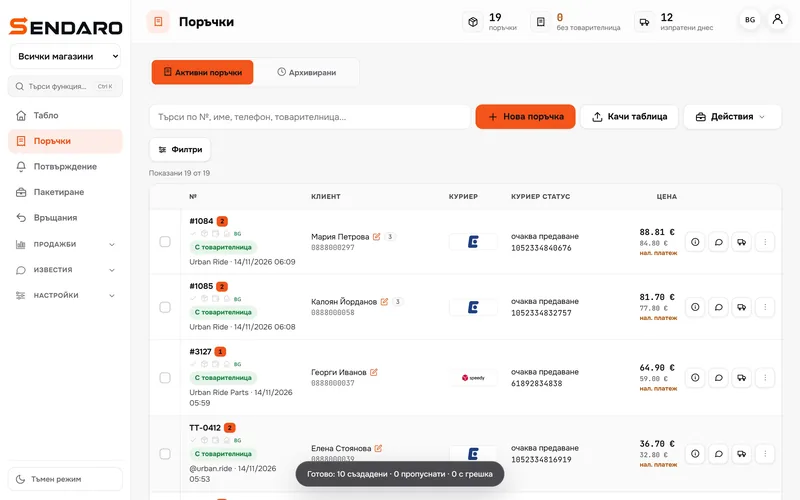
Every waybill in one go
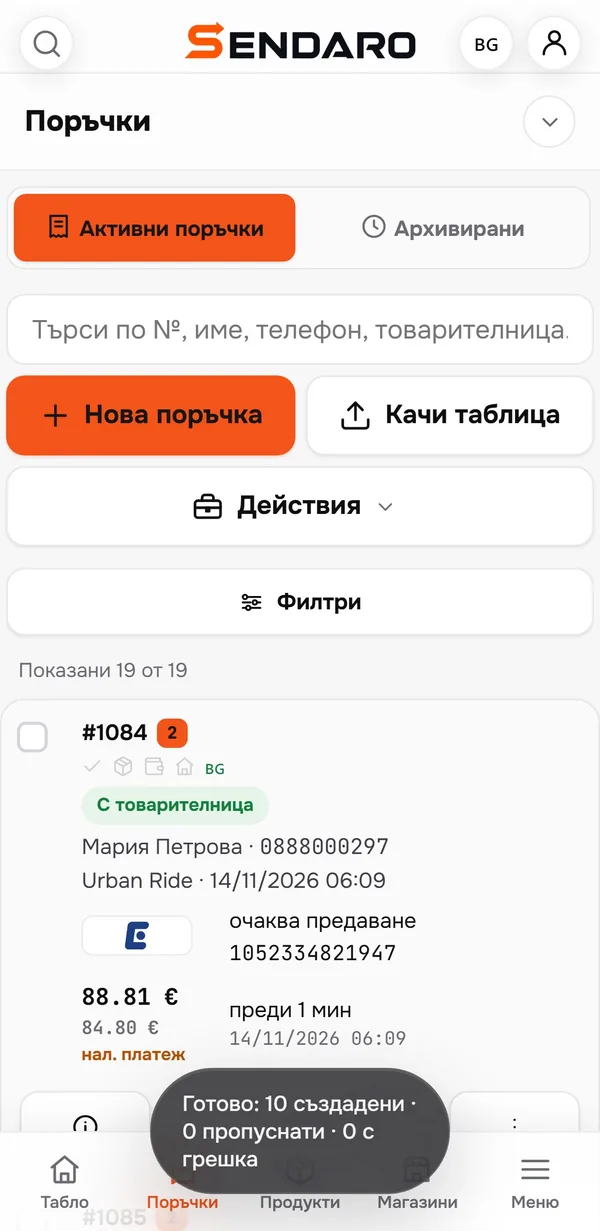
One click and Sendaro creates them with the courier, then tells you how many are done, skipped or failed. With auto-print, the labels print themselves.
- 05
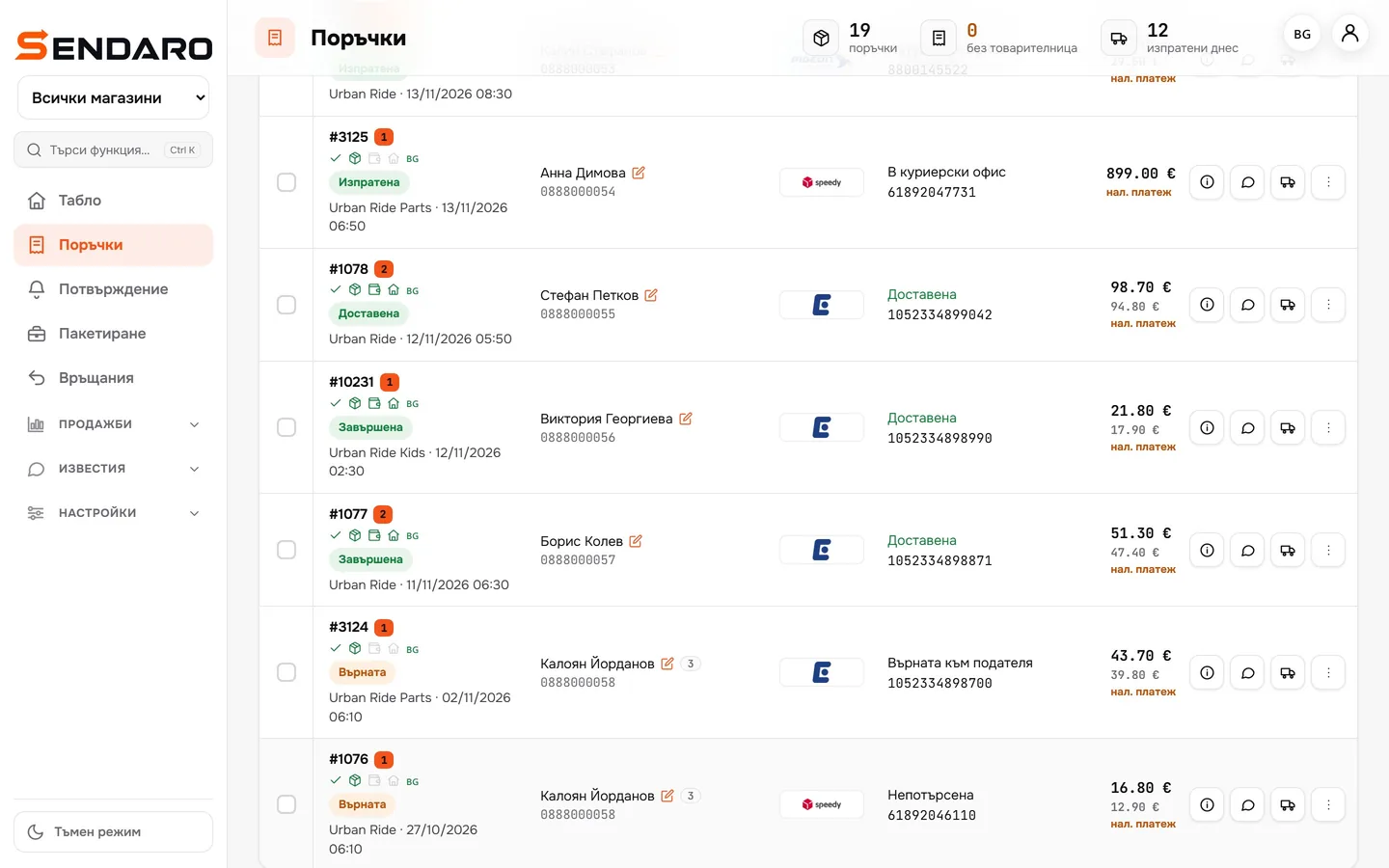
Statuses update themselves
Sendaro tracks each parcel with the courier and updates the status: shipped, delivered, returned.
What you get
What you gain with automatic waybills.
No retyping
The recipient, phone, office and amount come from the order, not the keyboard.
A whole batch at once
Waybills for every selected order in one click.
Labels print themselves
With Sendaro Print and auto-print, the waybill prints the moment you create it.
Return waybills
Turn it on and the return waybill is created automatically when a return is approved.
Up close
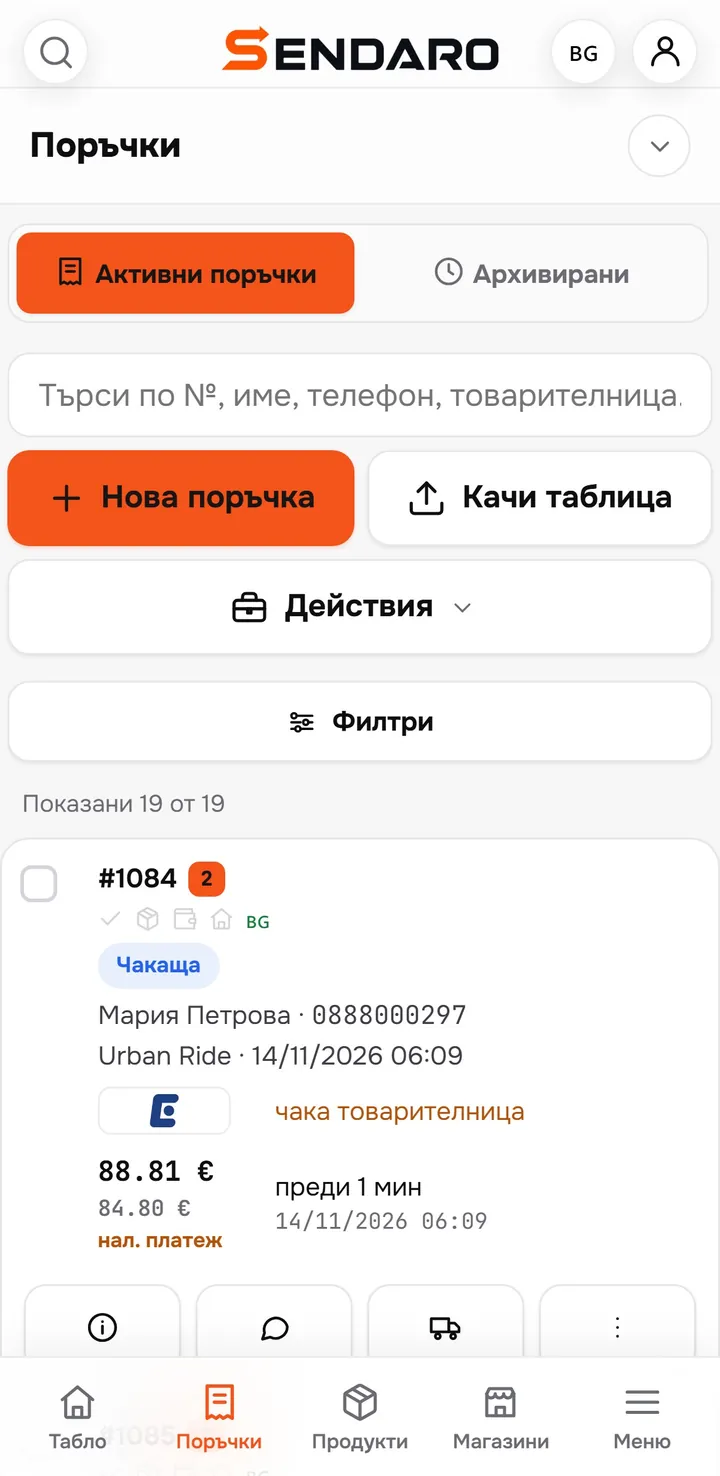
Waybills from your phone too.
Works with
Automatic waybills for every courier.
Questions
Questions about automatic waybills.
How does automatic waybill creation work?
The order reaches Sendaro with the recipient, phone, office or address and the cash-on-delivery amount. The waybill is created from that data in one click, without retyping it into the courier’s system.
Can I create waybills for many orders at once?
Yes. Select the orders and Sendaro creates the waybills in one go. You see how many were created, skipped or failed, and rerun only the problem ones.
Which couriers does it work with?
Econt, Speedy, Pigeon Express, Sameday and BOX NOW, and the list keeps growing. You connect your own account and keep your contract prices.
Which platforms does it work with?
Shopify, WooCommerce, OpenCart, CloudCart and your own website. Orders with no website behind them, such as from live selling, can be uploaded from a spreadsheet or from chat messages.
Is the cash-on-delivery amount filled in?
Yes, the amount comes from the order. After delivery, you check it against what the courier paid out in the cash-on-delivery report.
Do the labels print by themselves?
Yes, with Sendaro Print on your computer (Windows or Mac): with auto-print, the waybill prints the moment you create it. Some label printers also print over Bluetooth straight from the browser (new).
Do I need a contract with the courier?
Yes. You connect your own courier account and Sendaro creates the waybills with it. Your contract prices and discounts stay the same.