


- Home
- Sendaro Online
- Invoices and documents

Issue the invoice from the order in one click.
For online shops in Bulgaria.
Invoices in one click, with the details filled in. A receipt for every order. A Microinvest file, the VAT journal and a monthly pack for your accountant.
14 days free · No card · No contract
How it works
From the order to your accountant.
Real Sendaro screens with demo data.
- 01
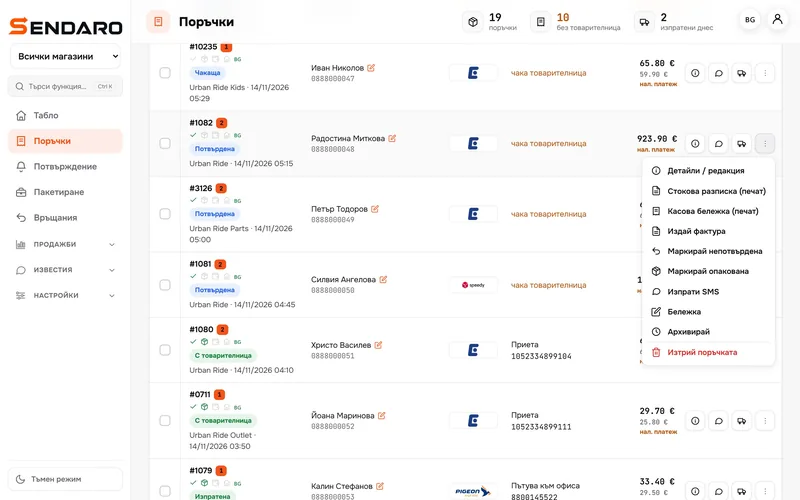
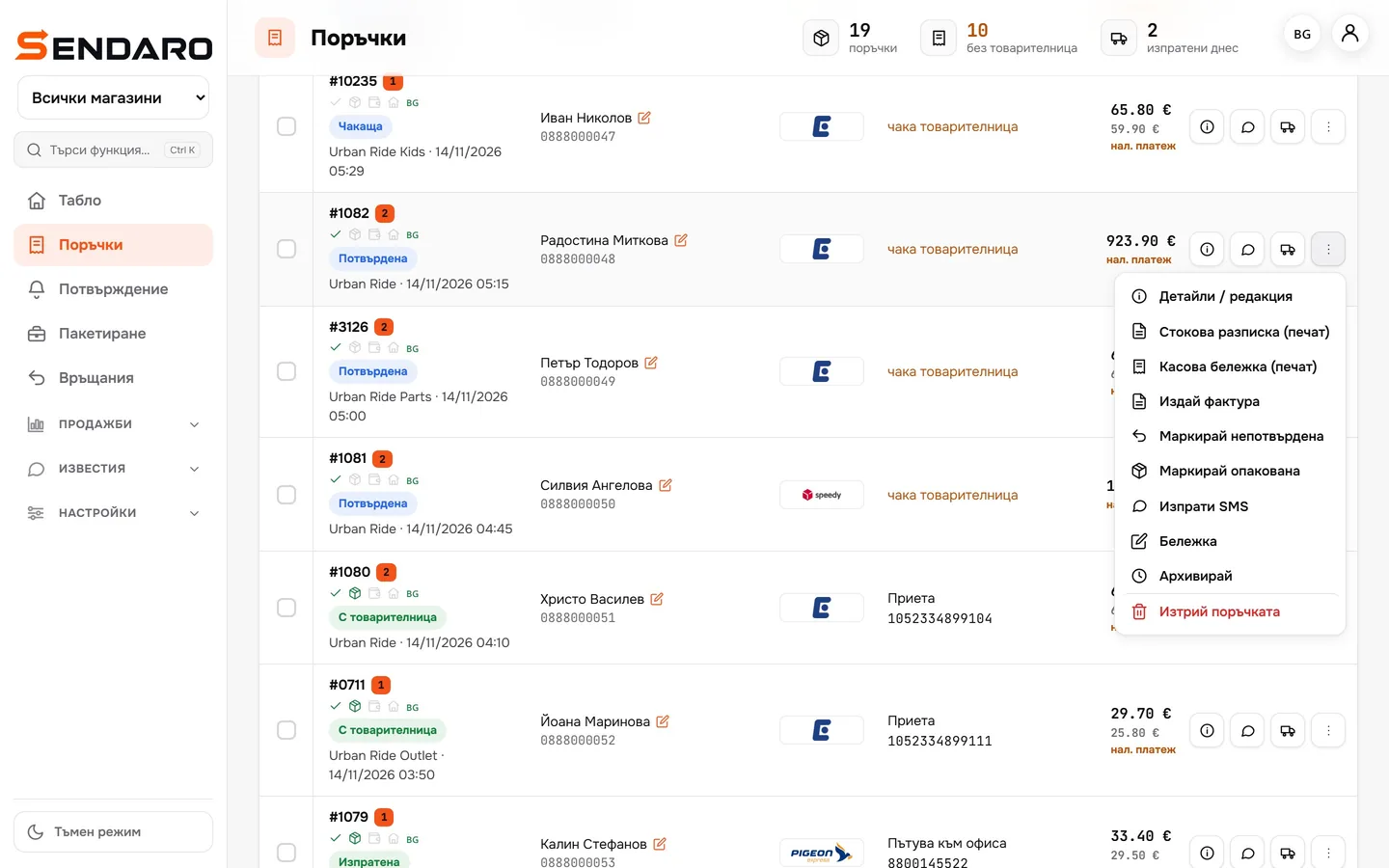
Issue an invoice from the order
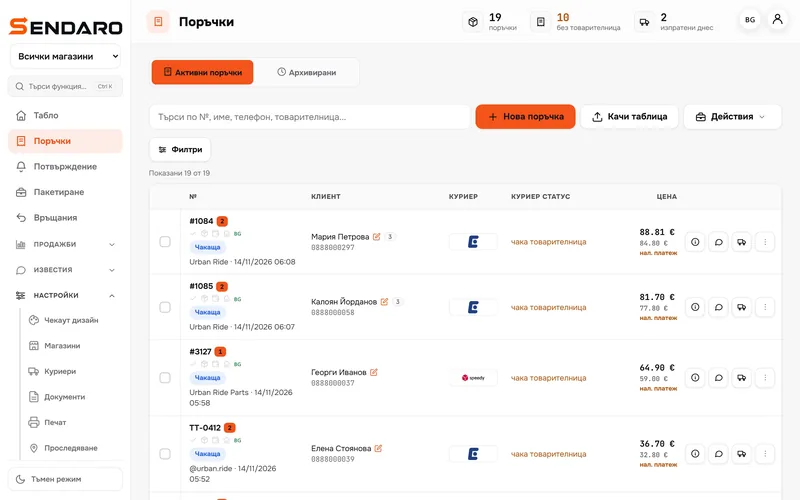
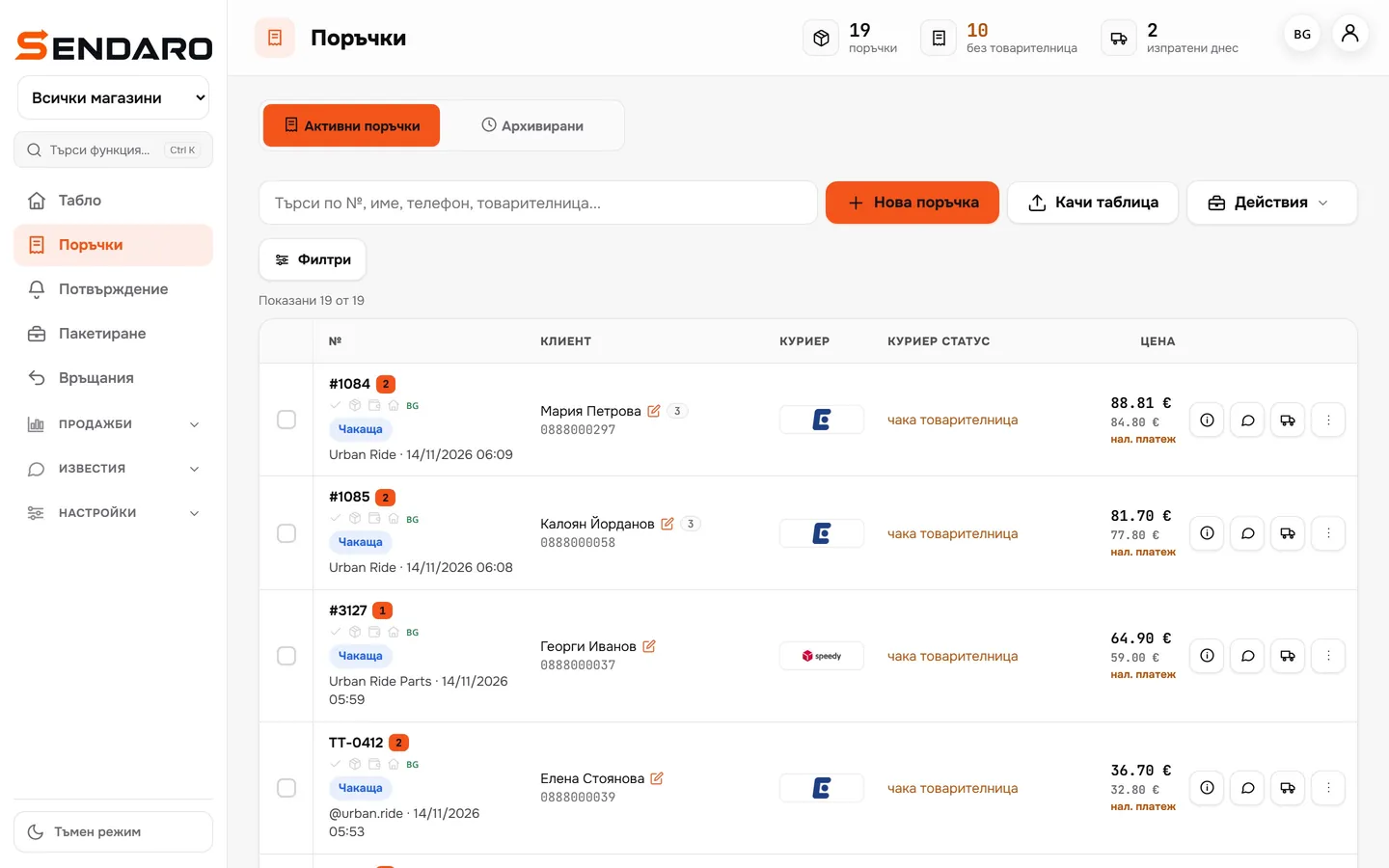
In the order menu, click ‘Issue invoice’.
- 02
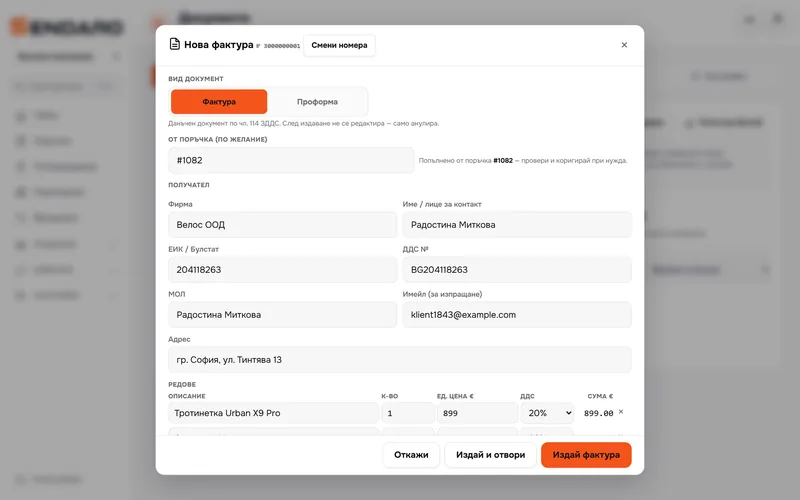
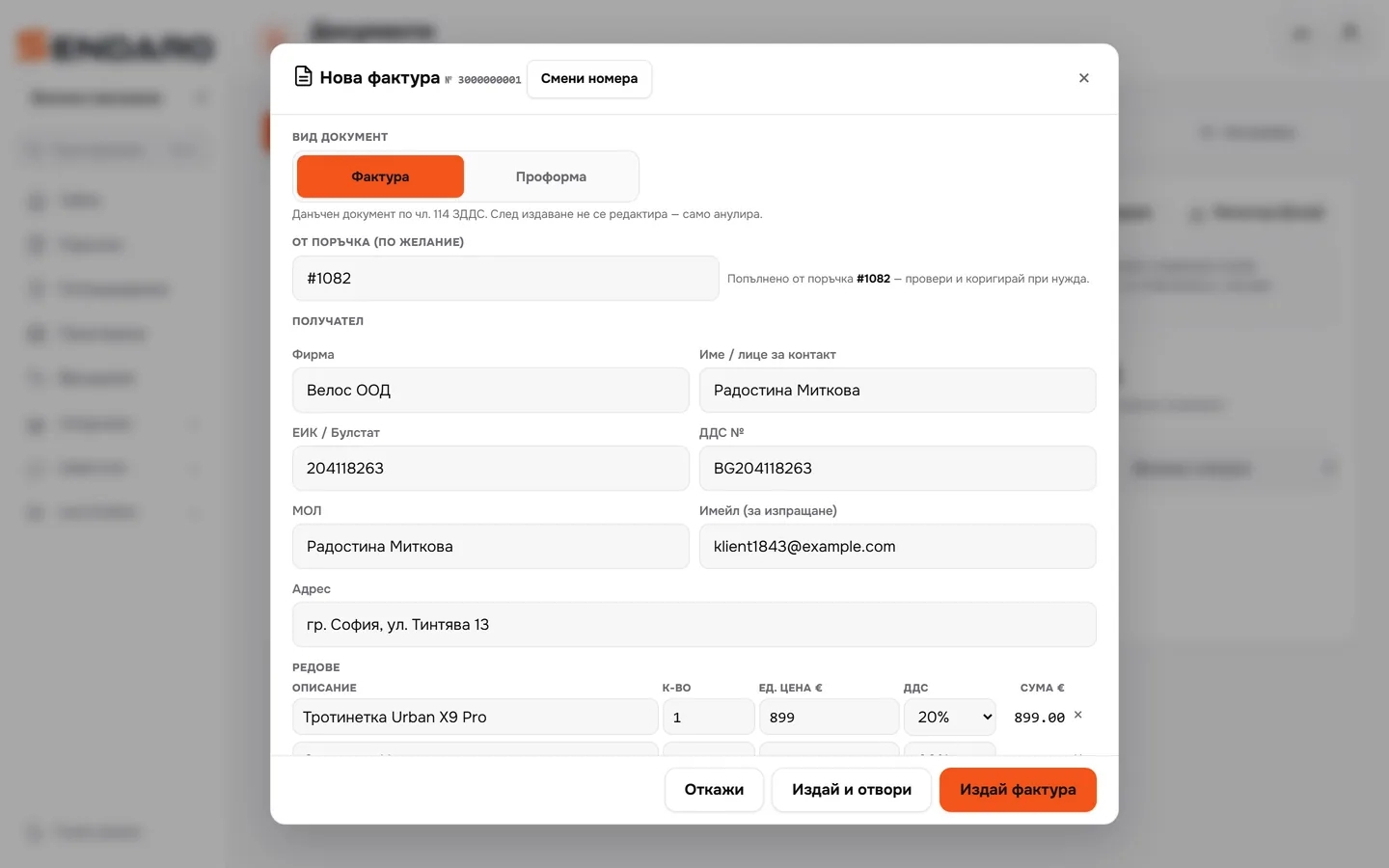
The details are filled in
The company, company ID, VAT number, items and amount come from the order. The amount matches the cash-on-delivery amount.
- 03
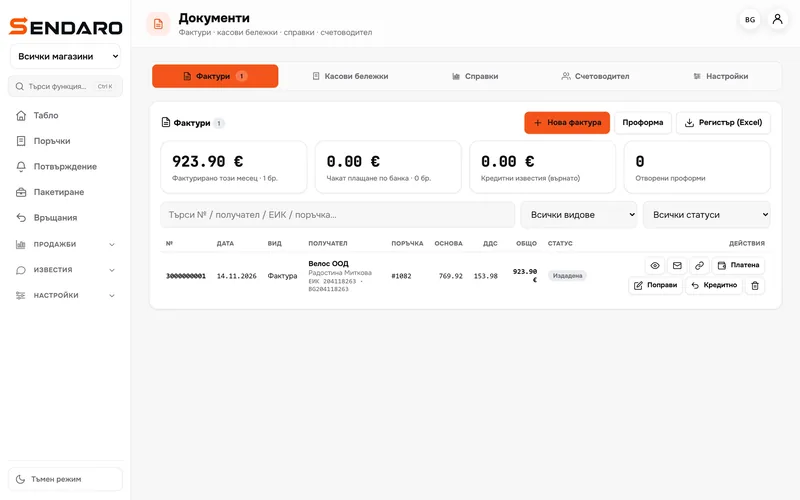
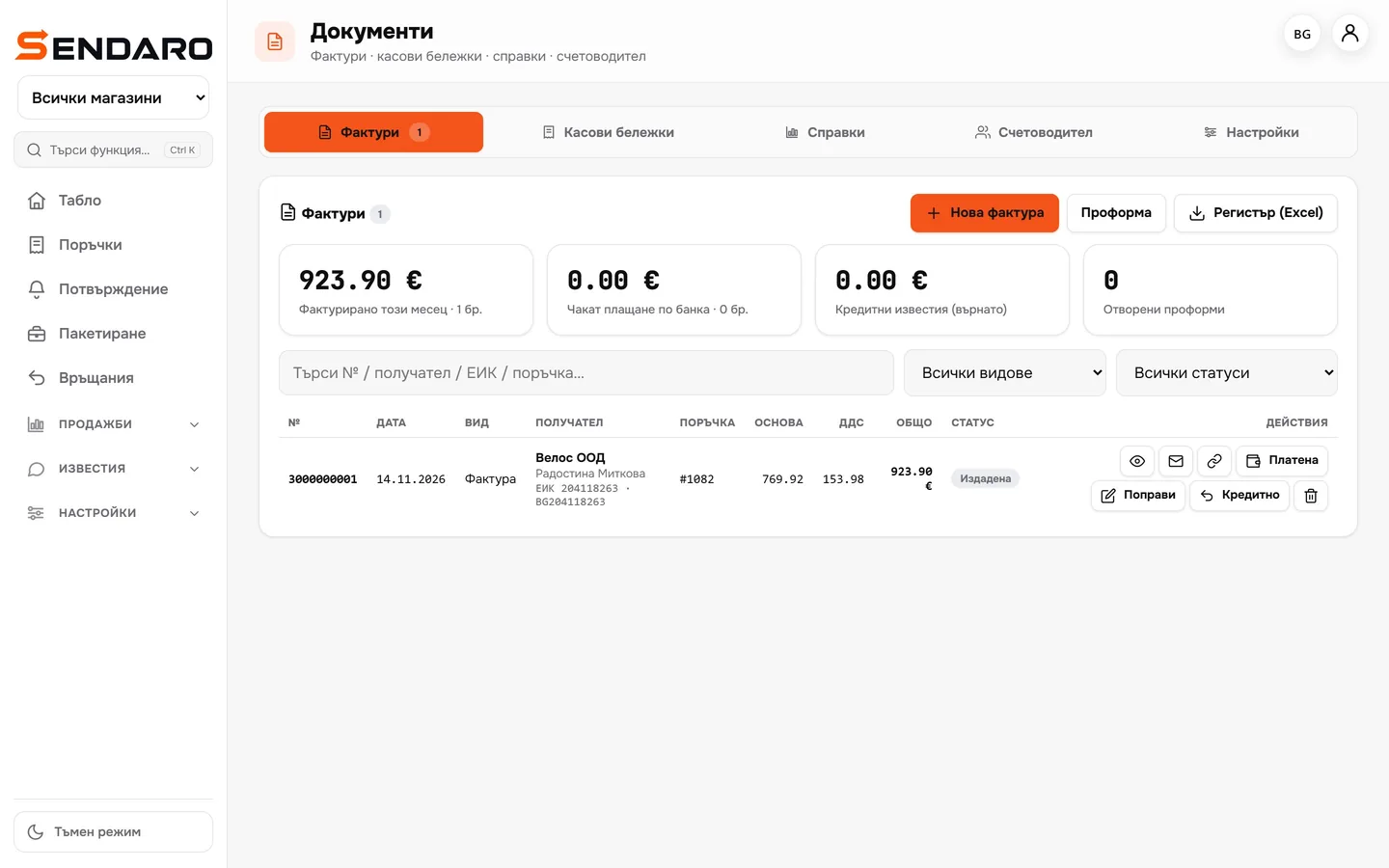
Numbers run in sequence
One gap-free sequence for invoices, credit notes and debit notes. An issued invoice can’t be edited: a wrong one is cancelled.
- 04
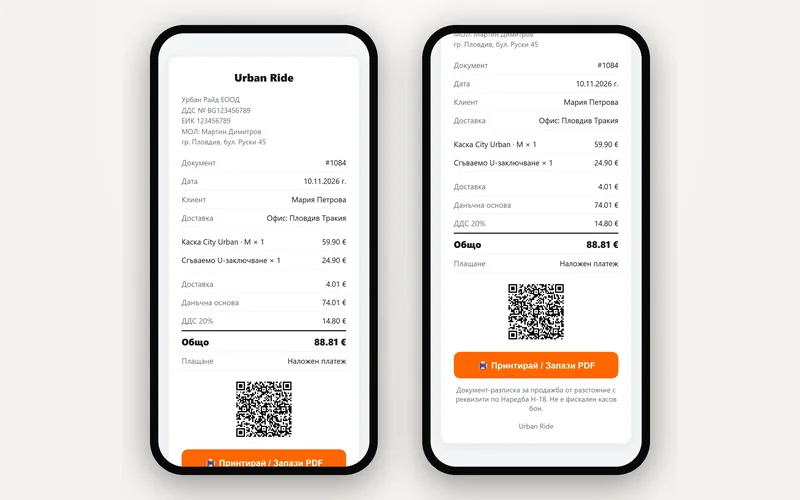
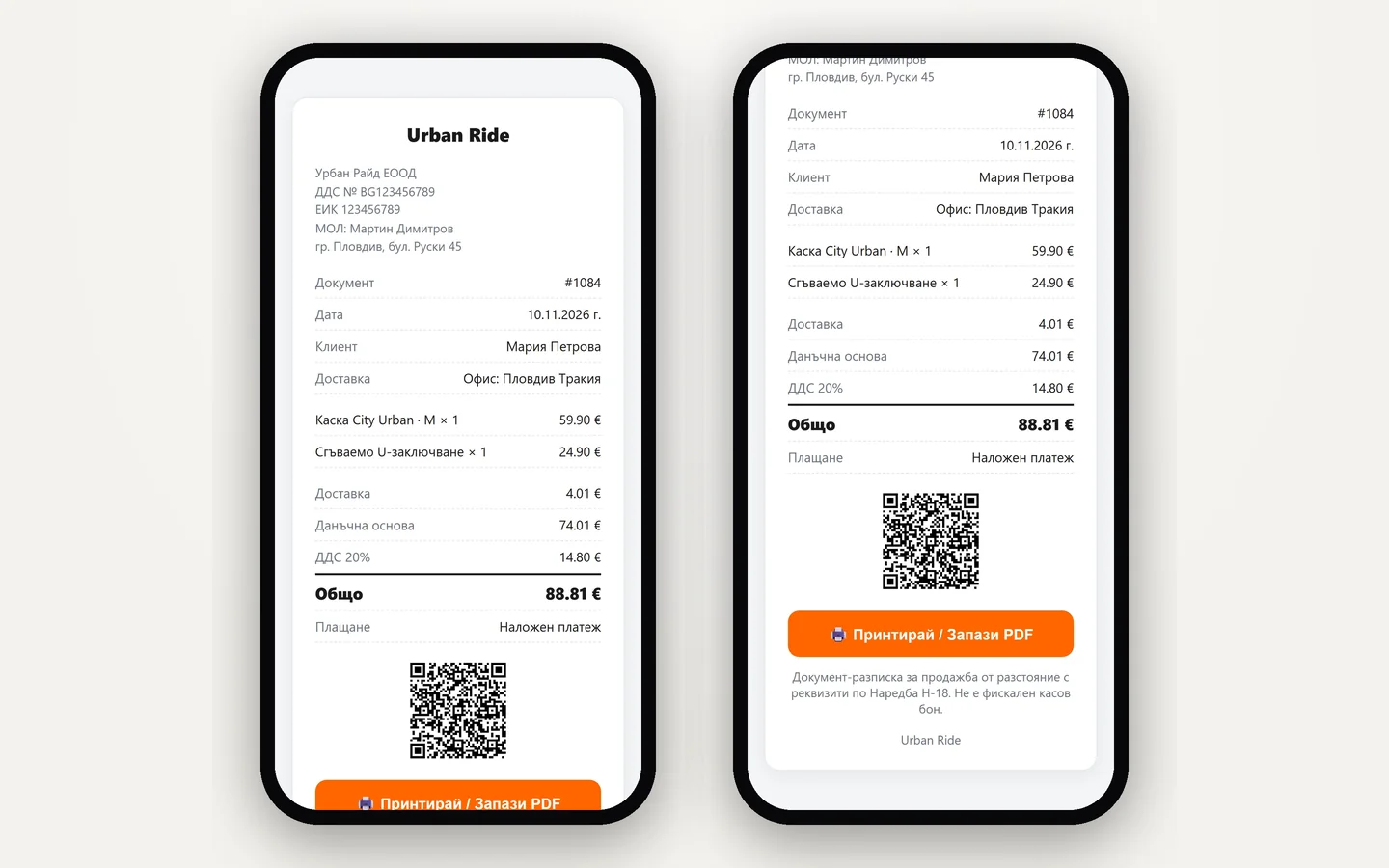
A receipt for every order
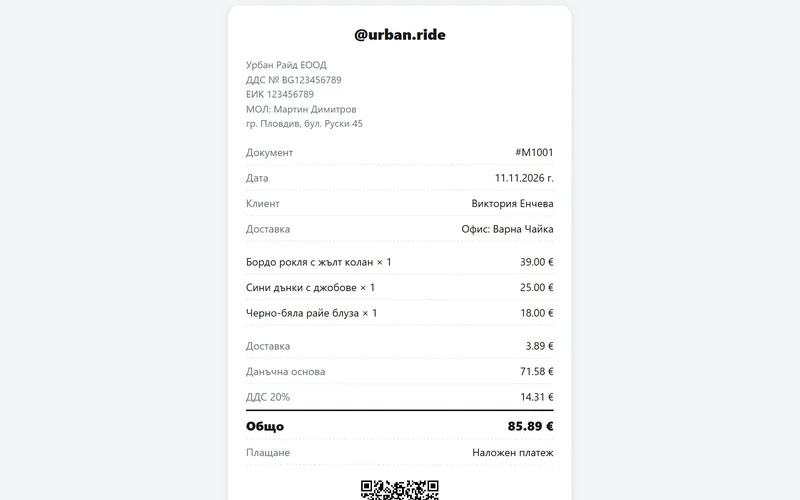
A receipt with the details required by Ordinance N-18, a QR code and a link for the customer. It states that it is not a fiscal receipt.
- 05
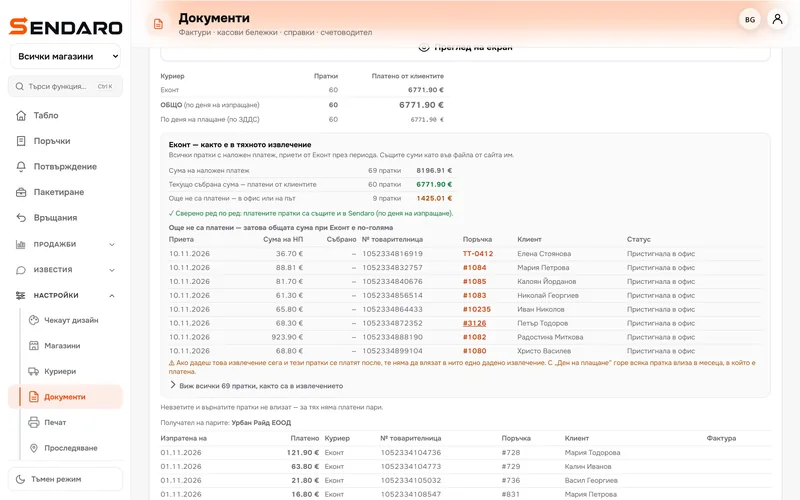
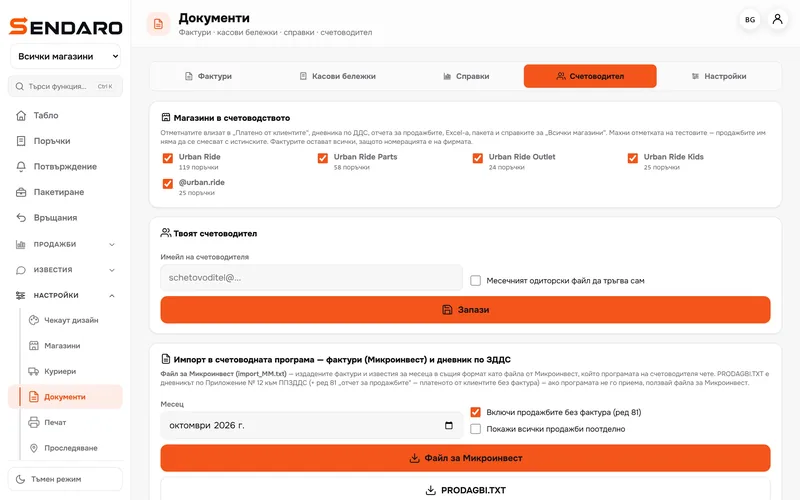
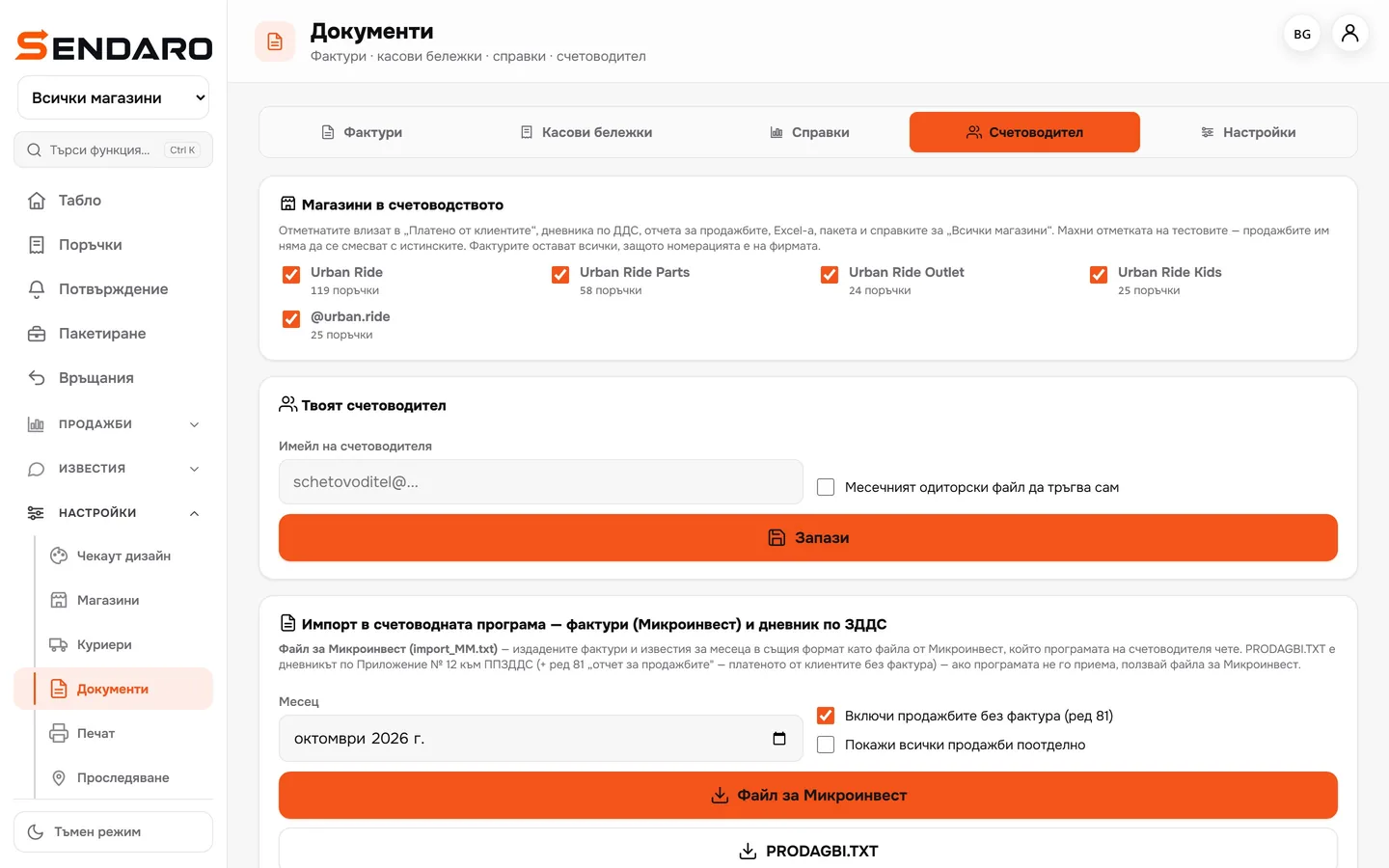
Everything for your accountant
A Microinvest file, PRODAGBI.TXT for the VAT journal, Excel, a sales report and a monthly pack.
What you get
Fewer spreadsheets. No chasing paperwork.
Invoices in seconds
The details come from the order. You don’t retype them.
Numbering in order
No gaps, and no edits after issue.
Your accountant has everything
The month’s files are in one place. The pack can go out automatically.
The customer gets the document
By email or by link, with a QR code for the online version.
Questions
Questions about documents.
Does it issue invoices automatically?
It can. With the setting switched on, Sendaro issues an invoice for orders with company details once they are delivered or paid.
Can I correct an issued invoice?
No, an issued invoice can’t be edited. ‘Fix’ cancels it and issues a new one in one go; for an older one, you issue a credit note.
What does my accountant get?
A Microinvest file, the VAT journal (PRODAGBI.TXT), Excel and the sales report. The monthly pack can go out automatically.
Is the order receipt a fiscal receipt?
No. It is a document with the details required by Ordinance N-18, and it states that it is not a fiscal receipt. Fiscal receipts are a separate feature that uses a fiscal printer.