


- Home
- Sendaro Online
- Picking and packing

Pack with a scanner and catch the wrong item.
For online shops in Bulgaria.
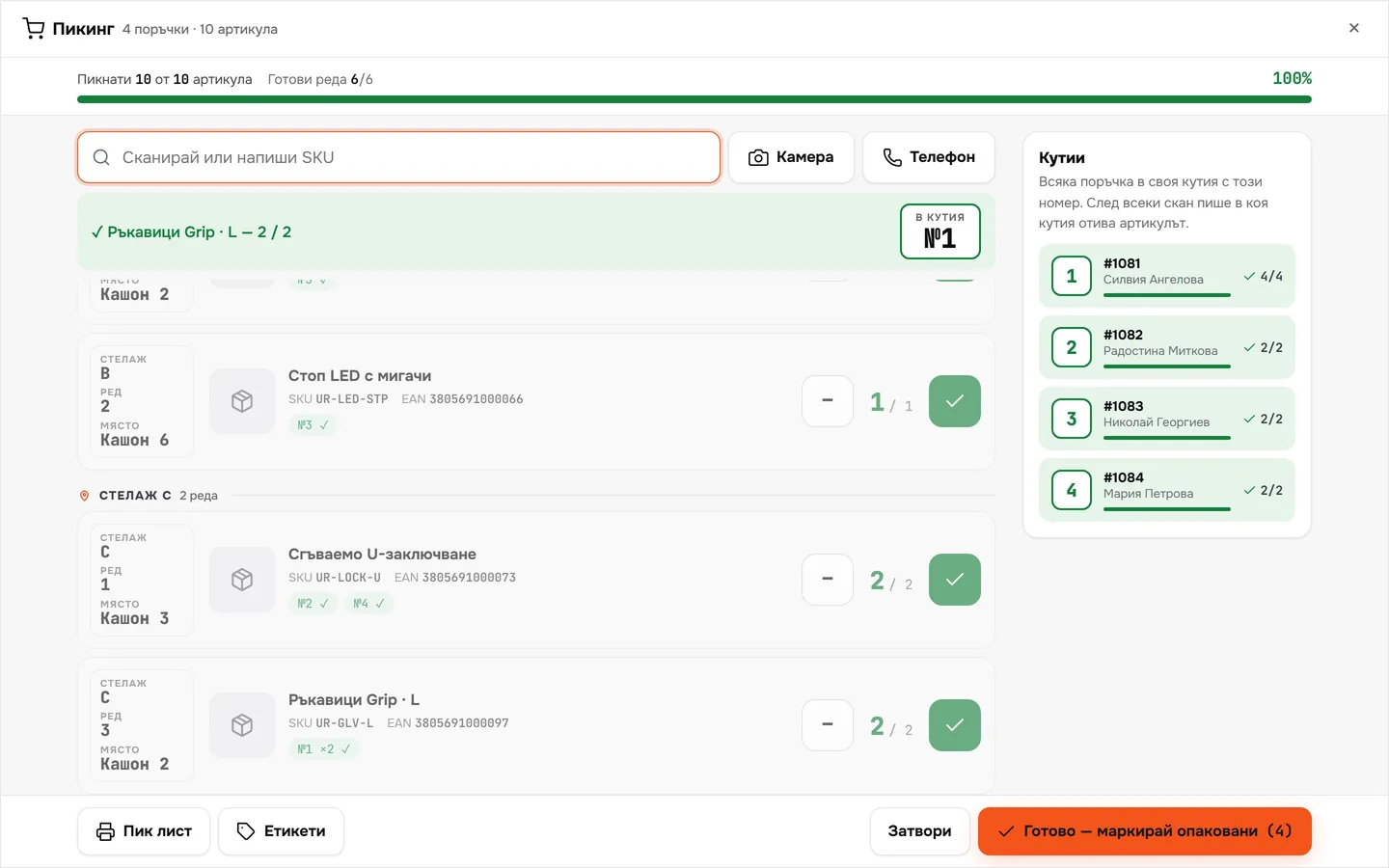
Sendaro gathers several orders into one pick list, sorted by rack. The scanner checks every item and tells you which box it goes in.
14 days free · No card · No contract
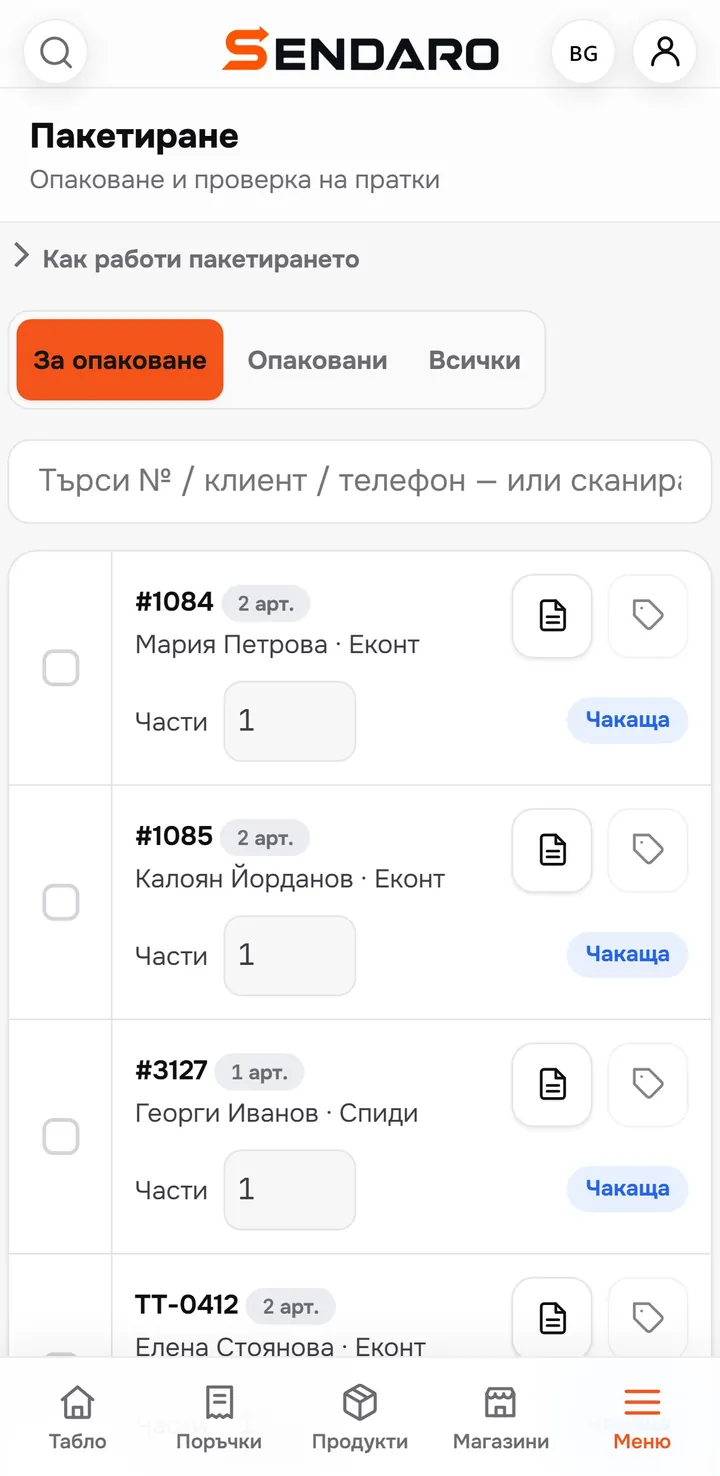
How it works
From orders to sealed boxes.
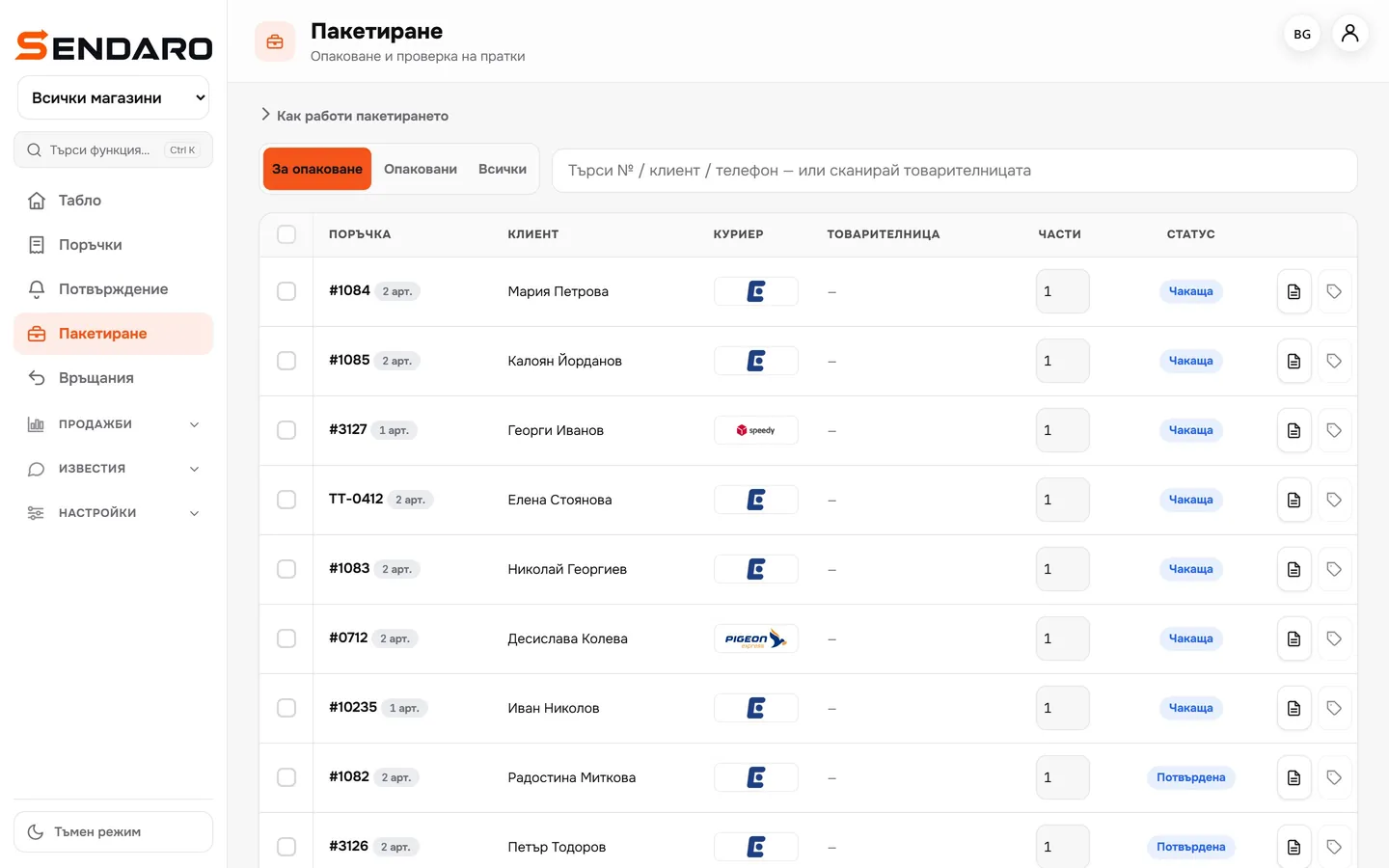
Real Sendaro screens with the Urban Ride demo shop.
- 01
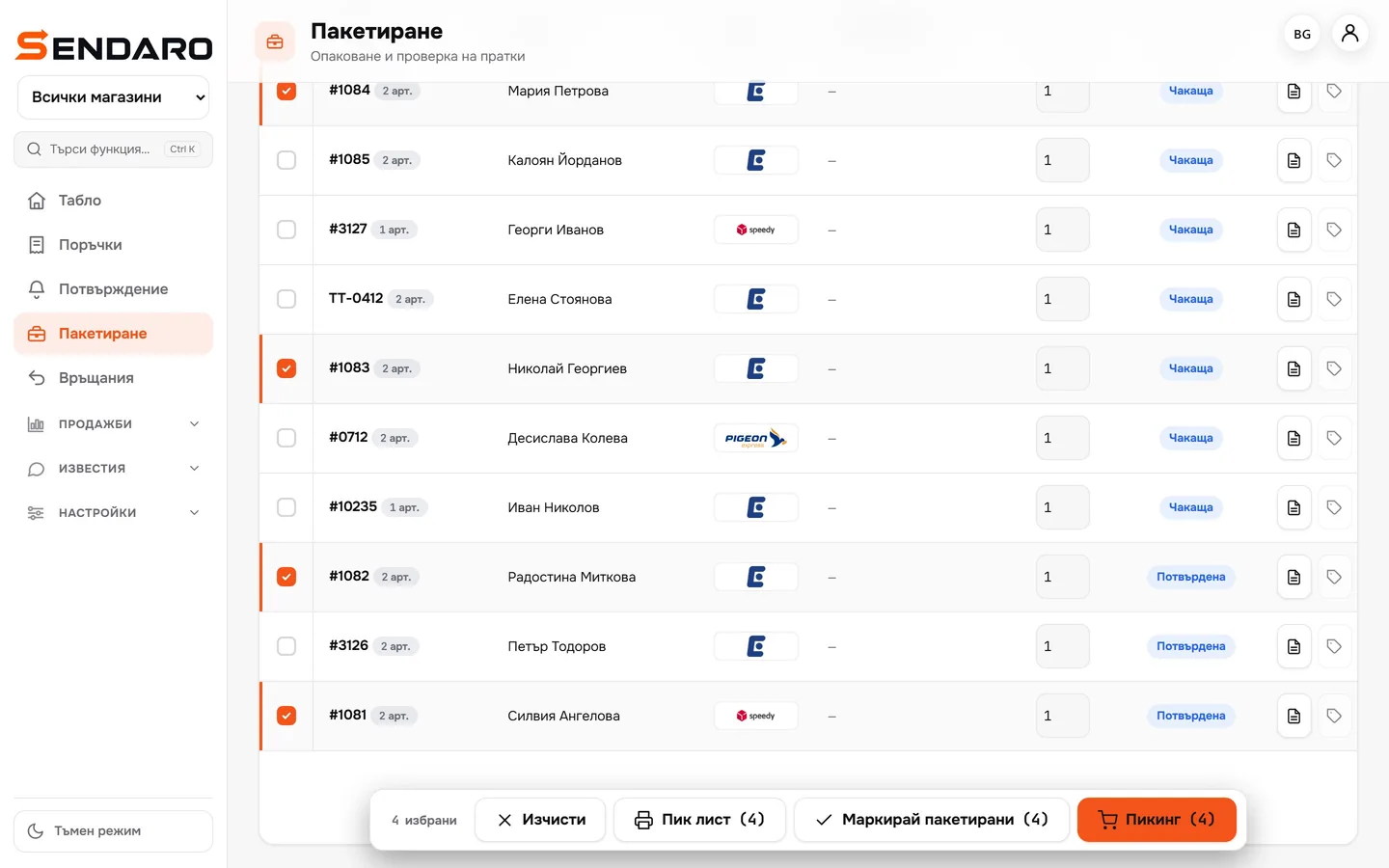
Choose the orders
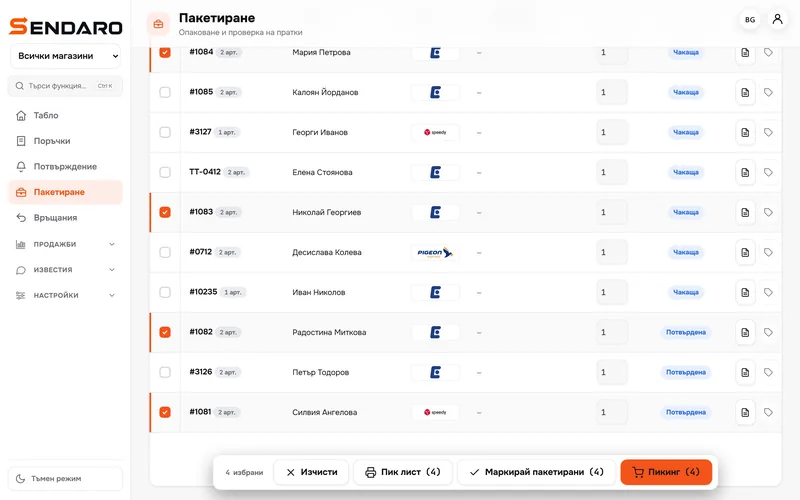
In ‘Packing’, select the orders you’re packing now.
- 02
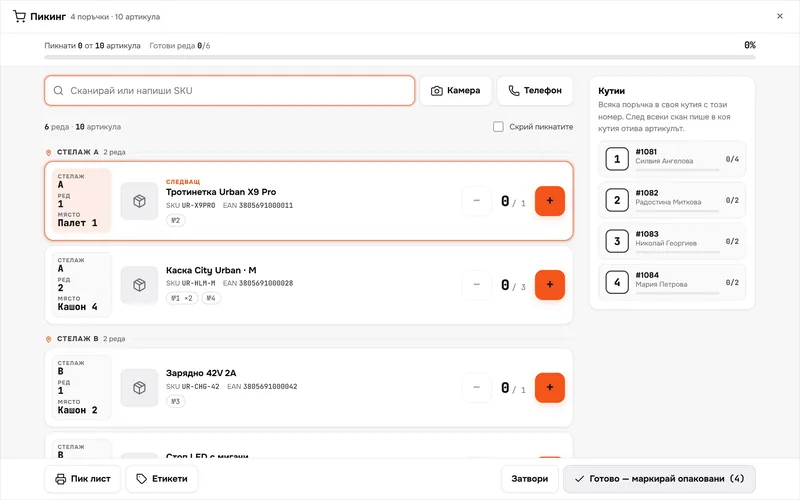
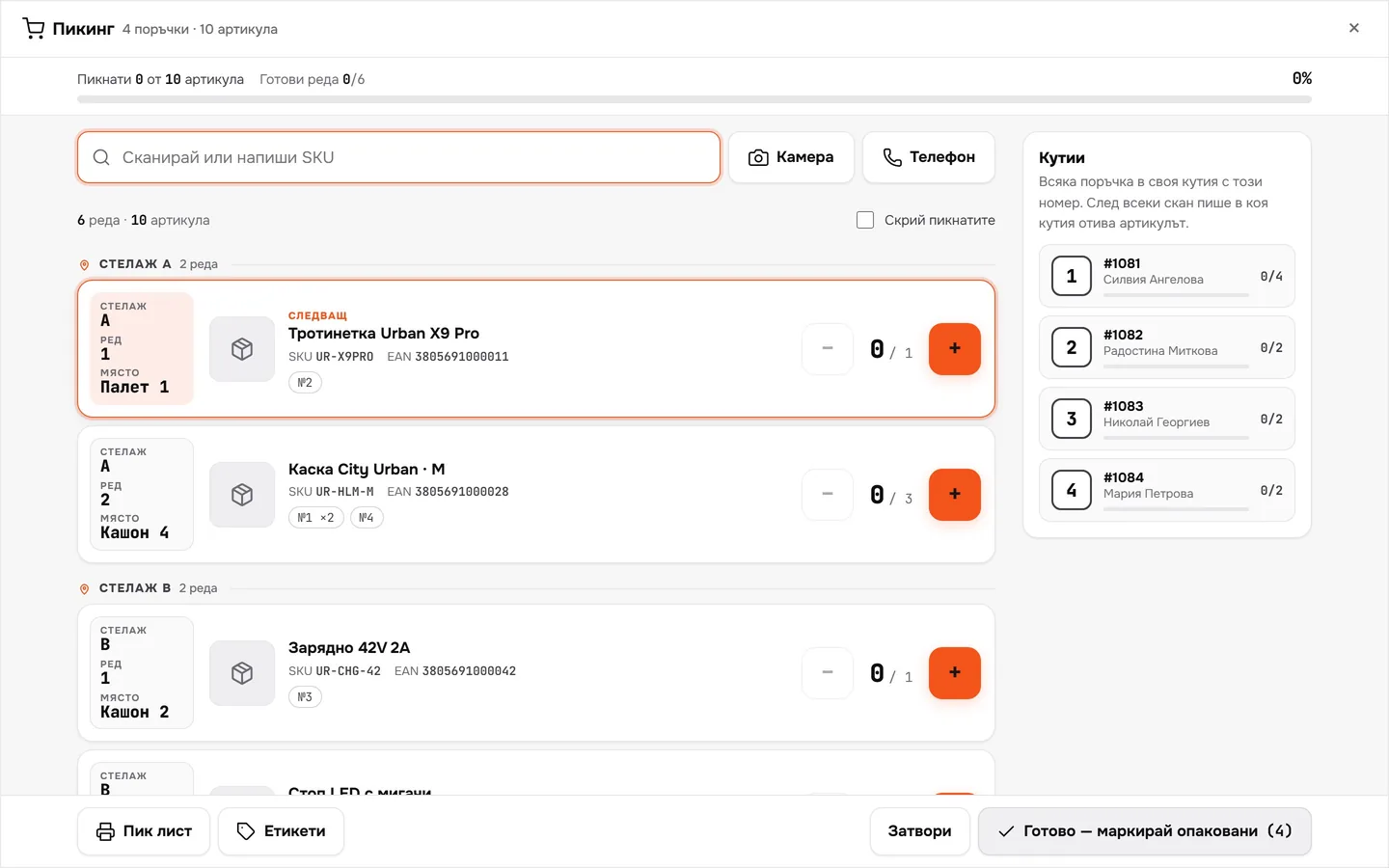
A pick list by rack
Items are sorted by rack, row and position. You only walk the warehouse once.
- 03
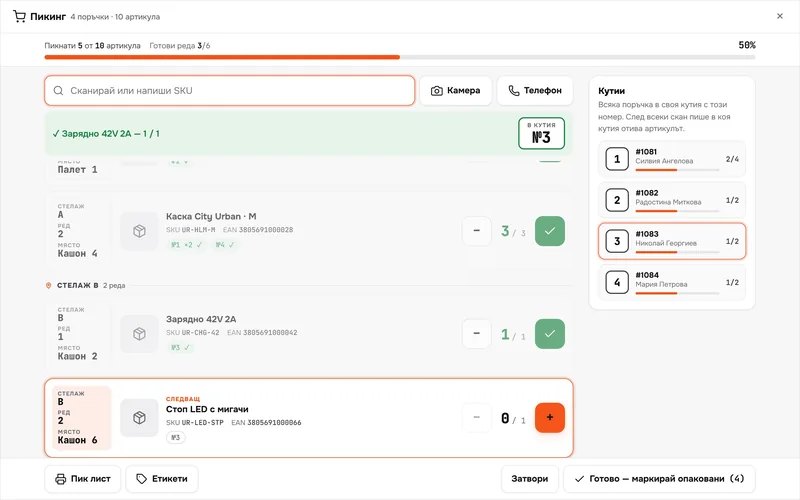
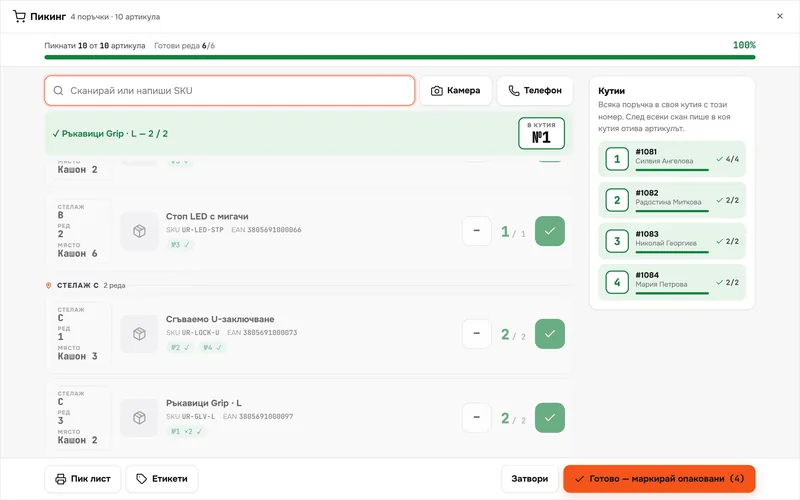
Scan every item
With a scanner, the camera or your phone. A wrong item beeps and isn’t counted.
- 04
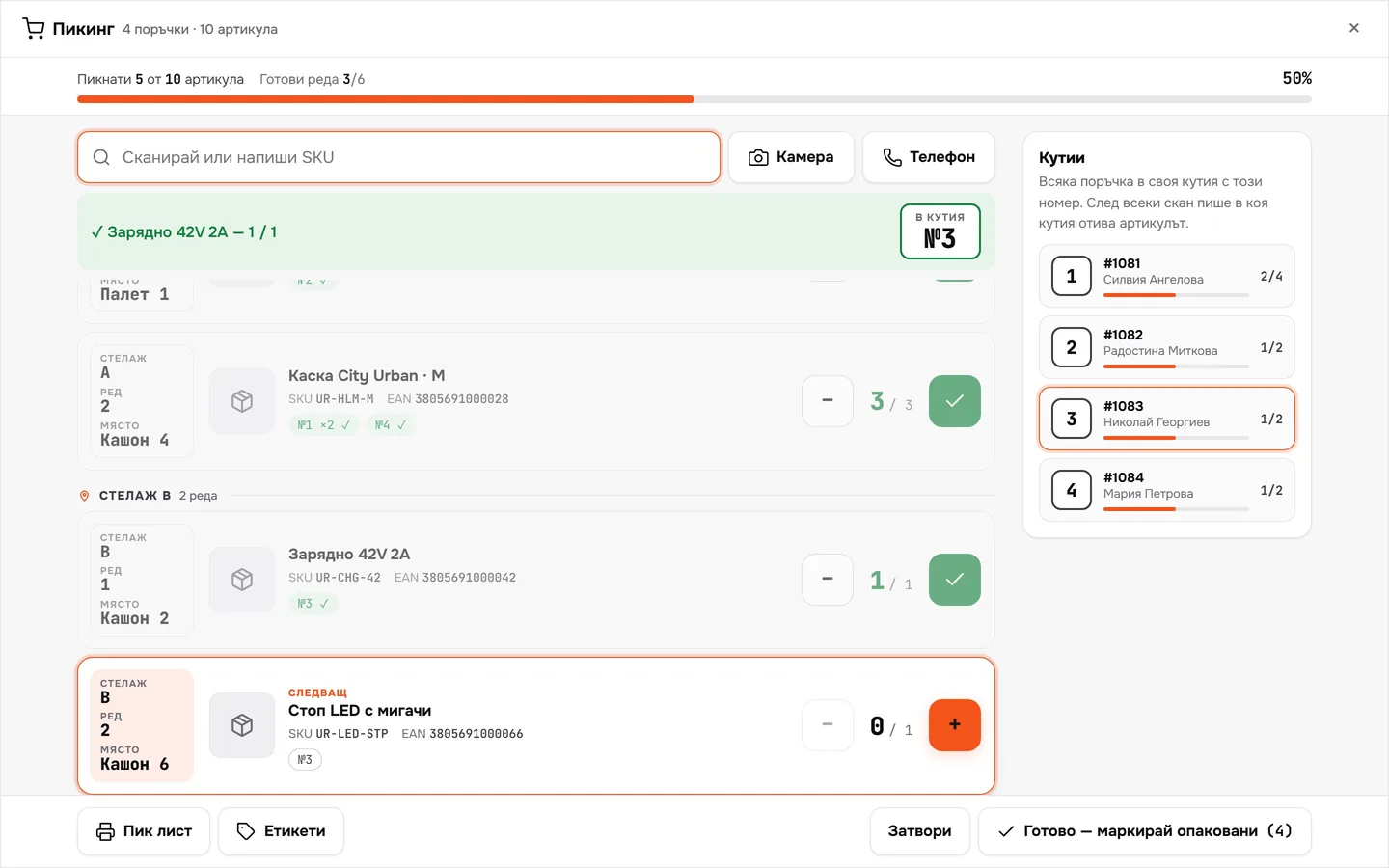
Every order in its own box
Each order gets a box number. After every scan you see where the item goes.
- 05
Mark them as packed
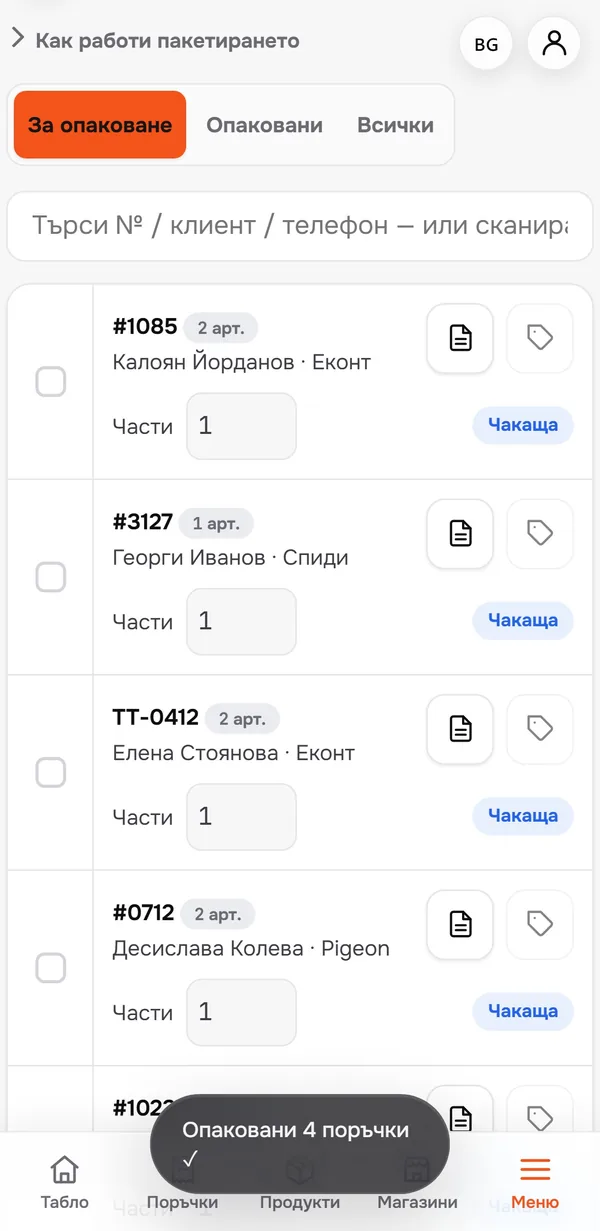
Once everything is scanned, one click marks the orders as packed.
What you get
Fewer mistakes, less walking.
The wrong item doesn’t get through
Scanning an item that isn’t in these orders triggers a beep and a warning.
No back-and-forth
The pick list is sorted by rack and row, so you only walk the warehouse once.
Several orders at once
Collect them in one round, each in its own box.
Scanner, camera or phone
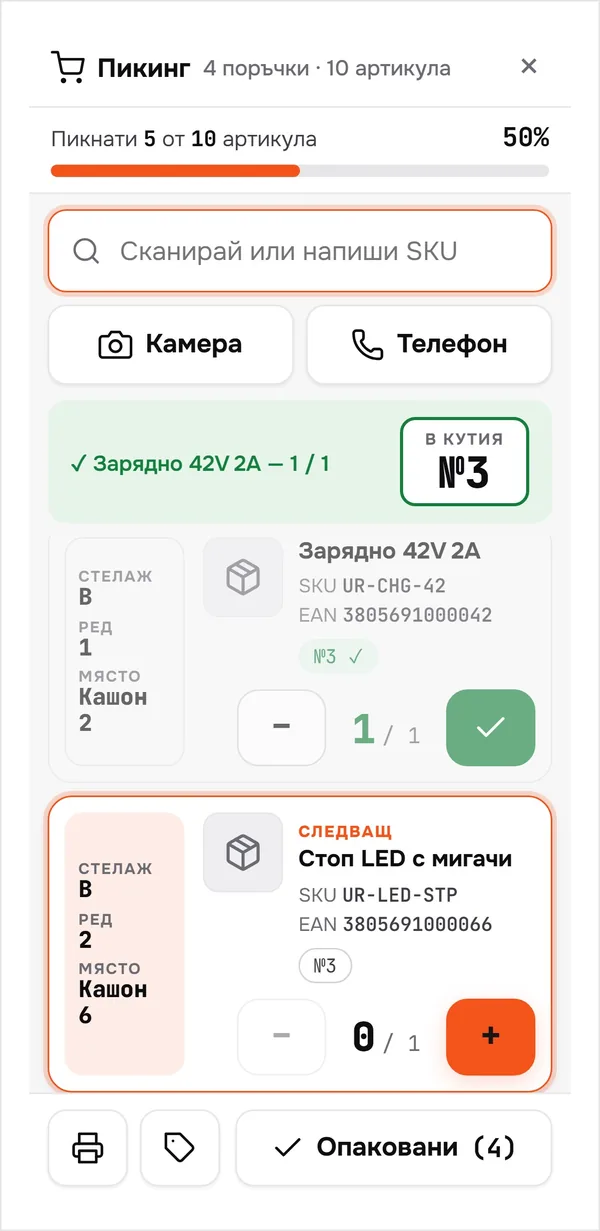
A standard scanner, your laptop’s camera or your phone as a reader.
Up close
In the warehouse, from your phone.
Questions
Questions about picking.
Do I need a barcode scanner?
No. Your laptop’s camera works too, or your phone as a wireless reader. A standard USB scanner also works.
How does Sendaro know where the stock is?
You save each product’s location: rack, row and position. The pick list sorts items by location.
What happens with the wrong item?
You hear a beep and see a warning that the item isn’t in these orders. It isn’t counted.
Can I print the pick list?
Yes. The ‘Pick list’ button prints it in black and white, sorted by rack.