


- Home
- Sendaro Online
- Order confirmation

Ship only the orders that will be collected.
For online shops in Bulgaria.
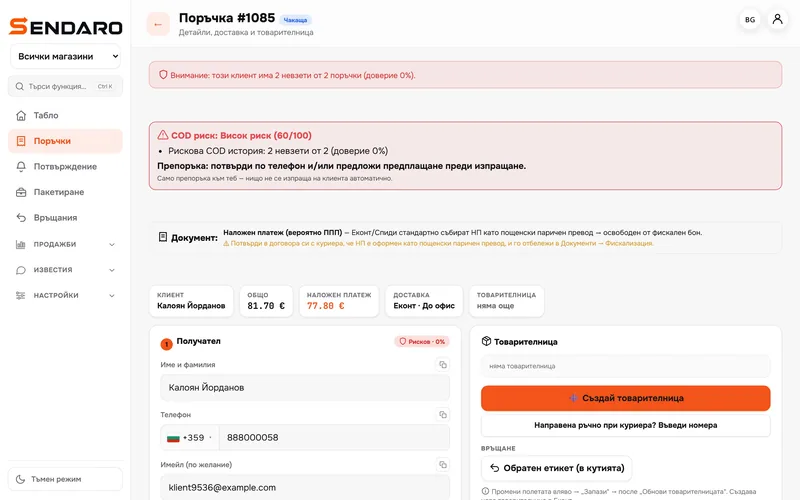
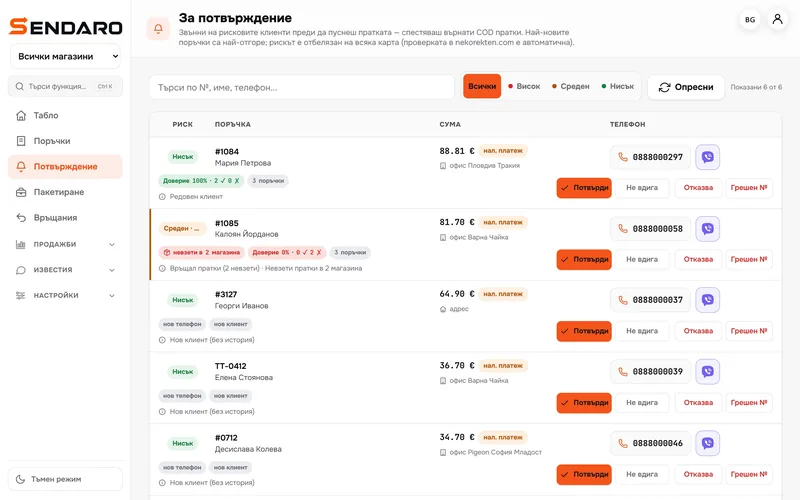
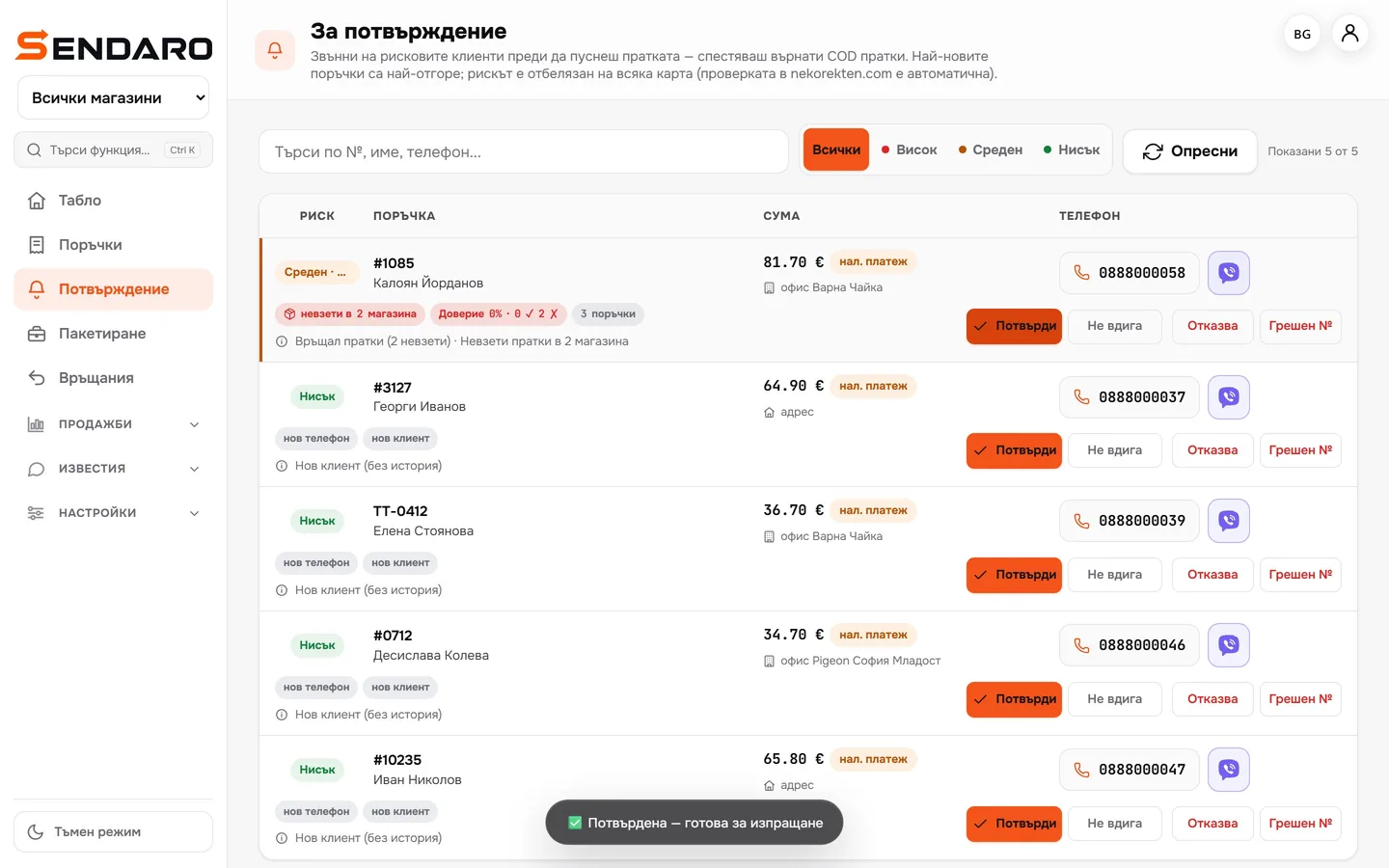
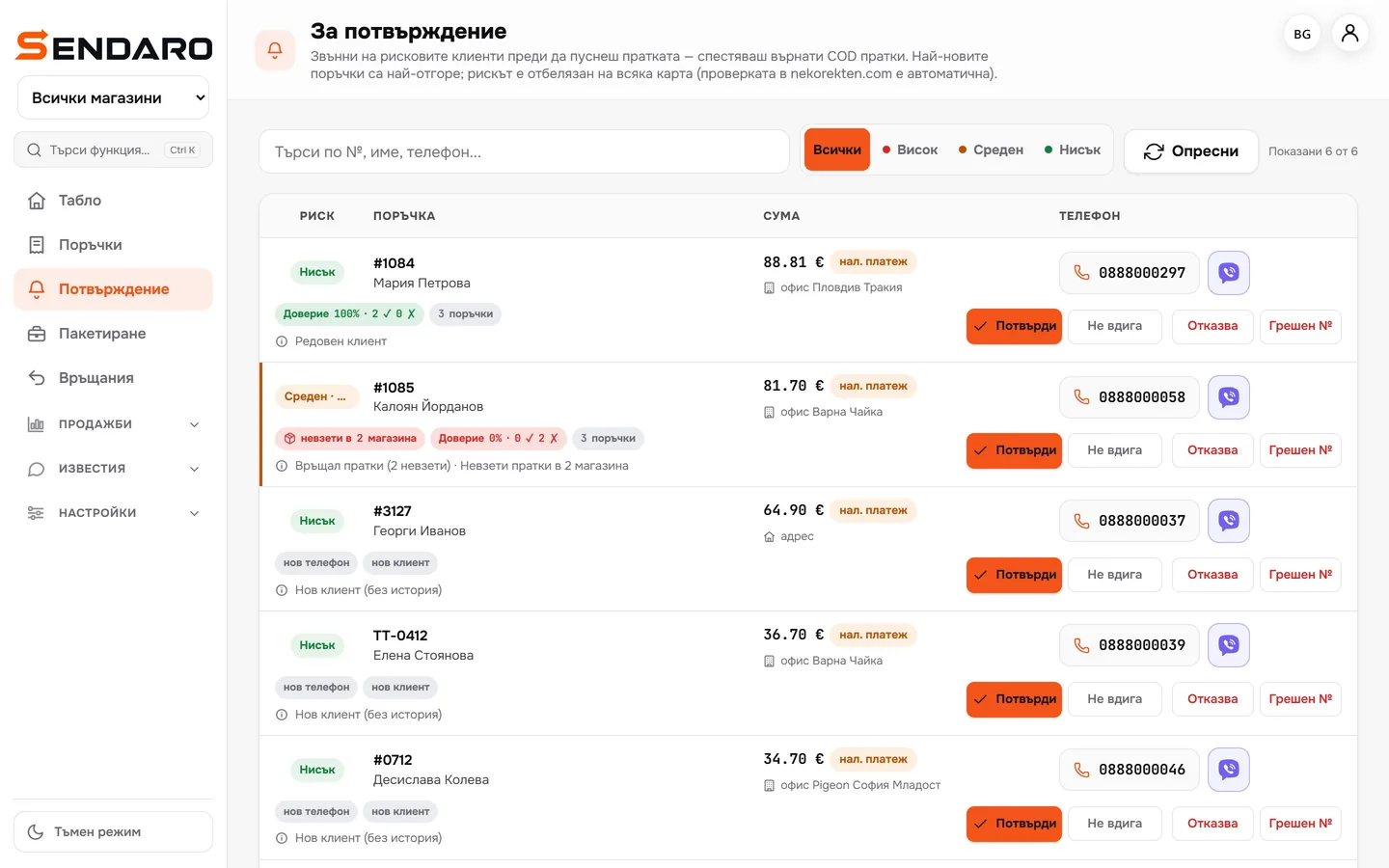
New cash-on-delivery orders wait in a queue, with the risk shown next to each. Customers confirm with one tap, and you log your calls.
14 days free · No card · No contract
How it works
Queue, link, decision.
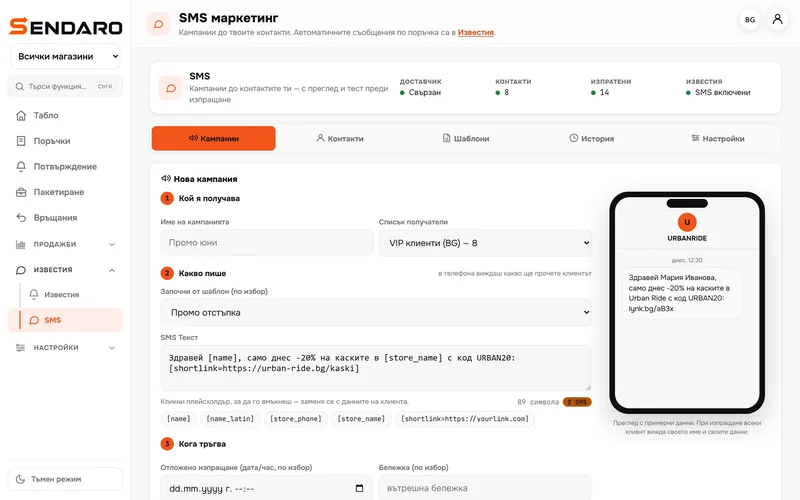
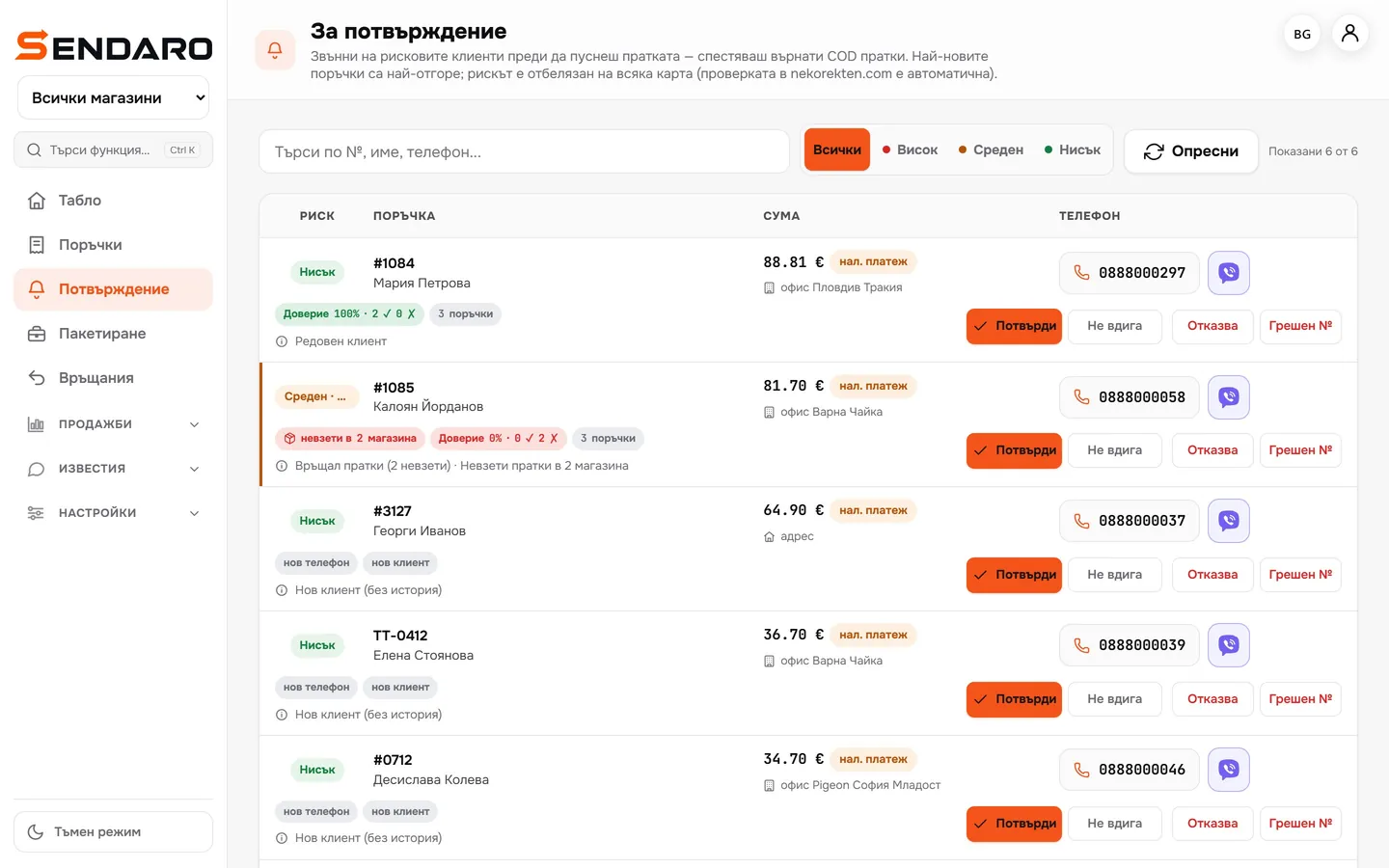
Real Sendaro screens with demo data.
- 01
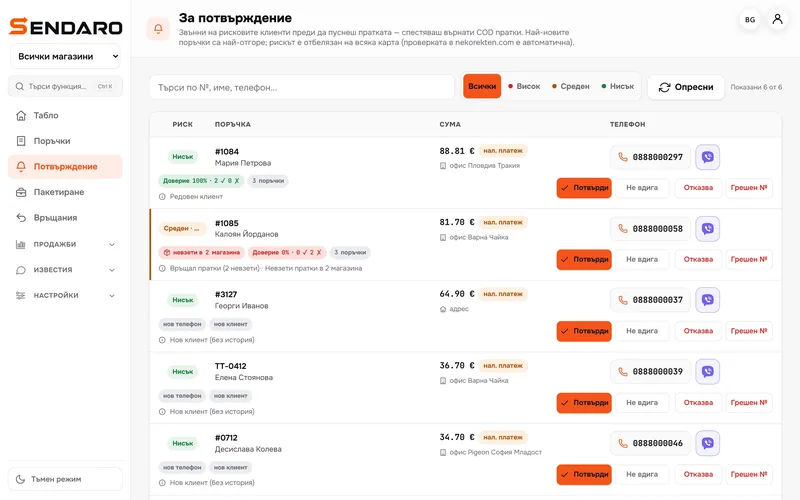
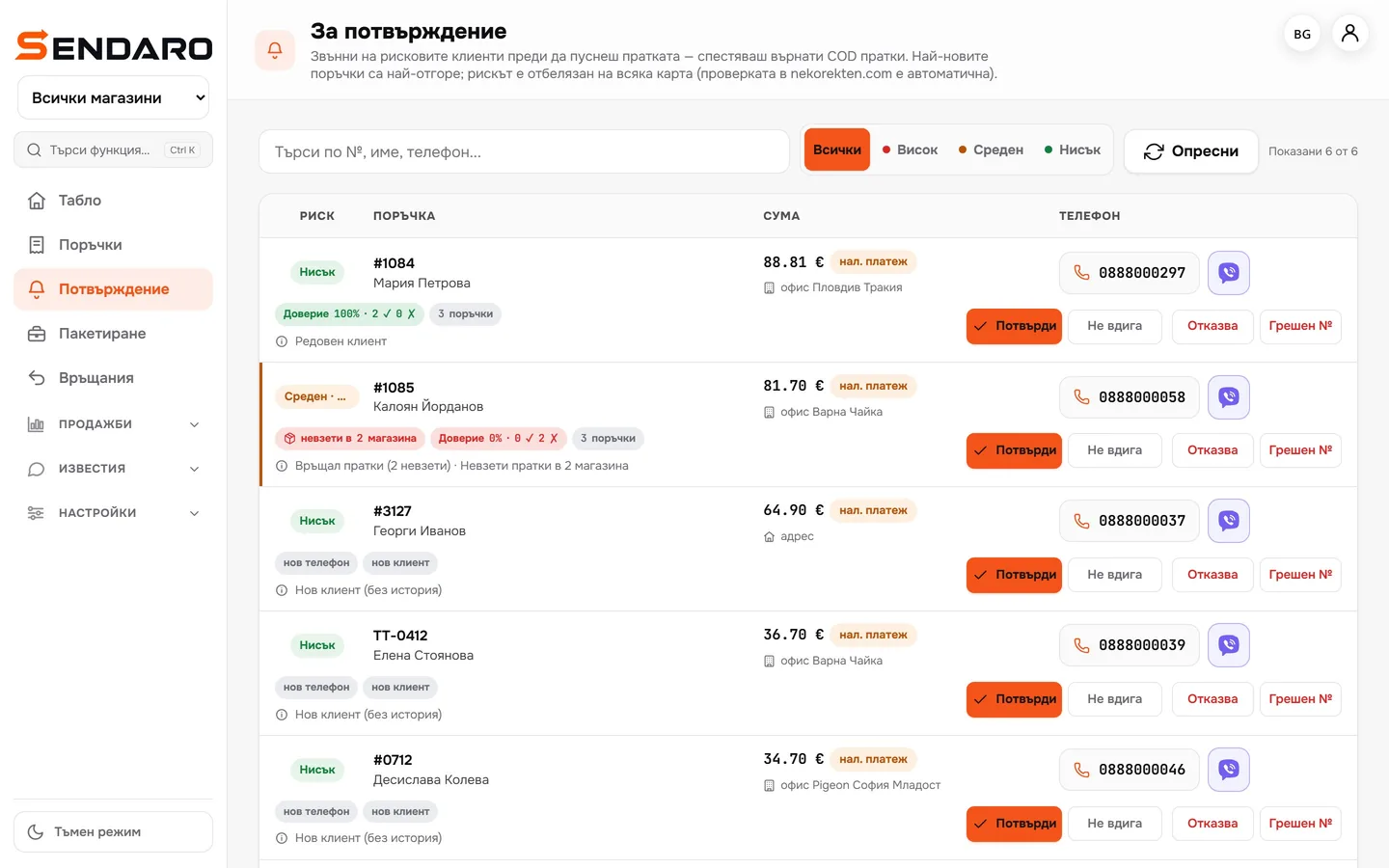
Orders wait in a queue
Newest on top. Next to each one: the amount, the courier office and the risk, with the reason.
- 02
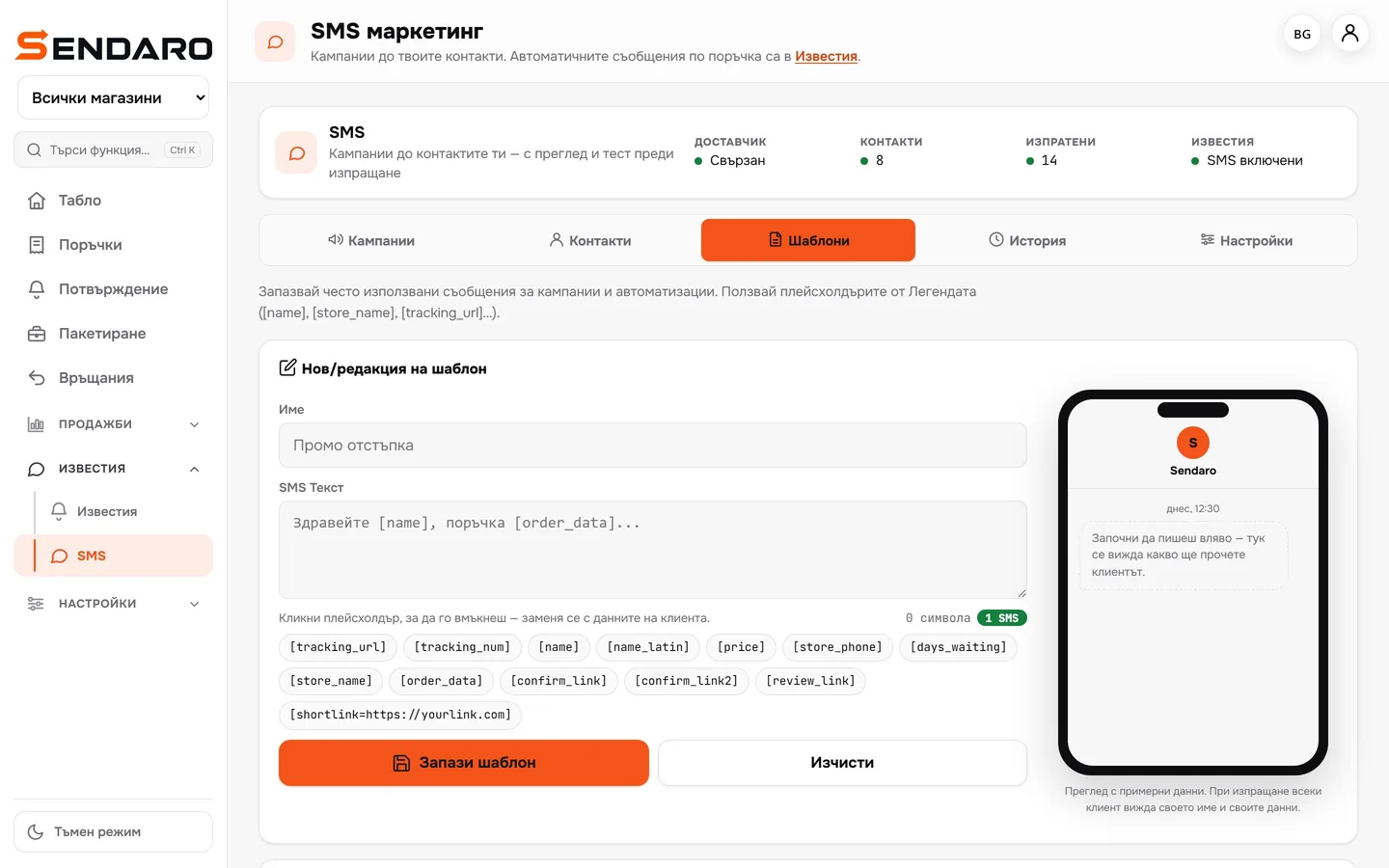
An SMS with a confirmation link
In the message, add [confirm_link] for one-tap confirmation, or [confirm_link2] to let the customer review the order before confirming.

- 03
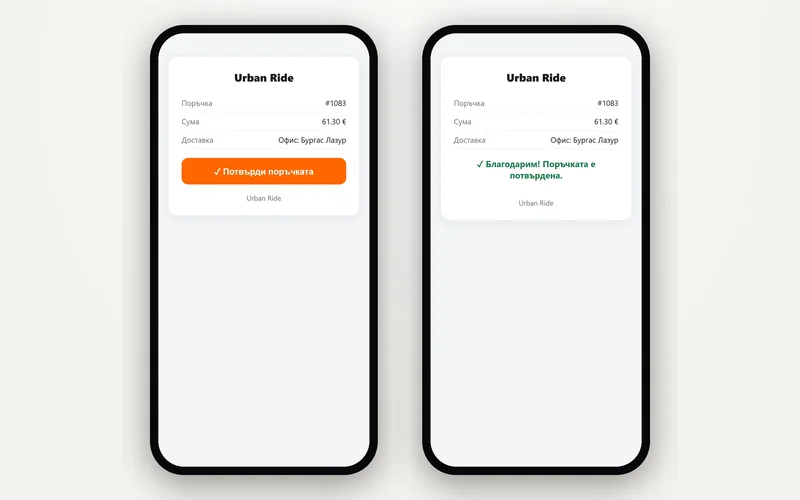
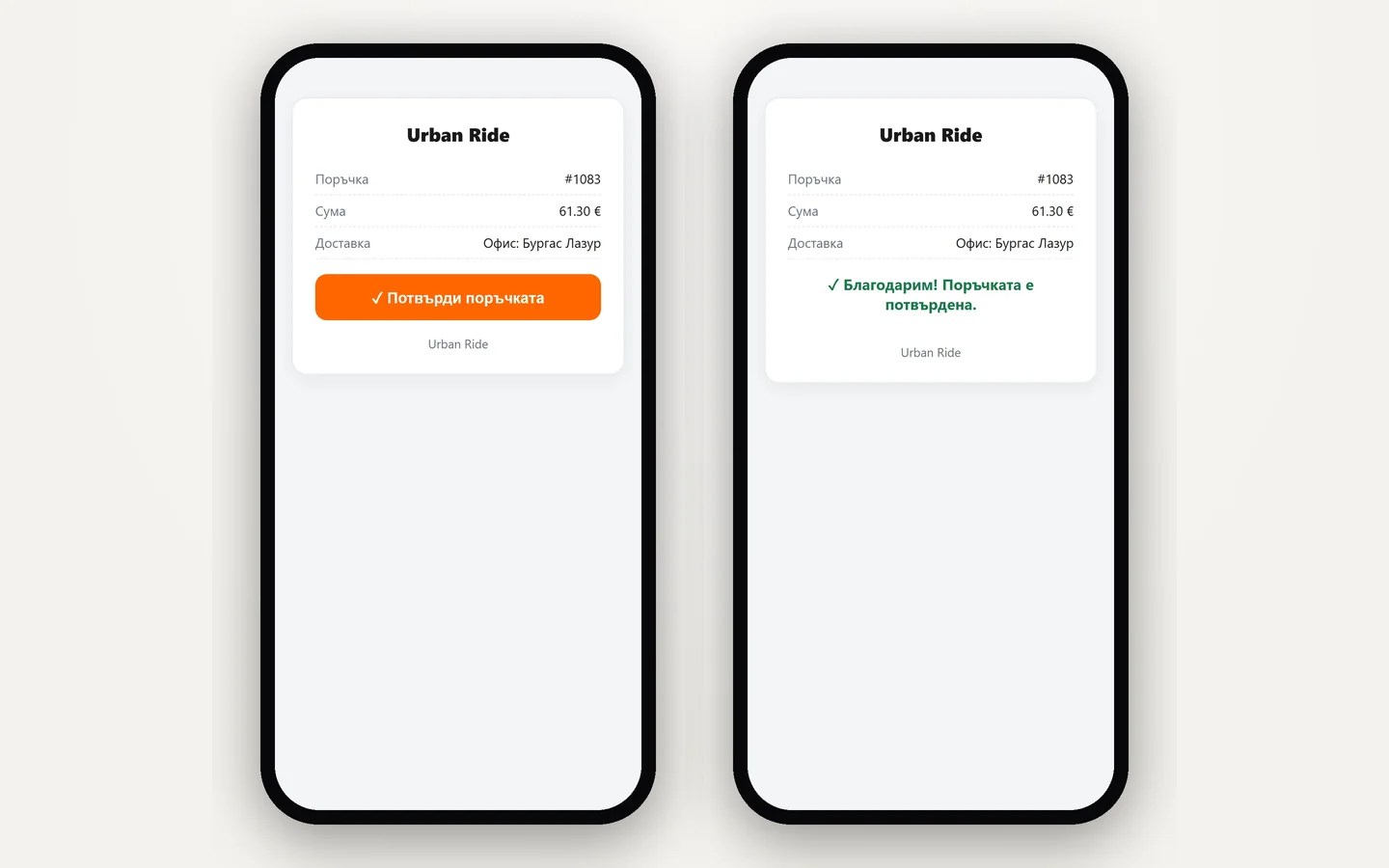
The customer confirms on their phone
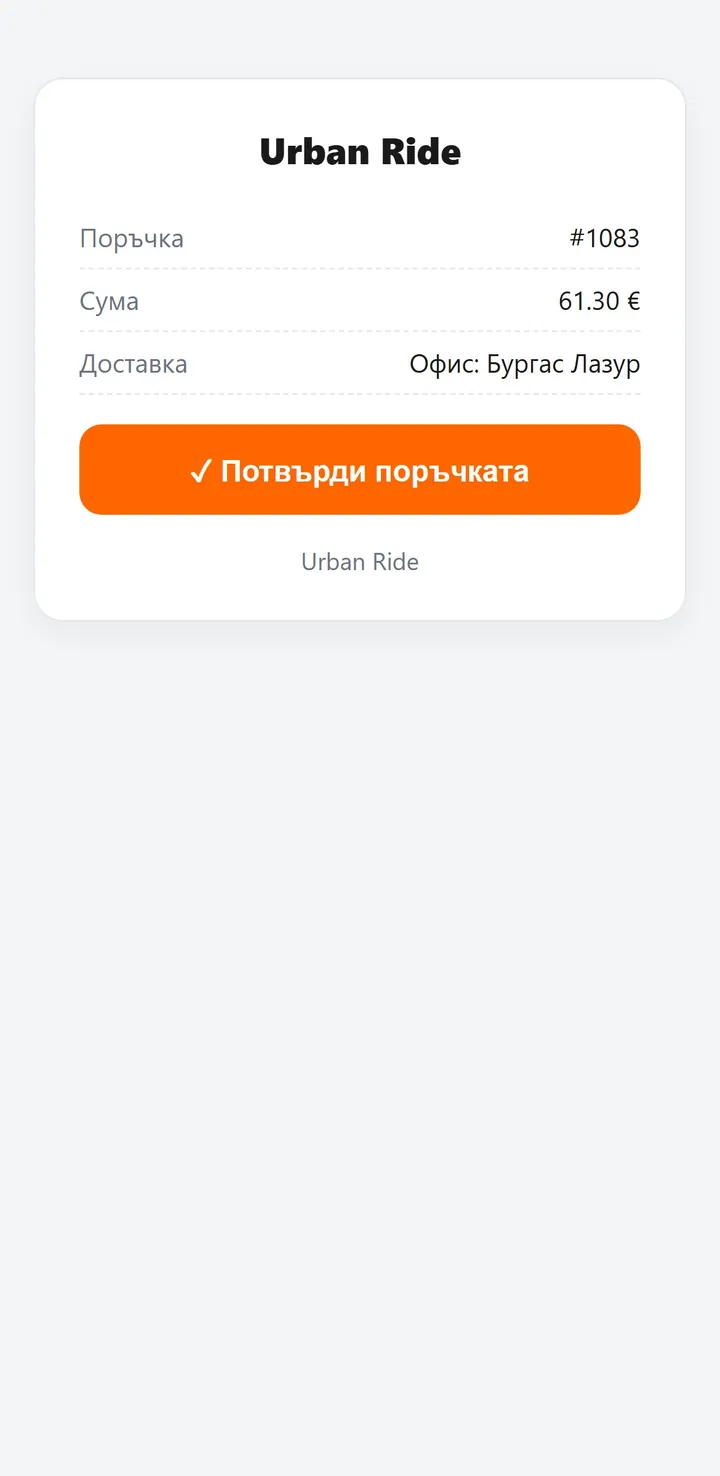
No login, no password. They see the order, the amount and the office, and tap ‘Confirm’.
- 04
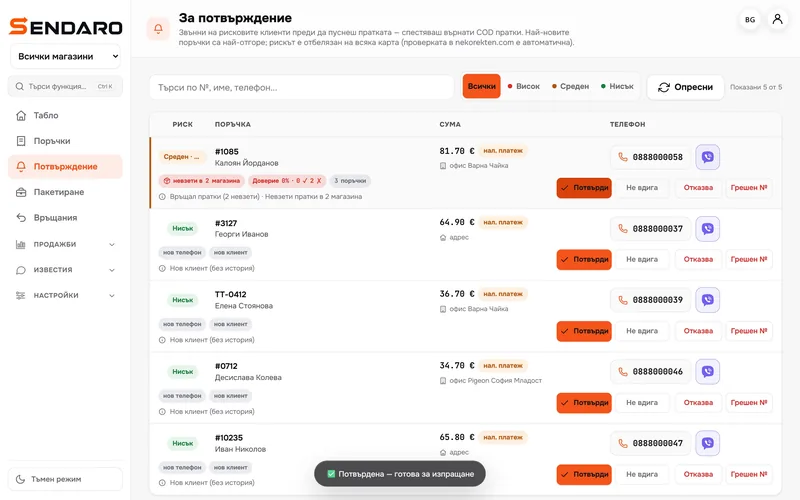
The order is ready to ship
A confirmed order leaves the queue marked ‘Confirmed – ready to ship’.
- 05
Or log the call
‘Confirm’, ‘No answer’, ‘Refuses’ or ‘Wrong number’. With ‘Refuses’ and ‘Wrong number’, the order and its waybill are cancelled.
What you get
Fewer parcels coming back.
Fewer calls
Customers confirm through the link themselves, without you chasing them.
Risk in plain sight
The queue shows who already has uncollected parcels.
You know what’s confirmed
Confirmed orders leave the queue; the rest wait for a decision.
No shipping blind
Declined orders are cancelled before you pay a courier.
Questions
Questions about confirmation.
Does the customer need an account?
No. The link is signed and works only for their order. They open it and tap ‘Confirm’.
Can I call instead of sending an SMS?
Yes. Each order has call and Viber buttons, and afterwards you log what happened.
What happens to declined orders?
With ‘Refuses’ or ‘Wrong number’, the order is cancelled and its waybill voided.
Do I need an SMS provider?
To send SMS, you connect your own provider. Without one, you confirm by phone straight from the queue.