


- Home
- Sendaro Online
- Abandoned carts

Win back abandoned carts by SMS or email.
For online shops in Bulgaria.
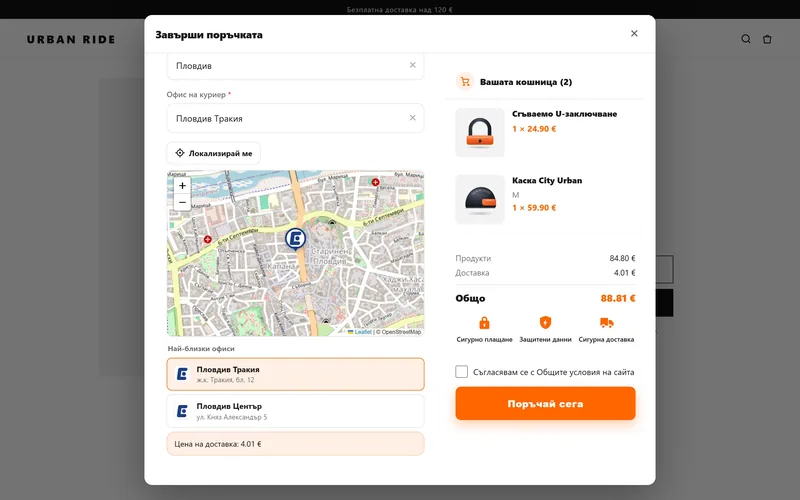
The checkout saves the cart as soon as the customer enters their phone number. If they don’t order, an SMS or email takes them right back to where they left off.
14 days free · No card · No contract
How it works
From abandoned cart to order.
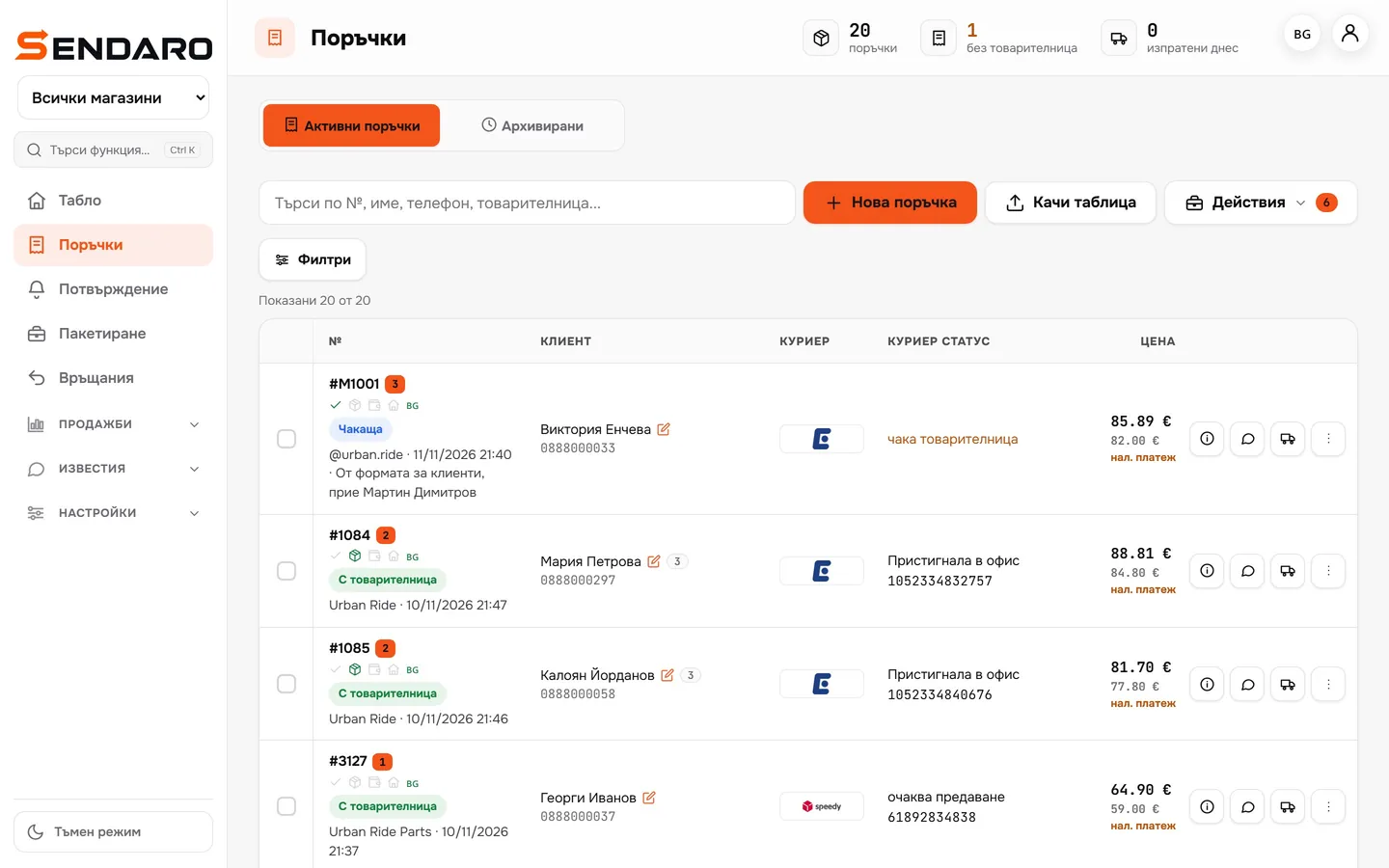
Real Sendaro screens with a demo shop.
- 01
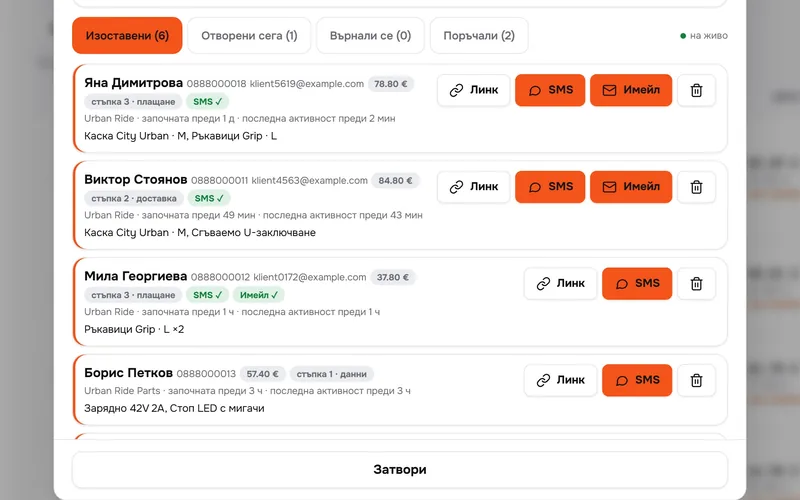
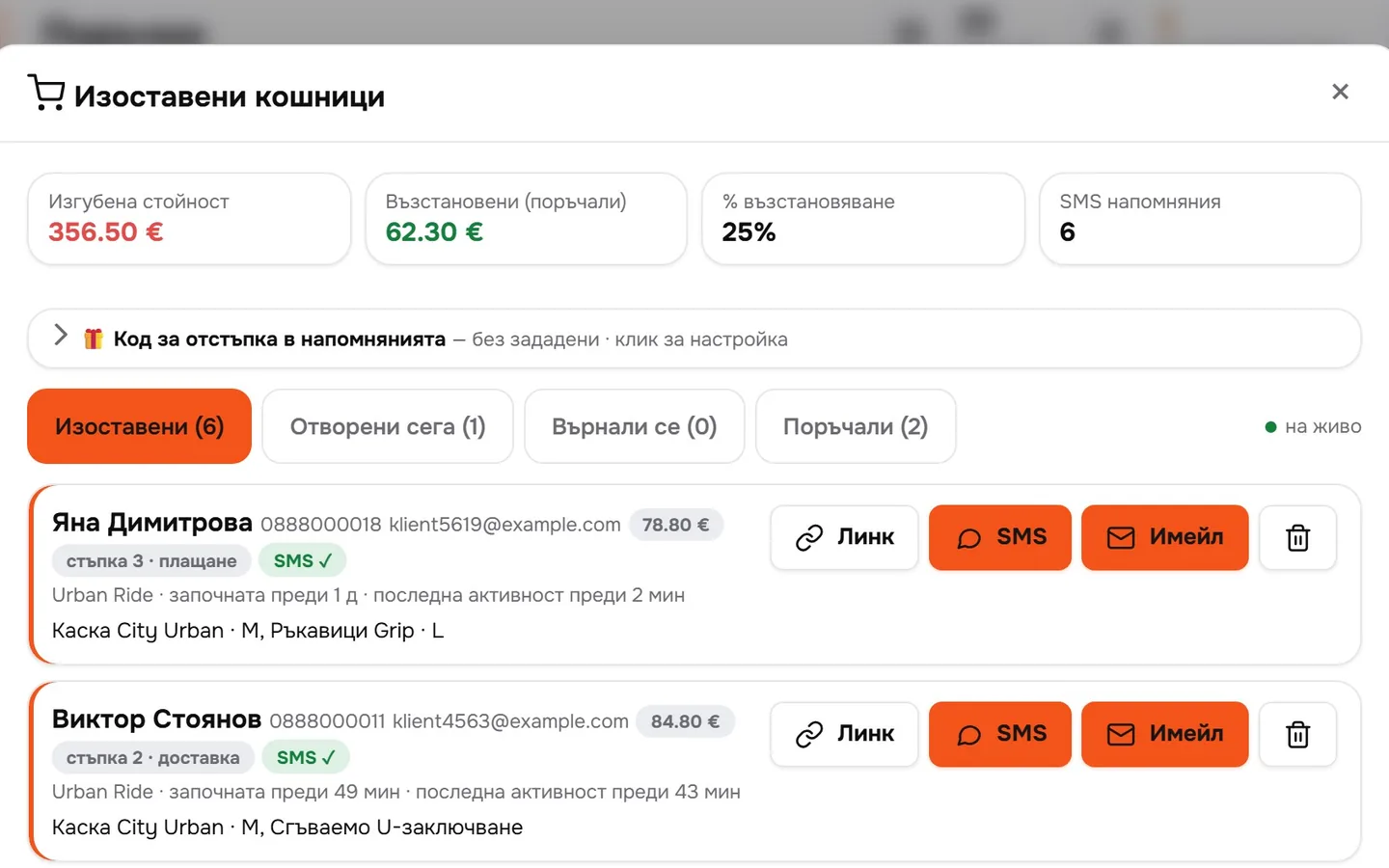
The cart is saved
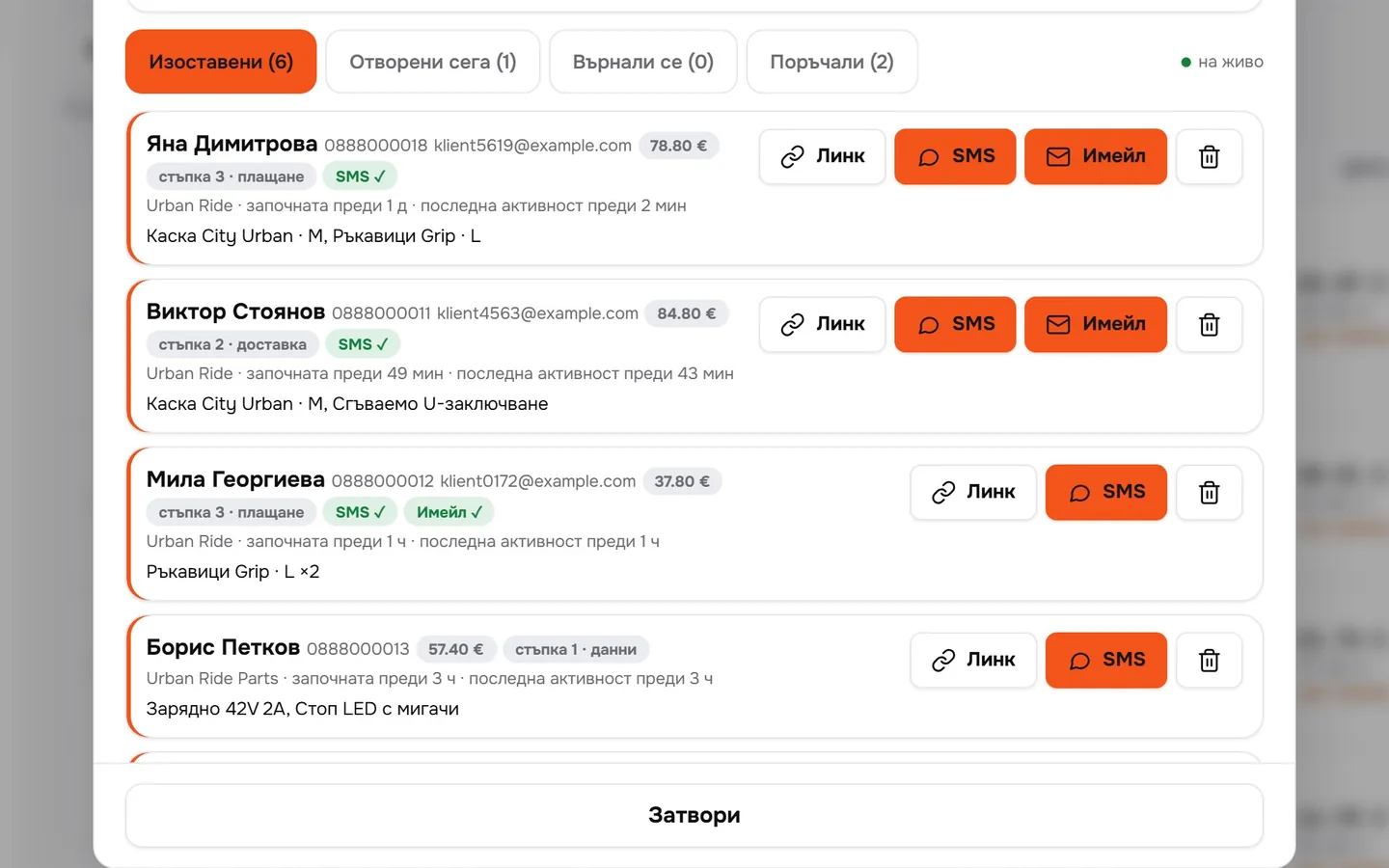
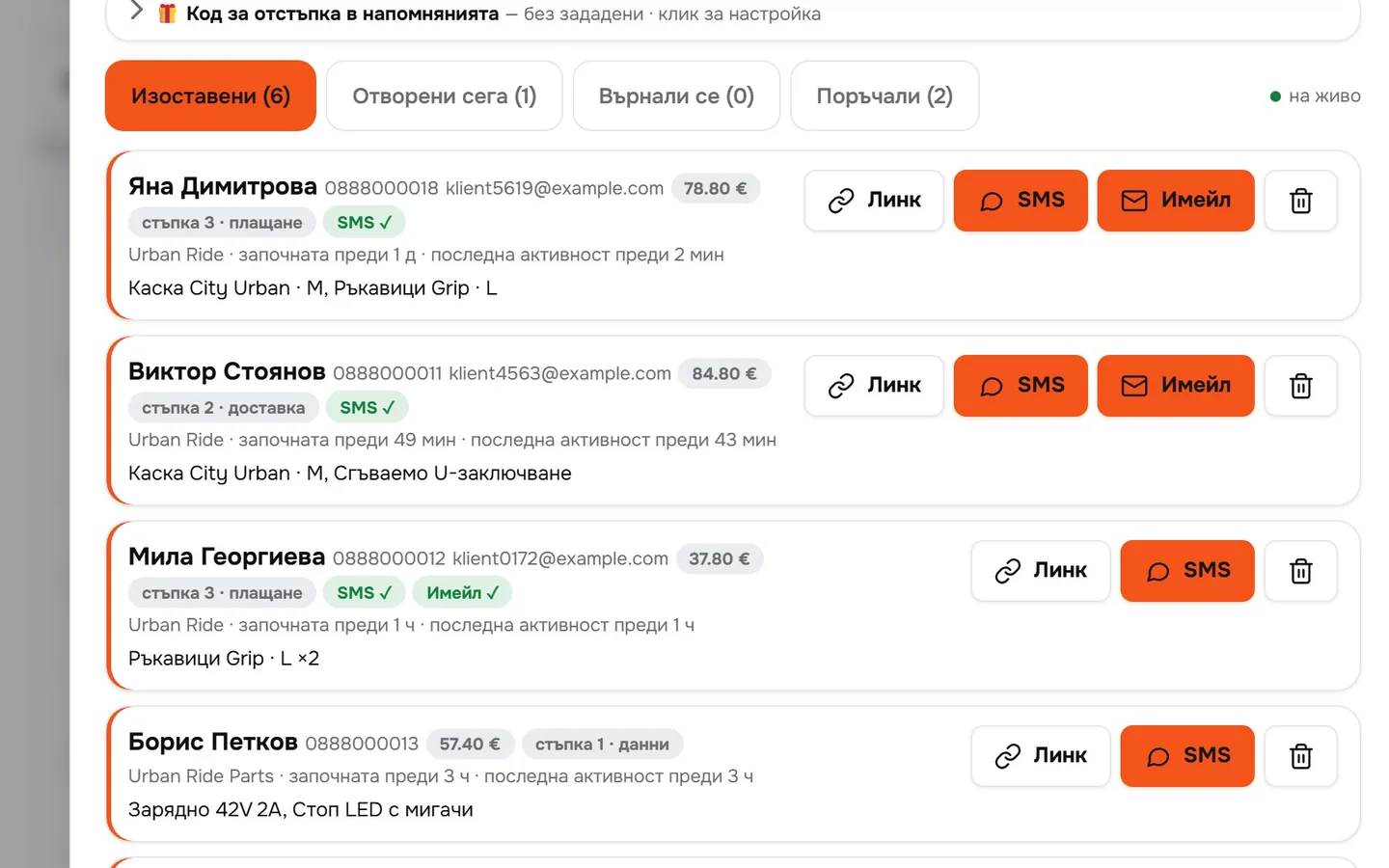
The moment the customer enters a phone number at checkout. It includes the products, the total and the step they reached: details, delivery or payment.
- 02
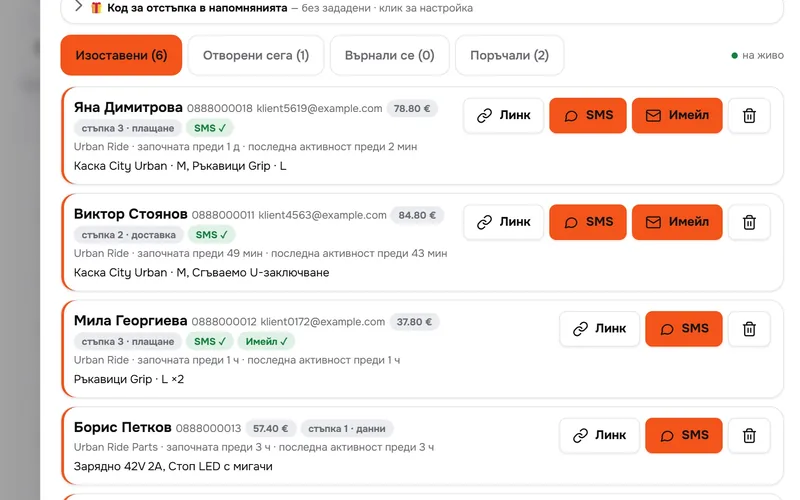
Remind them in one click
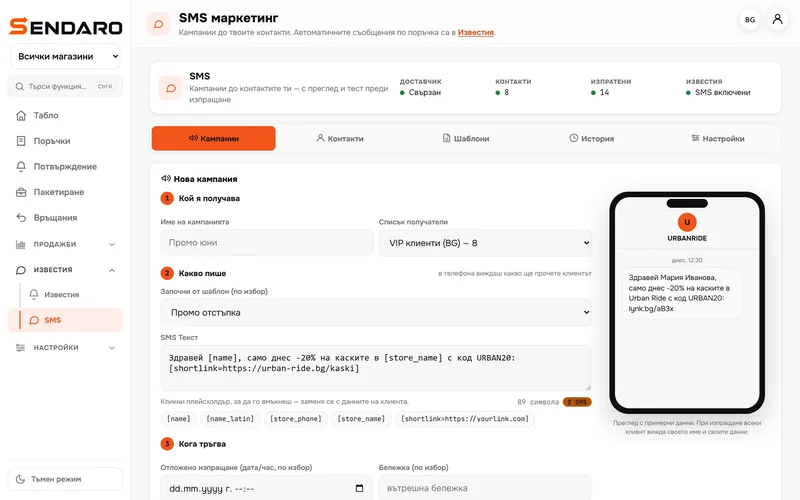
An SMS or email with a link to the cart. It can also go out automatically: Notifications → ‘Abandoned cart’.
- 03
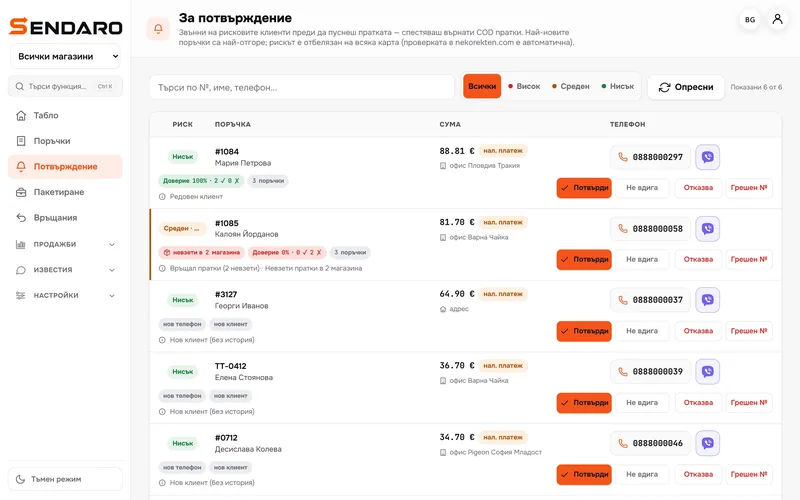
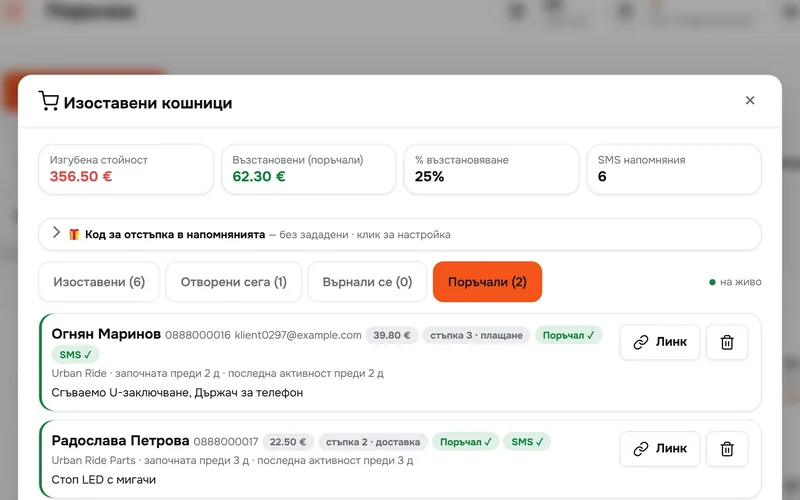
If they order, Sendaro spots it
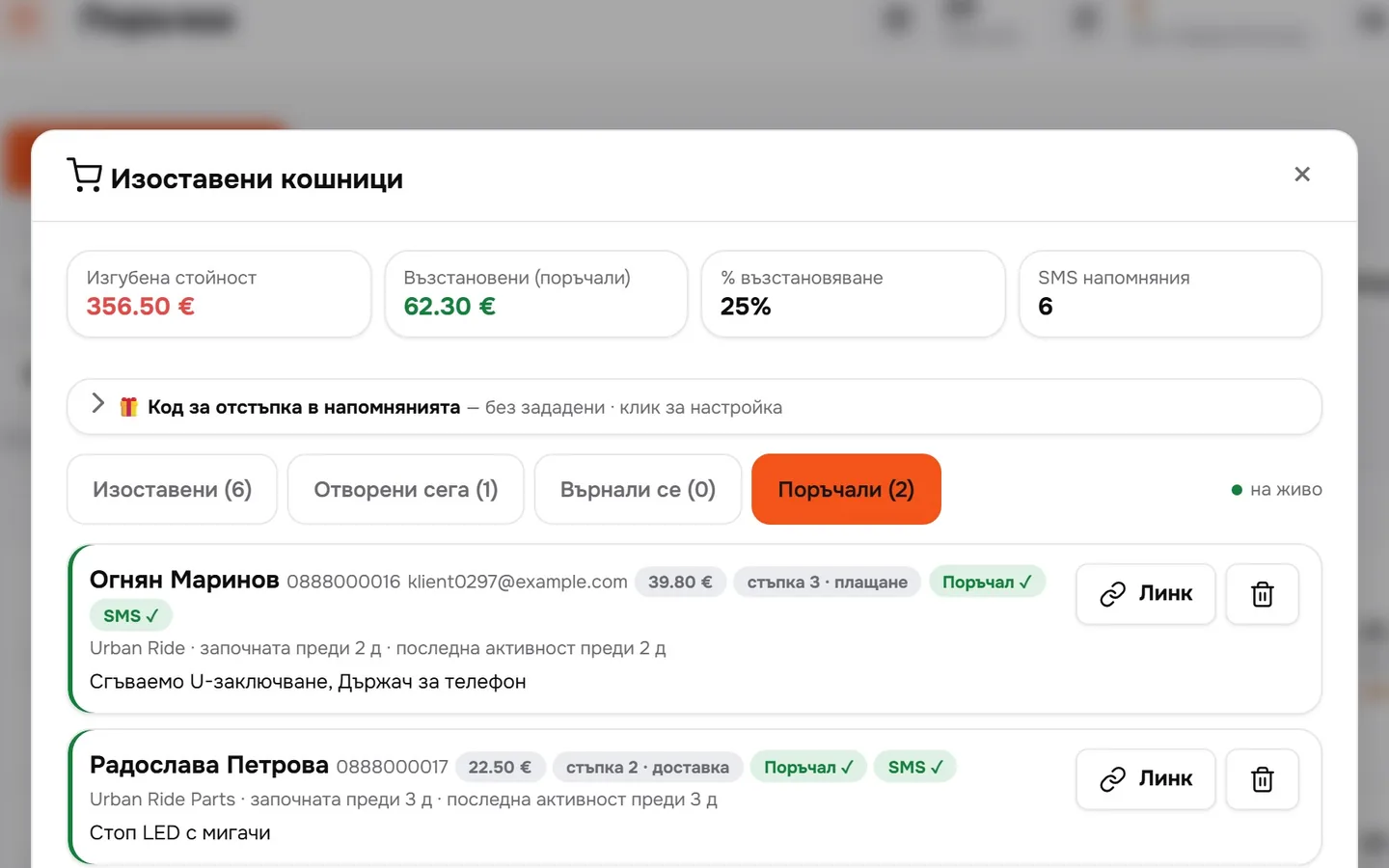
When the customer orders later, from any device, the cart moves to ‘Ordered’ on its own.
- 04
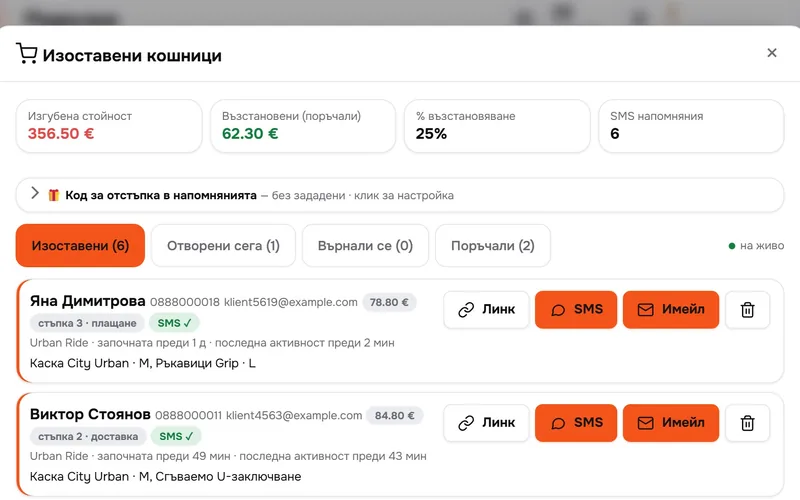
See what you won back
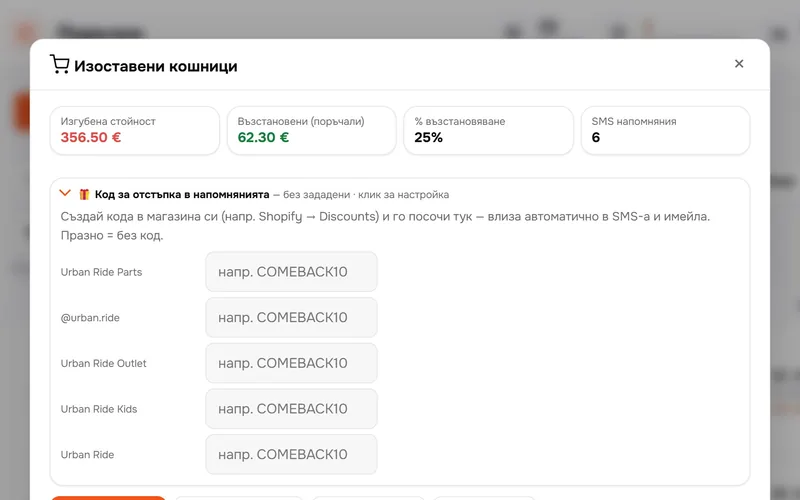
Lost and recovered value, recovery rate and the number of SMS messages sent over the last 30 days.
- 05
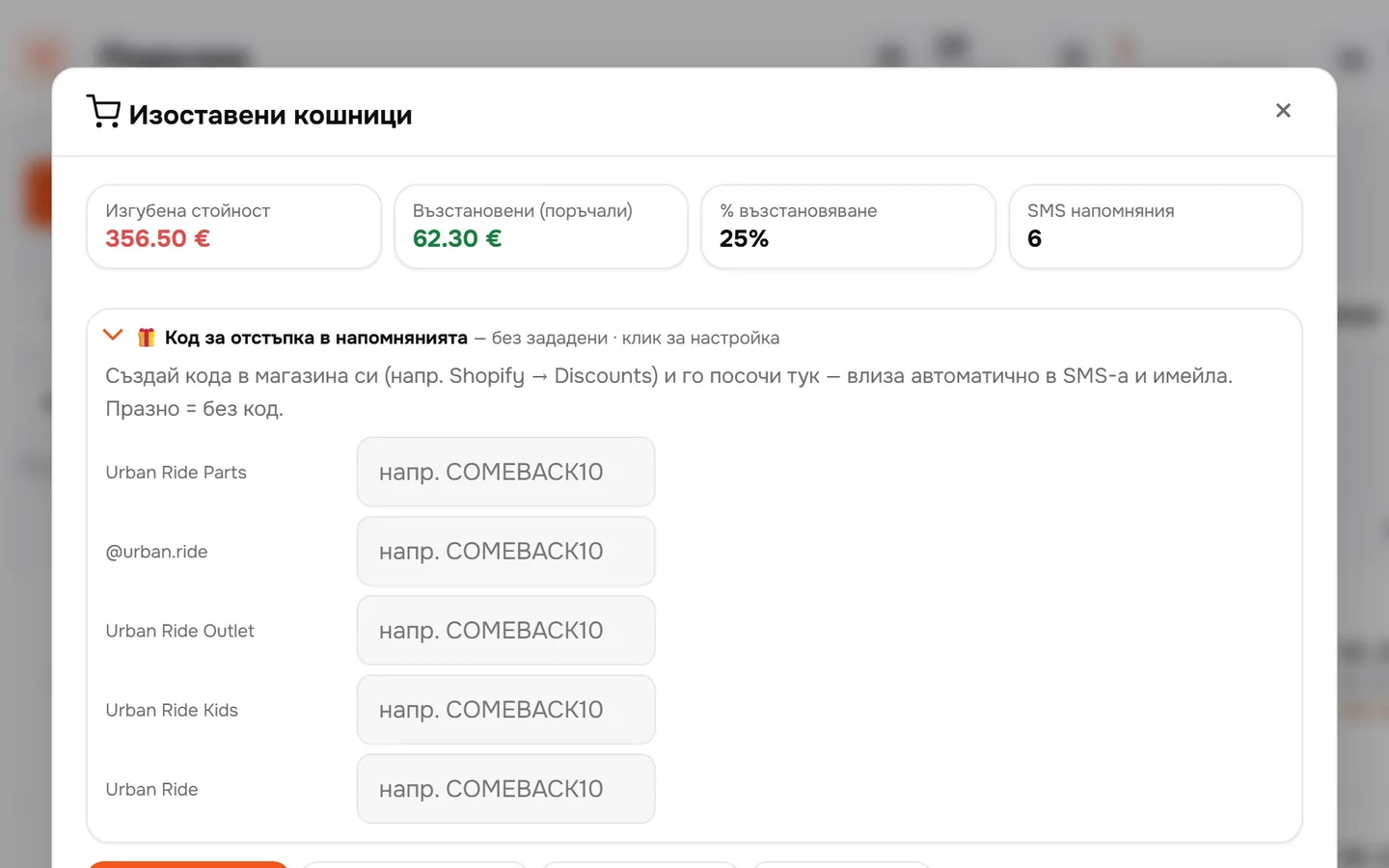
A discount code in the reminder
Create the code in your shop and add it here. It goes into the SMS and the email automatically.
What you get
Sales that would otherwise vanish.
Saved early
As soon as there’s a phone number, even before the customer taps ‘Order’.
SMS and email
Manual or automatic, with a link to the same cart.
No unnecessary reminders
Customers who order later are matched automatically by phone, email and products.
Data isn’t kept forever
Records are deleted after 30 days. You can also delete them manually.
Questions
Questions about abandoned carts.
When does a cart count as ‘abandoned’?
When the customer stops typing for a length of time you set in your shop settings.
Does it work on every platform?
Carts are saved in the Sendaro checkout. It works wherever that checkout is switched on: Shopify, WooCommerce, CloudCart, OpenCart, Wix and your own website.
Do I need an SMS service?
For SMS, yes – you connect an SMS provider in Sendaro. Email goes out through your own email account or through Sendaro’s.
Can I offer a discount?
Yes. Create the code in your shop, for example in Shopify → Discounts, and add it in Sendaro. It goes into the reminder automatically.