


- Home
- Sendaro Online
- Statistics

See your sales and parcels on one screen.
For online shops in Bulgaria.
Revenue, orders, delivered and uncollected parcels. Which courier performs better, where and when people order. From all your shops at once.
14 days free · No card · No contract
How it works
What you see.
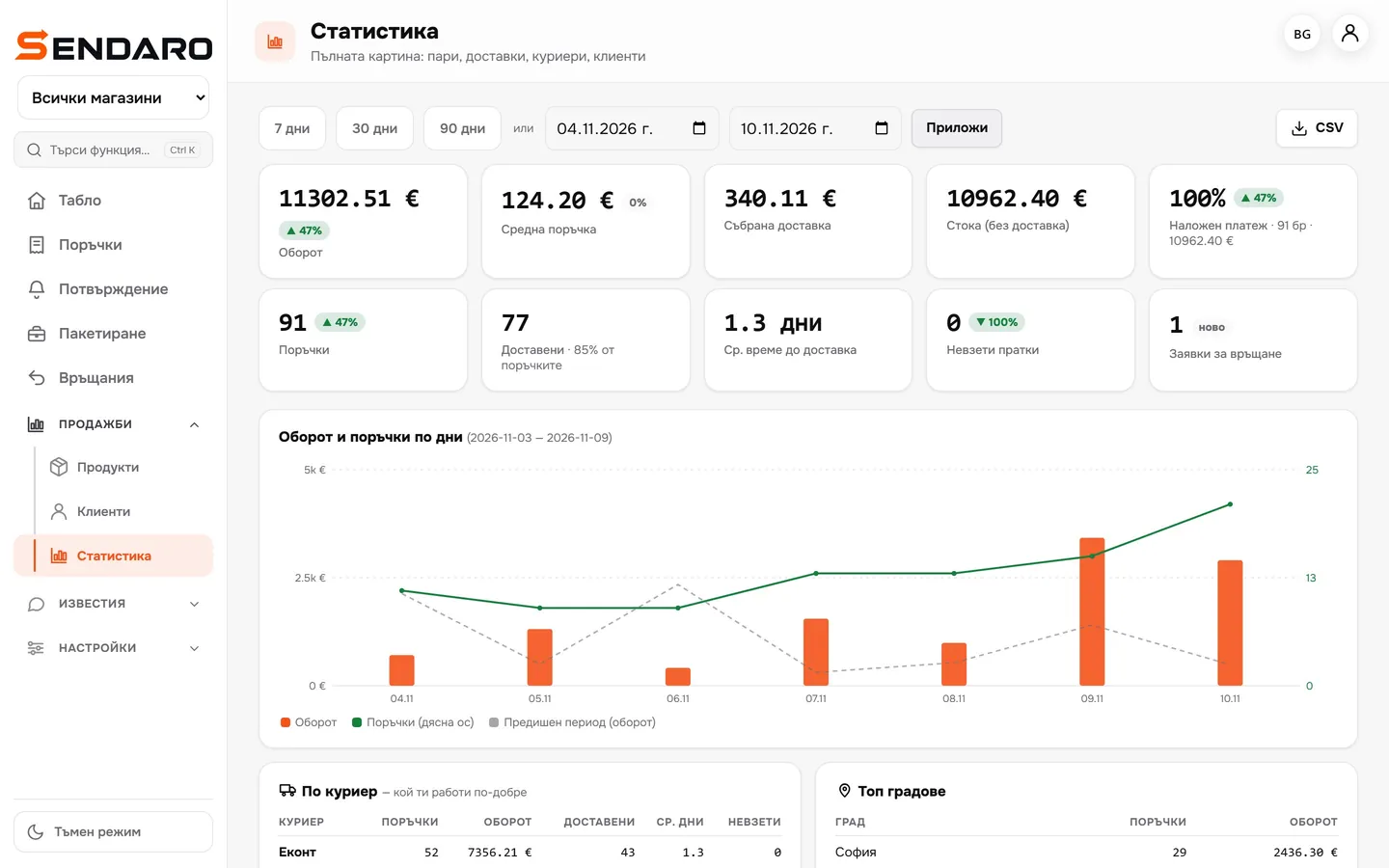
The real Sendaro screen with a demo shop over one week.
- 01
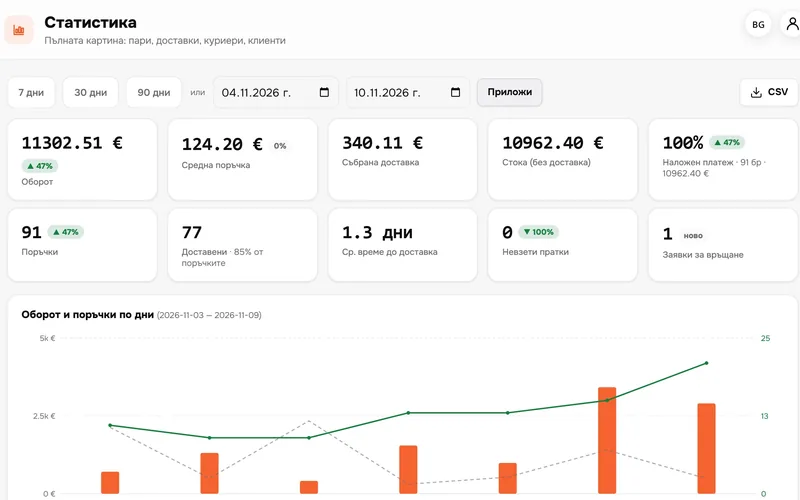
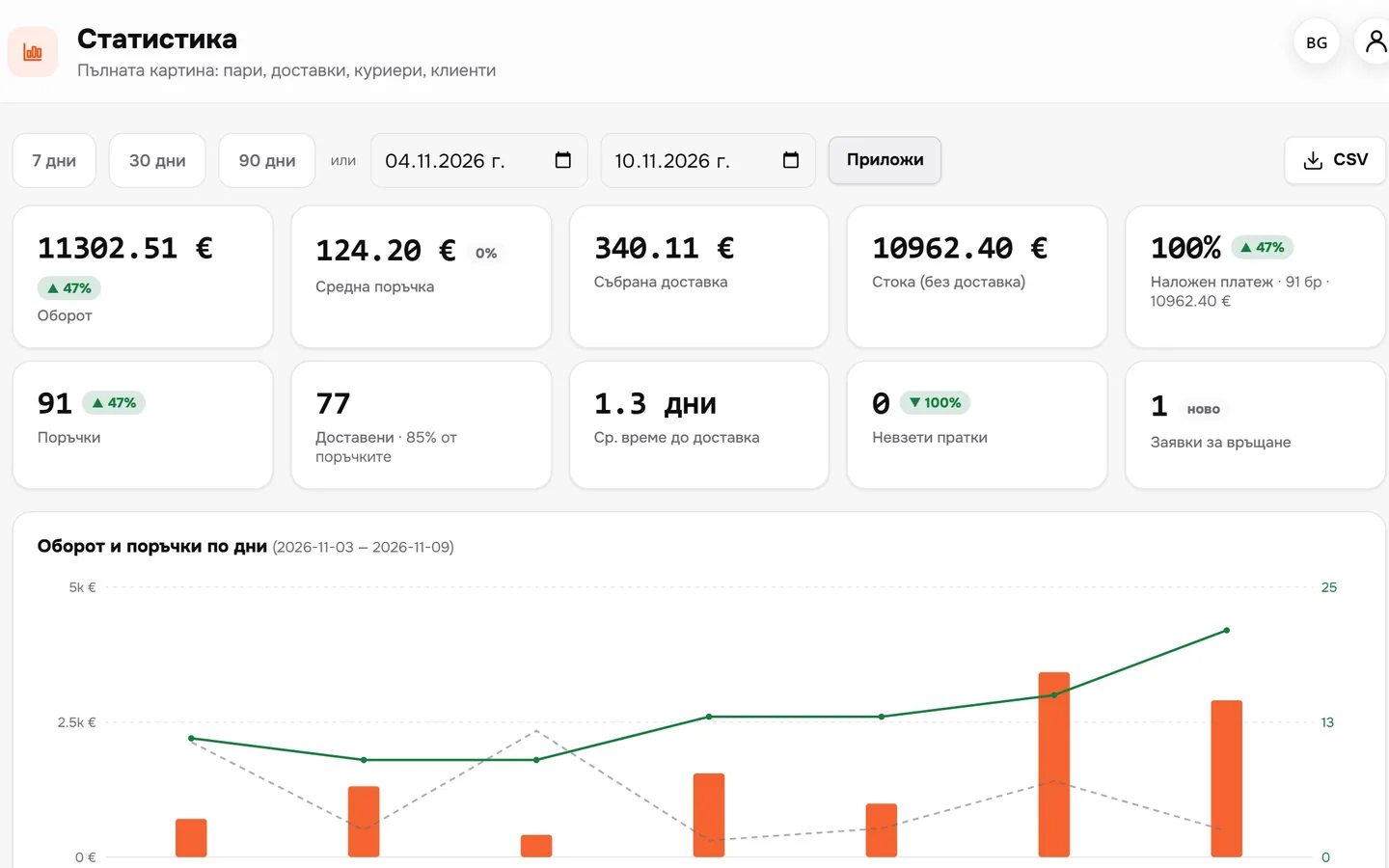
Money and parcels
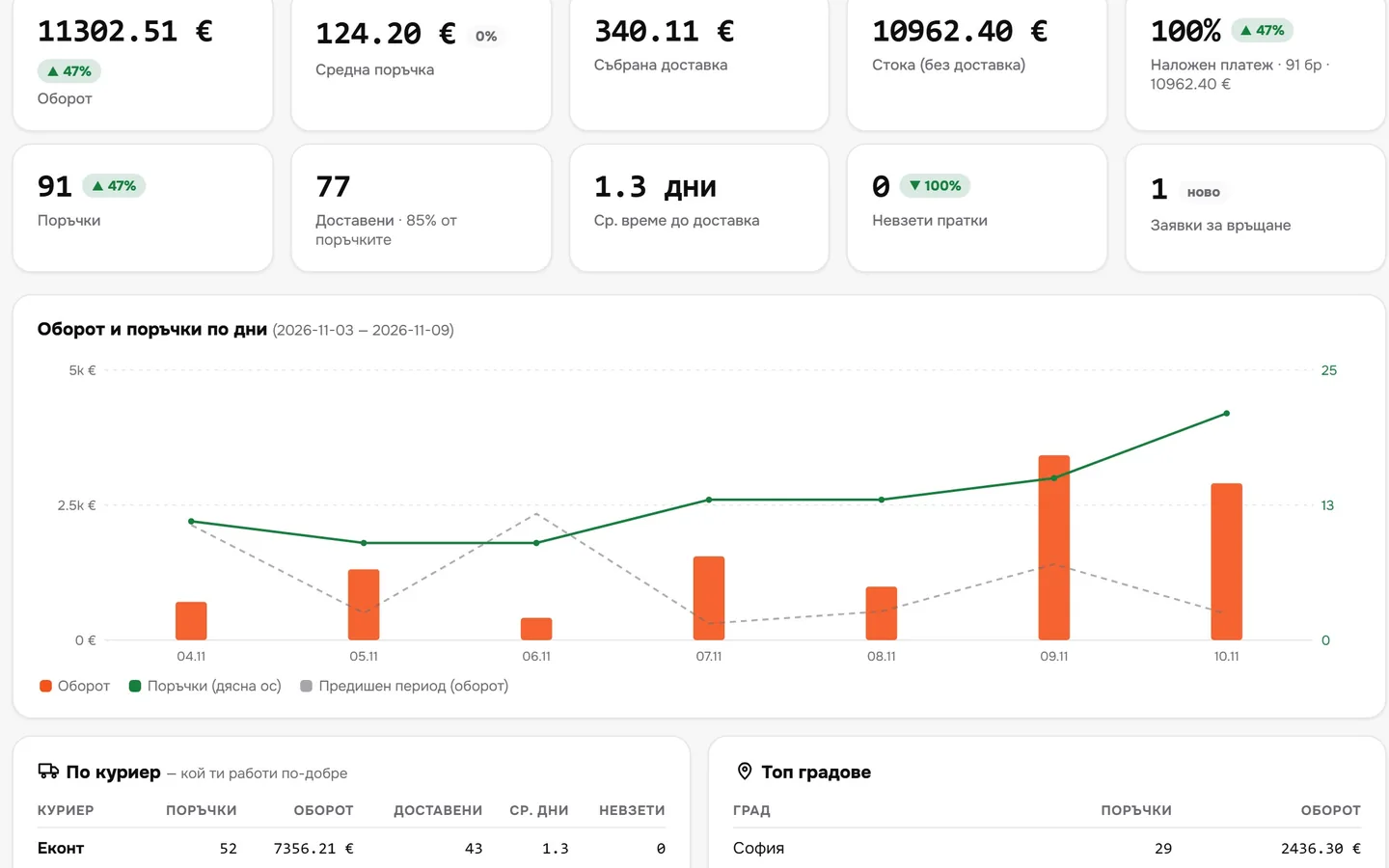
Revenue, average order value, delivery fees collected, delivered and uncollected – each with an arrow comparing it to the previous period.
- 02
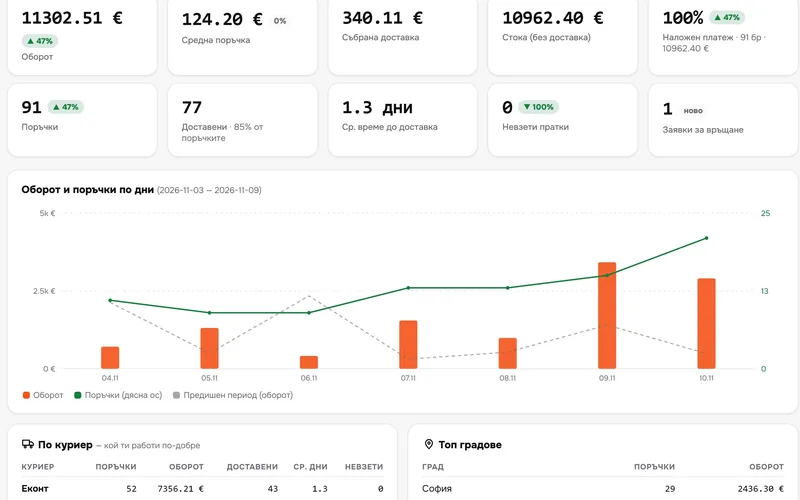
Day by day
Revenue and orders by day, alongside the previous period.
- 03
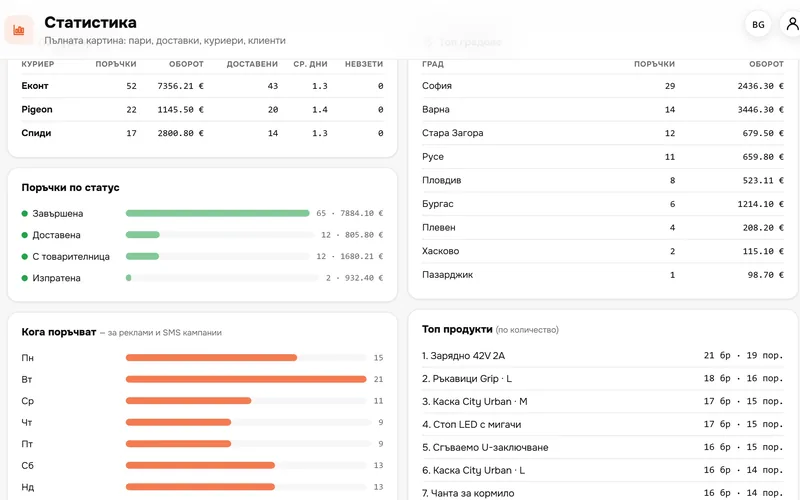
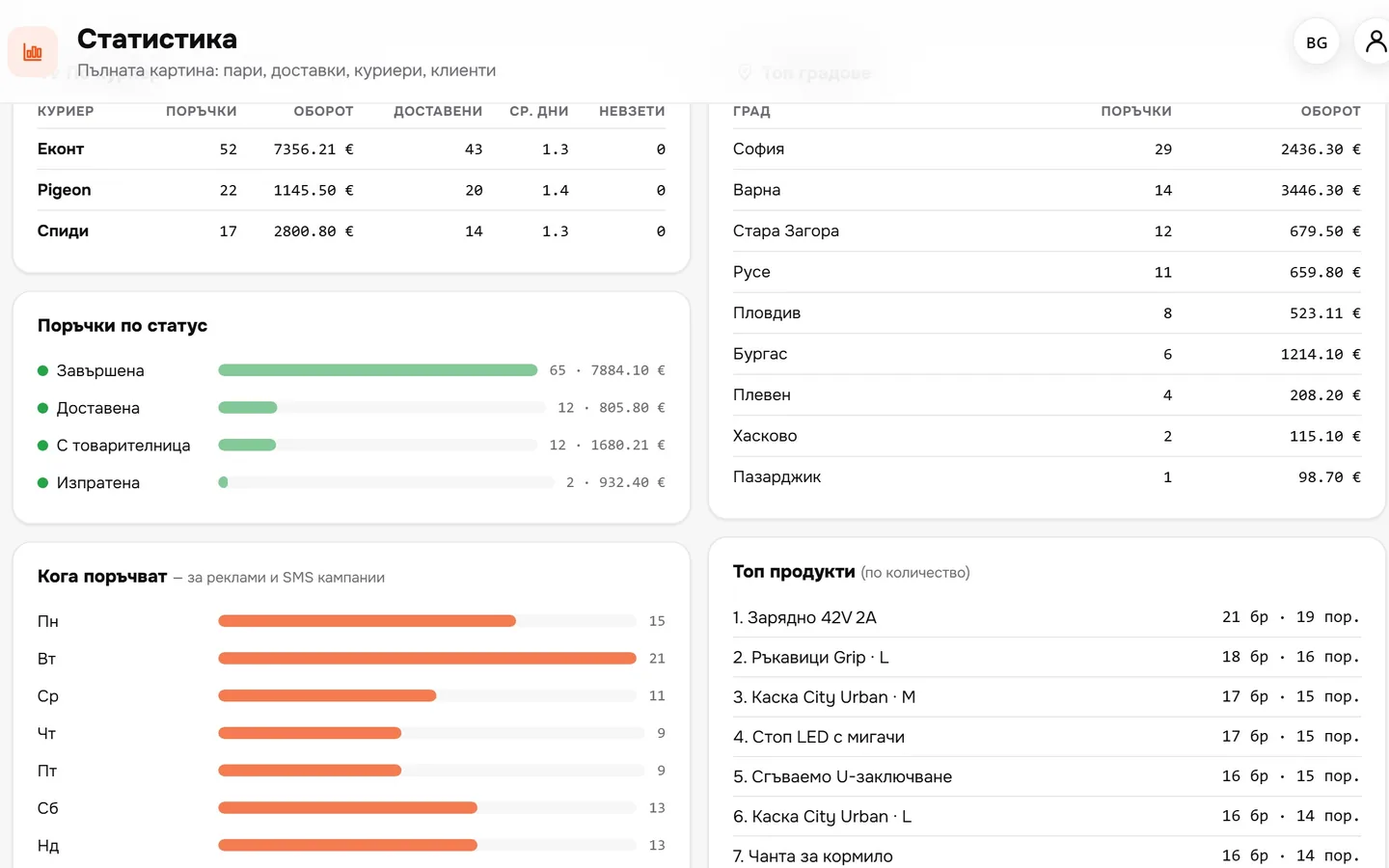
Couriers, statuses, days and hours
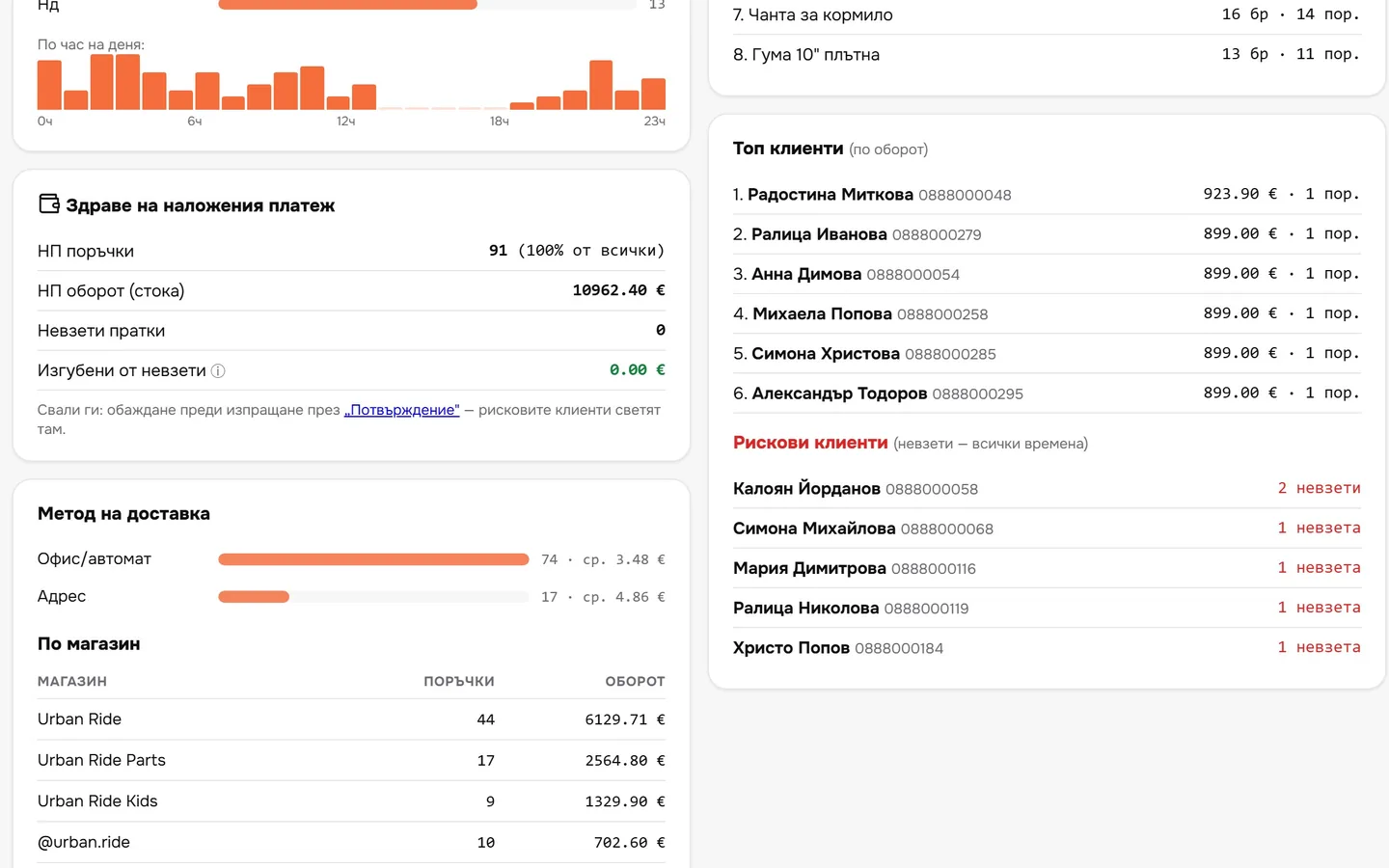
Which courier delivers faster with fewer uncollected parcels, which cities order and when – for your ads and SMS campaigns.
- 04
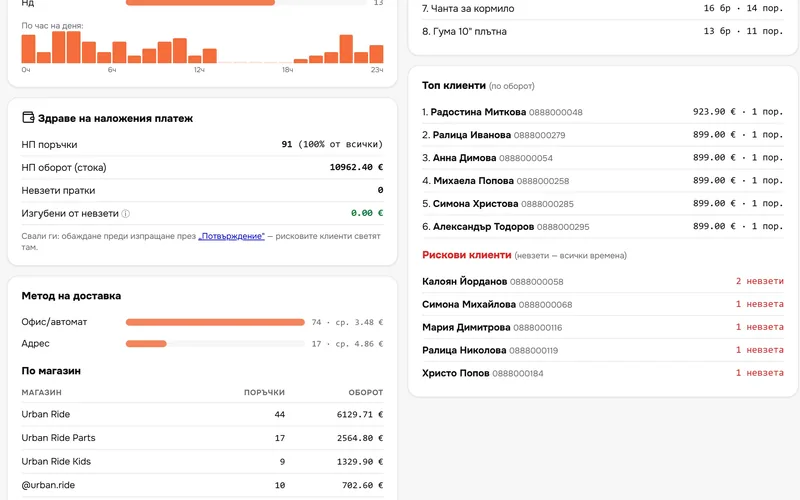
Cash on delivery and risky customers
How many orders are cash on delivery, how many go uncollected and which customers don’t collect their parcels.
- 05
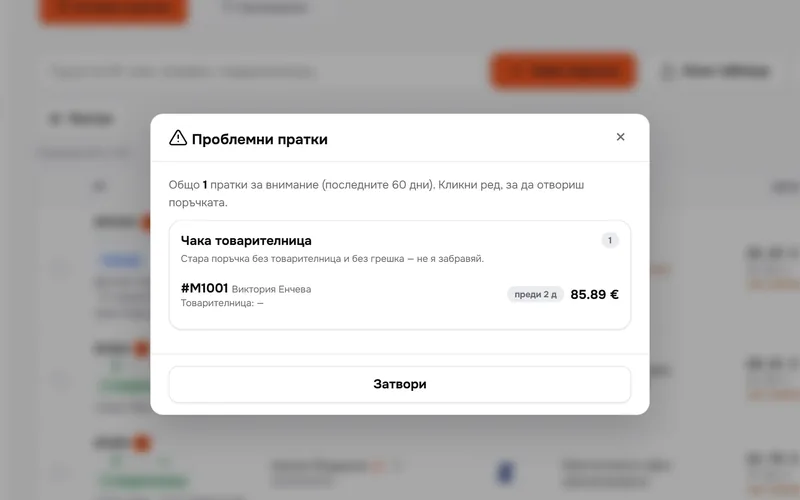
Problem parcels – set aside
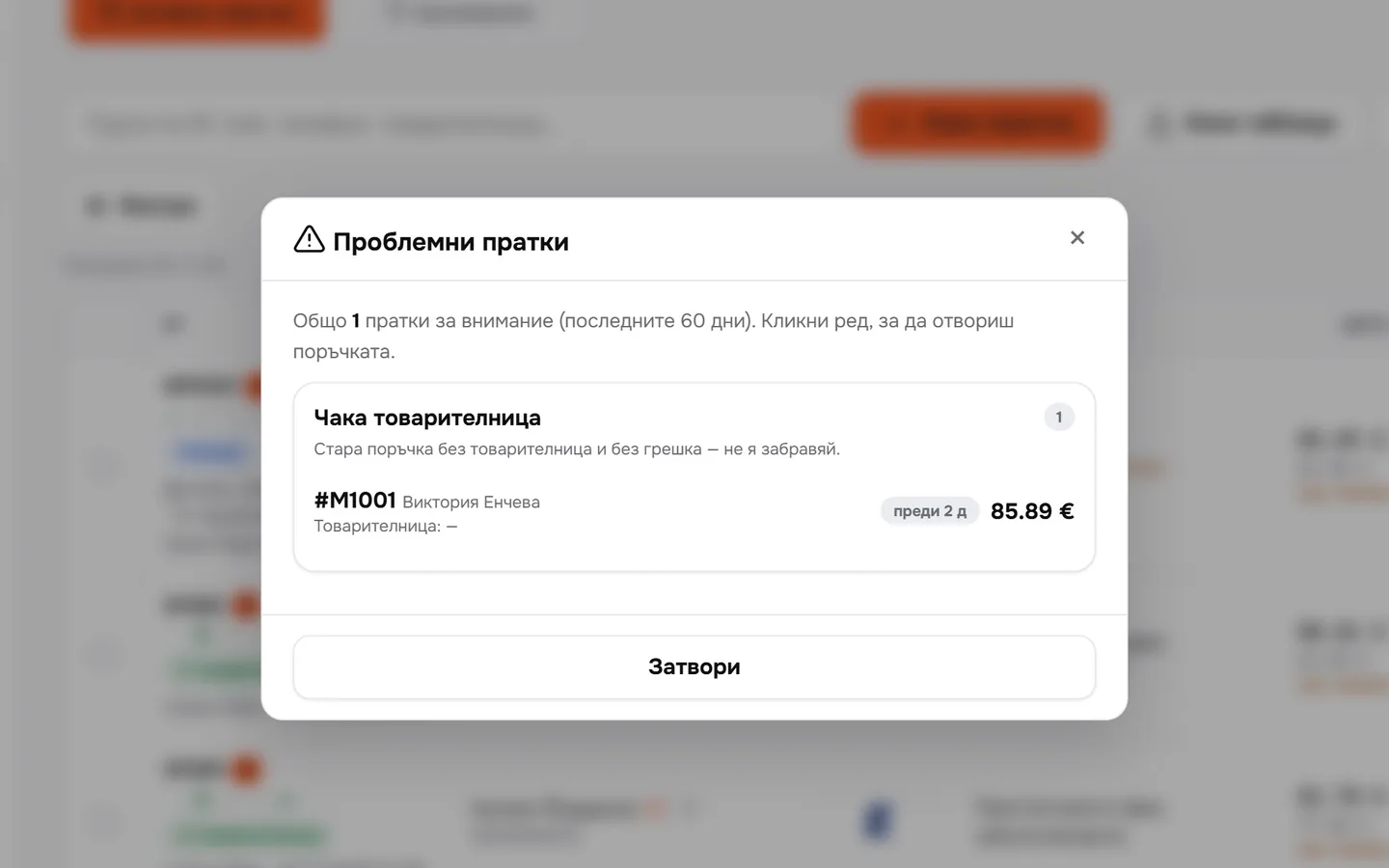
No waybill, stuck or on their way back. Open the order in one click.
What you get
Decisions based on numbers, not gut feeling.
Money and parcels
Revenue, orders, delivered and uncollected, compared with the previous period.
Courier comparison
Orders, revenue, delivered, average delivery time and uncollected for each courier.
When people buy
By day and by hour. Handy for ads and SMS campaigns.
Problems – caught in time
Parcels that are waiting or coming back are set aside for you.
Questions
Questions about statistics.
Where do the numbers come from?
From the orders in all your shops and the courier statuses in Sendaro.
Can I download them?
Yes, as a CSV file for the selected period.
Can I see each shop separately?
Yes. Choose one shop or all of them at the top, and there’s a table by shop below.
Which periods?
7, 30 or 90 days, or your own period with a start and end date.