


- Home
- Sendaro Online
- Orders

Manage orders from every shop in one list.
For online shops in Bulgaria.
Orders from Shopify, WooCommerce, OpenCart, CloudCart and TikTok land in one place. Search, edit and ship without switching sites.
14 days free · No card · No contract
How it works
Your whole day of orders, on one screen.
Real Sendaro screens with the Urban Ride demo shop.
- 01
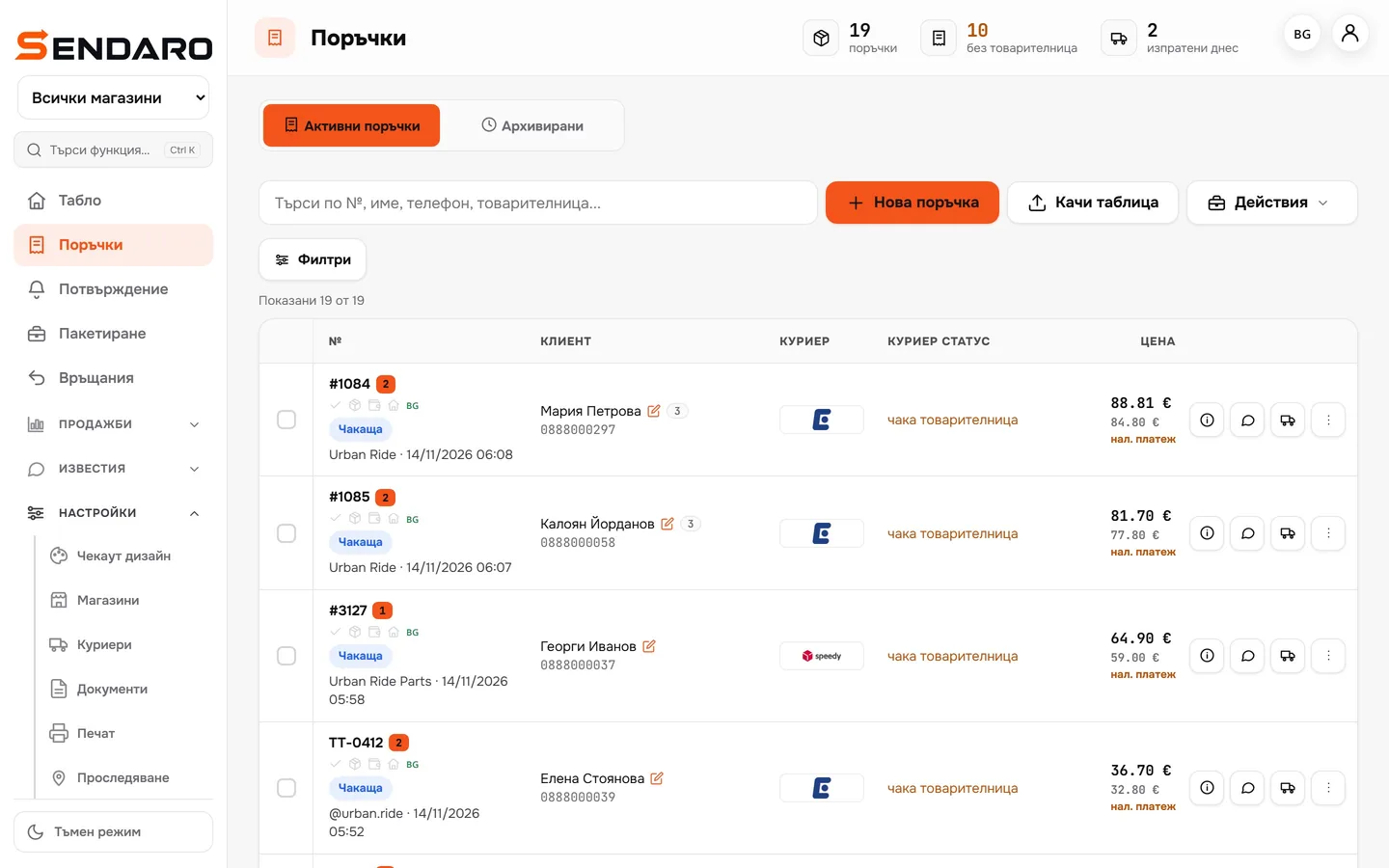
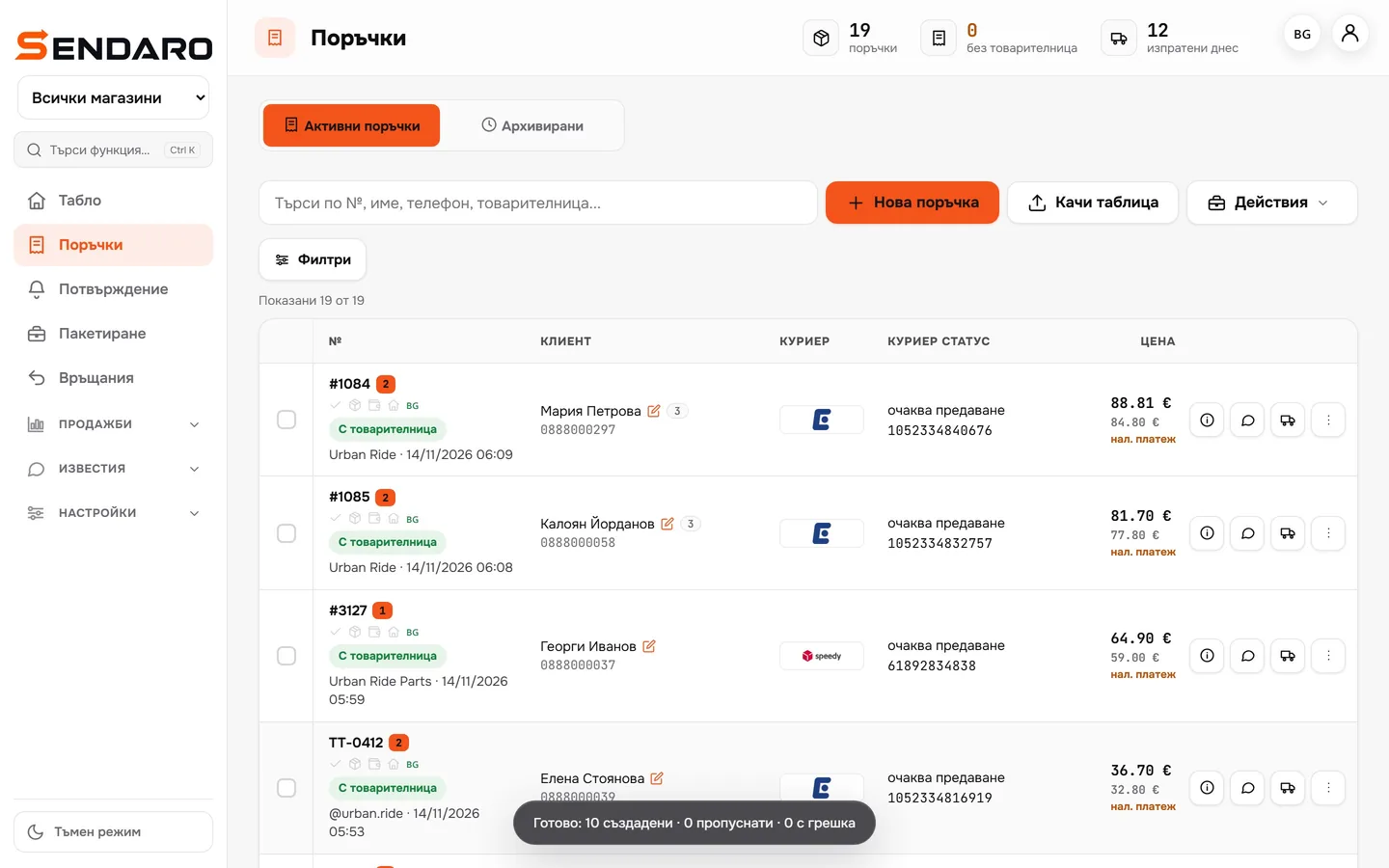
Every shop in one list
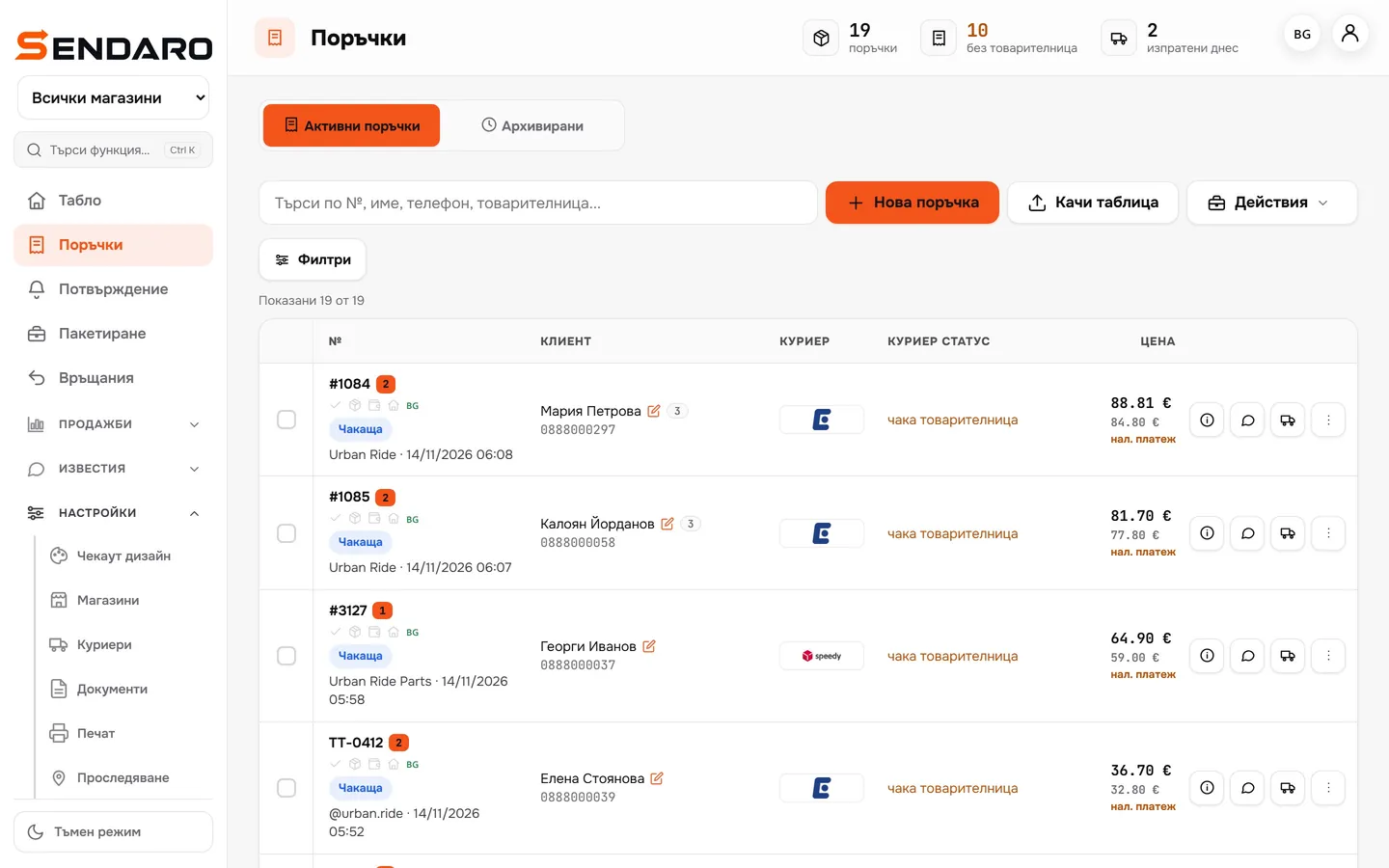
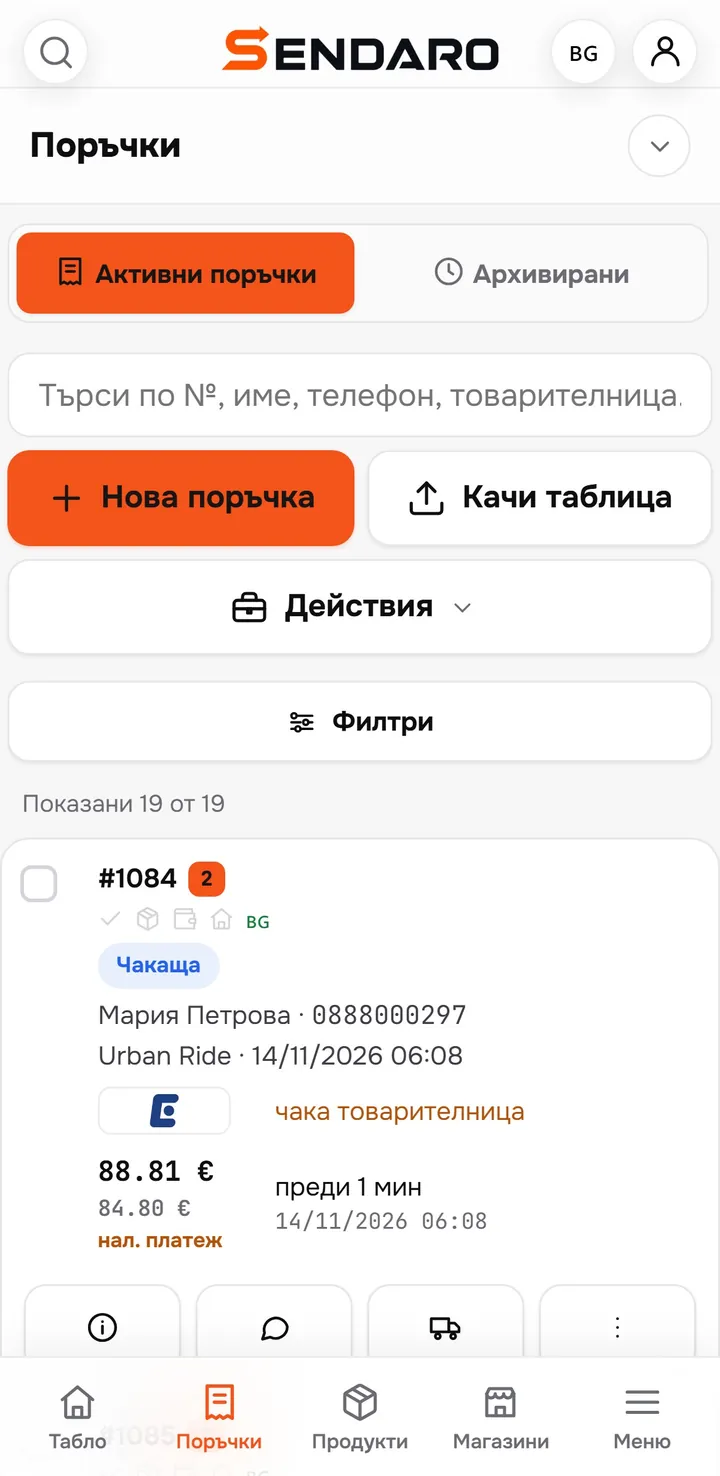
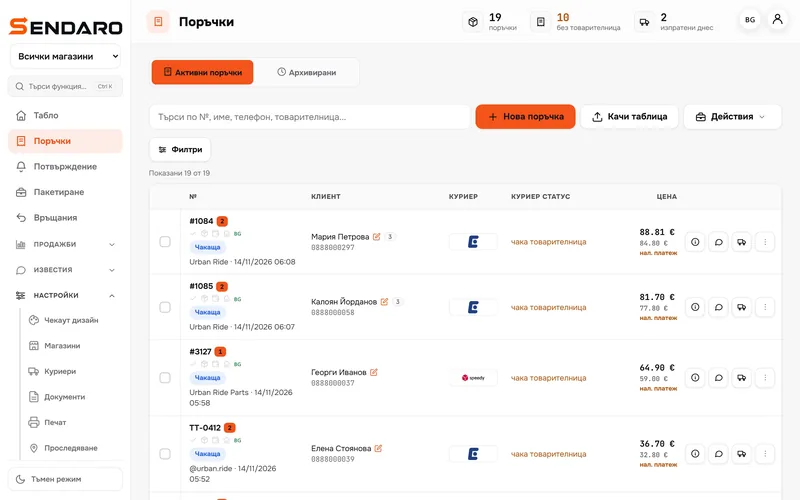
Orders from every shop come in on their own. The shop sits under the order number, with the courier and the amount beside it.
- 02
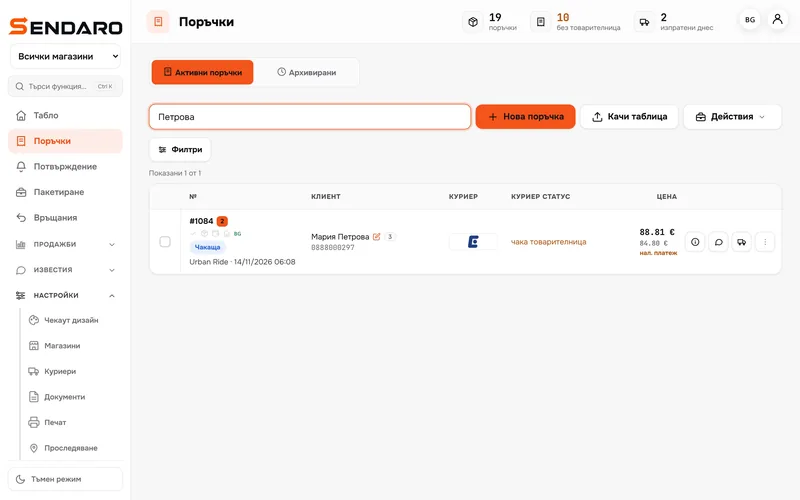
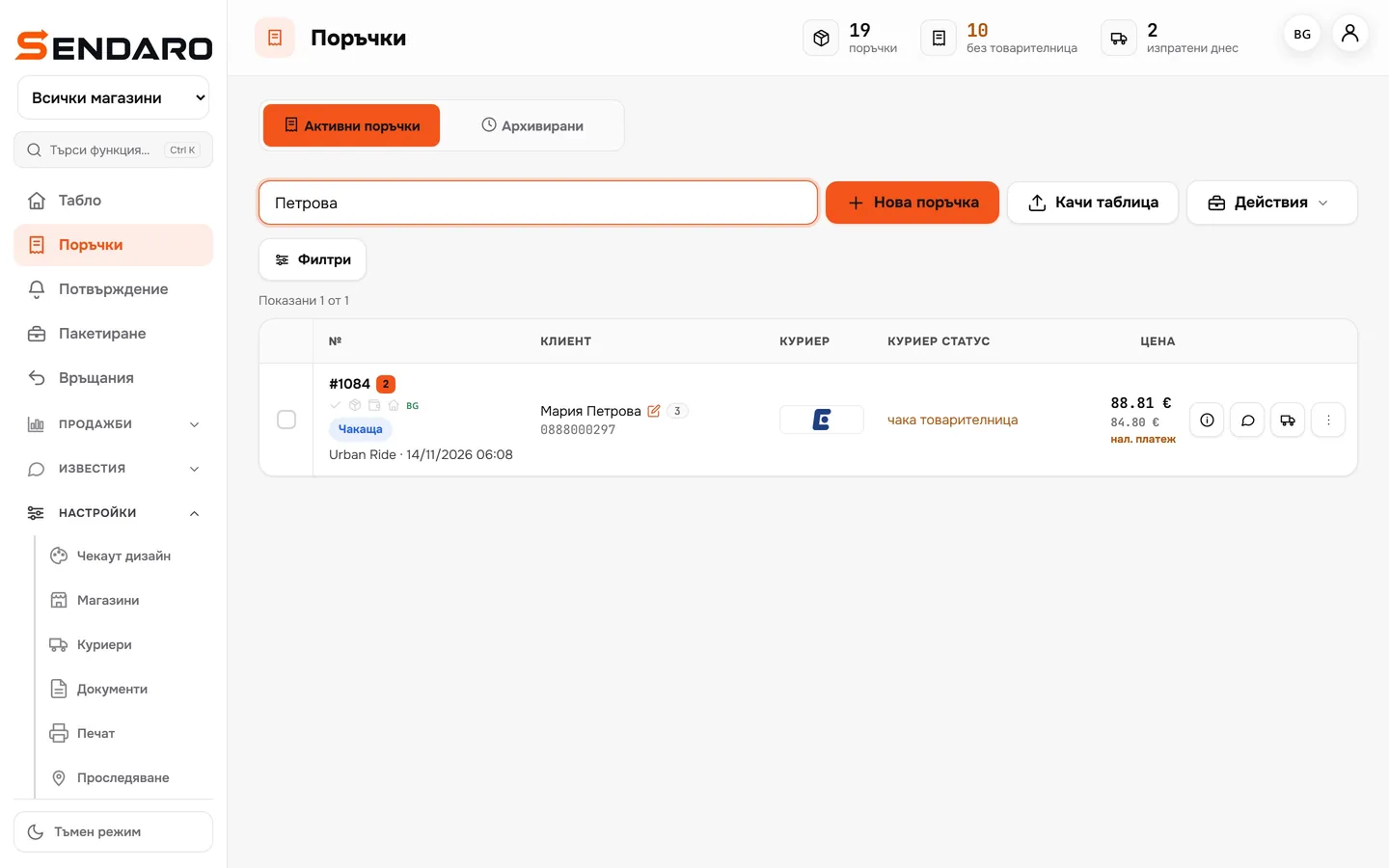
Find any order in seconds
Search by order number, name, phone or waybill number.
- 03
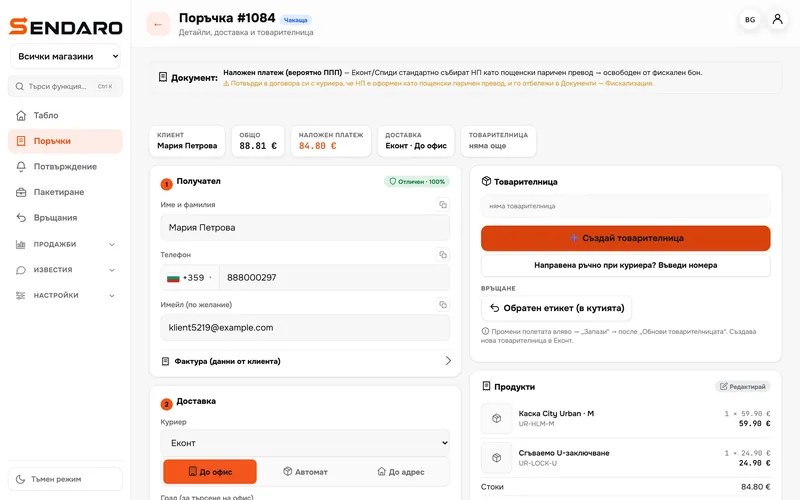
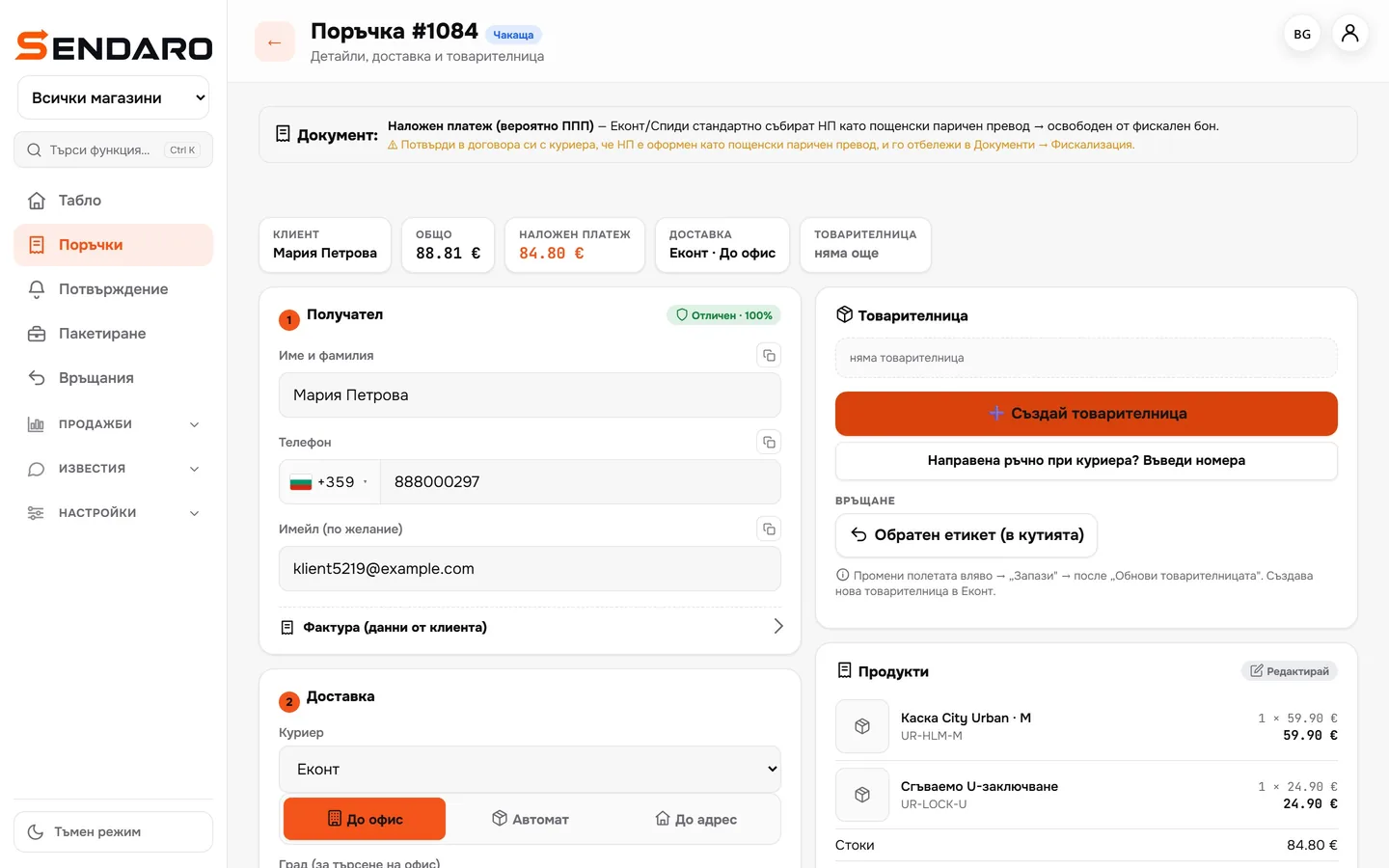
Everything about the order in one place
Recipient, delivery, products and waybill. Fix the address and save it without opening another site.
- 04
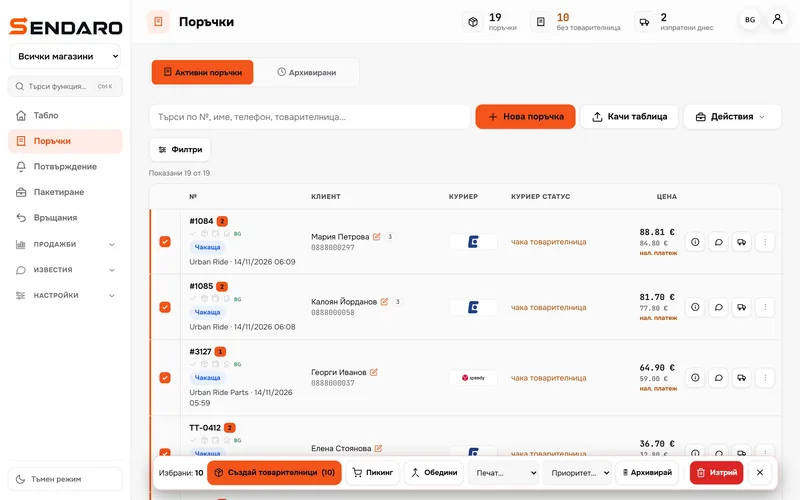
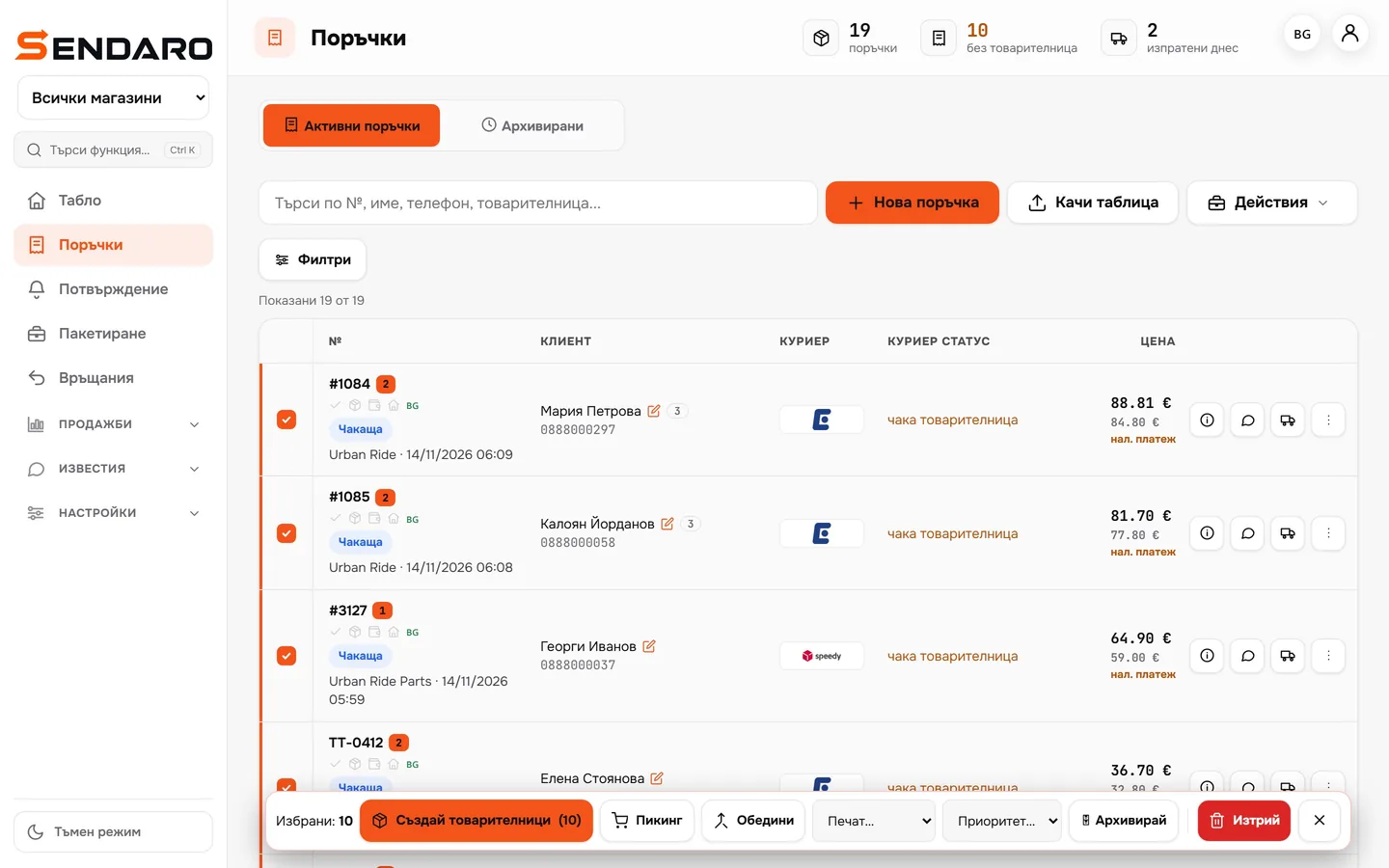
Act on many at once
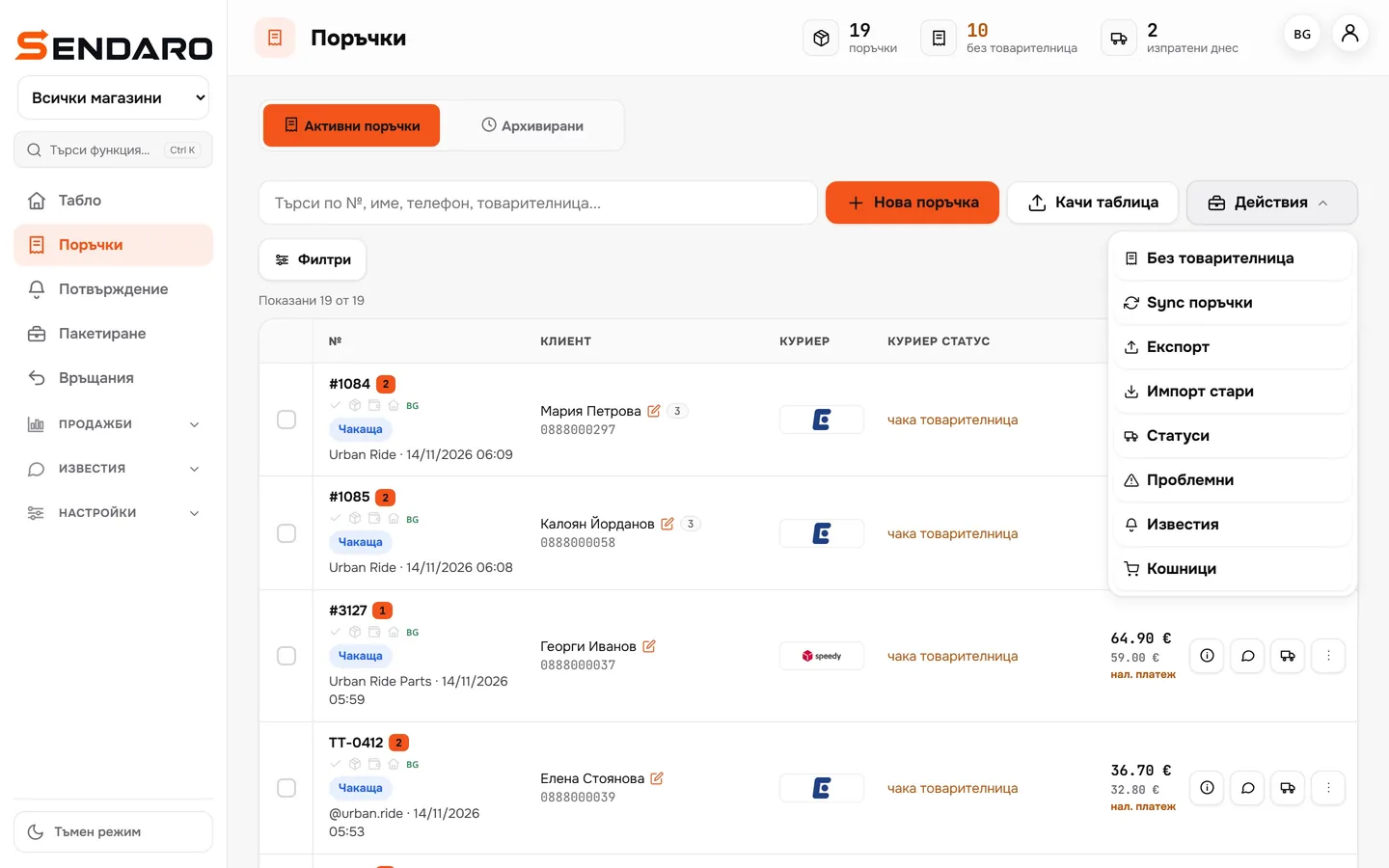
Select orders and create waybills, start picking, print or archive them all at once.
- 05
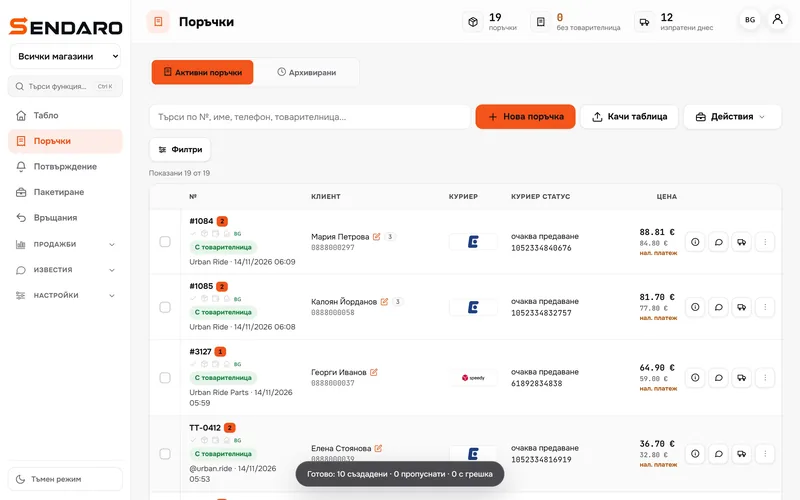
Orders without a website too
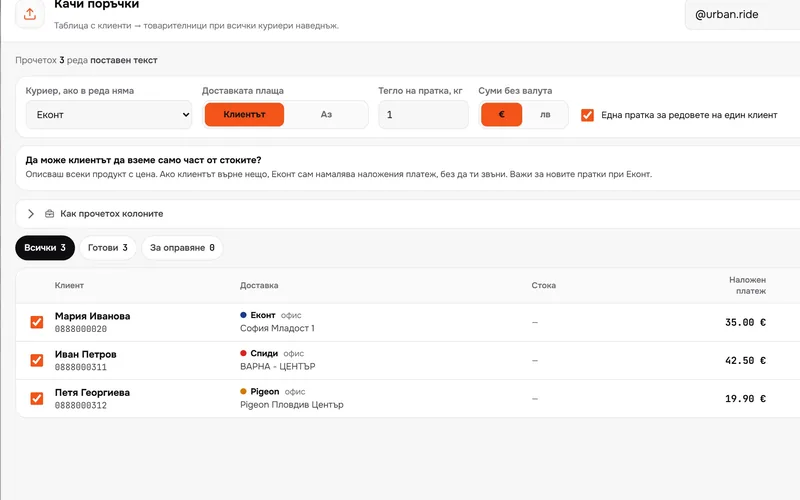
‘New order’ is for an order taken by phone. ‘Upload a sheet’ is for many at once: from Excel, Google Sheets or a chat.
What you get
Nothing gets lost between systems.
One screen for every shop
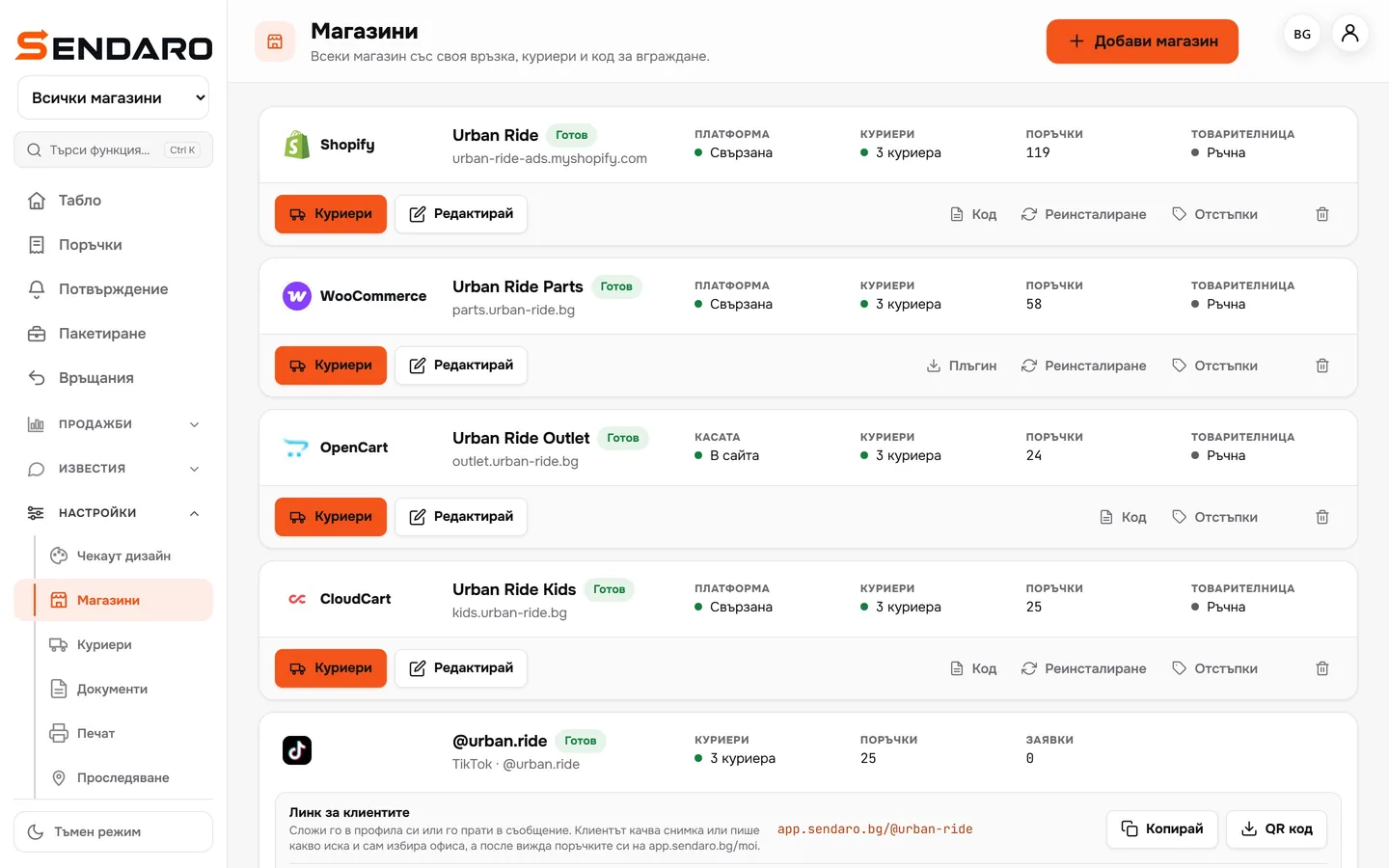
Shopify, WooCommerce, OpenCart, CloudCart and TikTok, without separate tabs.
See what’s waiting
At the top you can see how many orders have no waybill and how many were shipped today.
One click for many
Waybills, picking and printing for every selected order at once.
Status from the courier
See what’s been delivered and what’s come back, right next to the order.
Up close
Up close.
Works with
The shops your orders come from.
Questions
Questions about orders.
Which shops can I connect?
Shopify, WooCommerce, CloudCart, OpenCart, Wix and your own website. If you don’t have a website, orders come from TikTok, Facebook and Instagram.
Can I add an order taken by phone?
Yes. Enter it by hand with ‘New order’, or upload many at once with ‘Upload a sheet’.
Can I see the parcel status?
Yes. The status comes from the courier and sits next to the order in the list.
More features