


- Home
- Sendaro Warehouse
- Stock by location

See your stock at every location.
For online shops in Bulgaria.
Track what’s on hand, reserved, available and in transit, while the item card keeps every movement. A sale at the till takes the item off stock right away – and with Sendaro Online and the ‘Reservations’ module, so does an online order.
14 days free · No card · No contract
How it works
From the sale to the item card.
Real Sendaro Warehouse screens, with a demo company and made-up data.
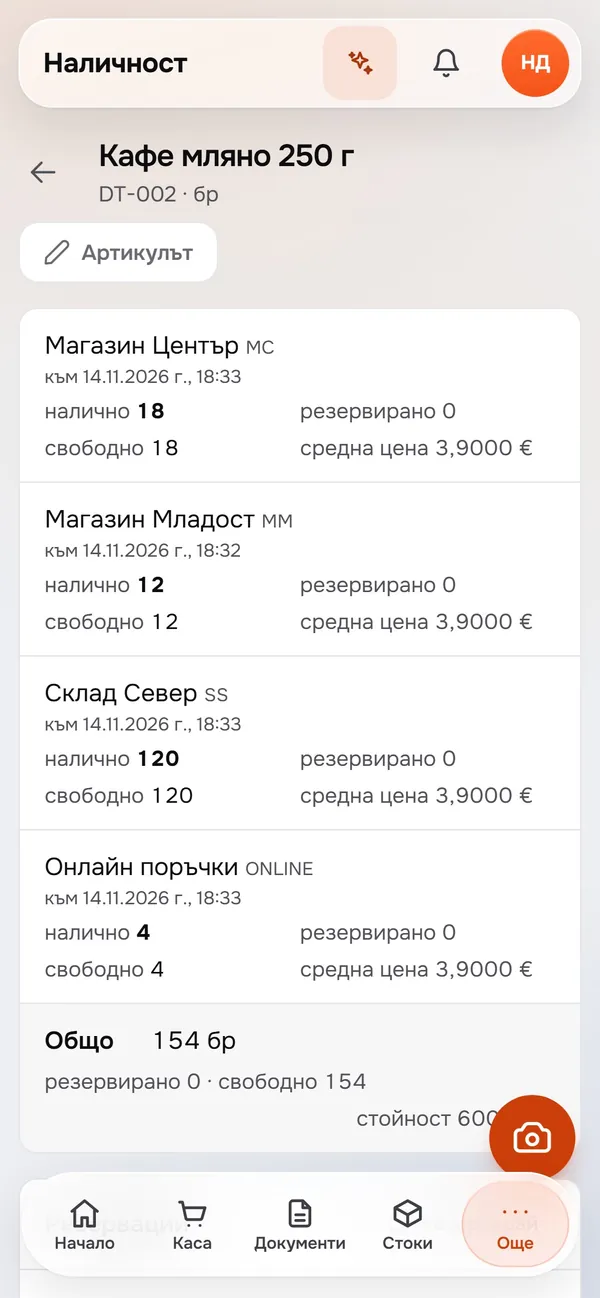
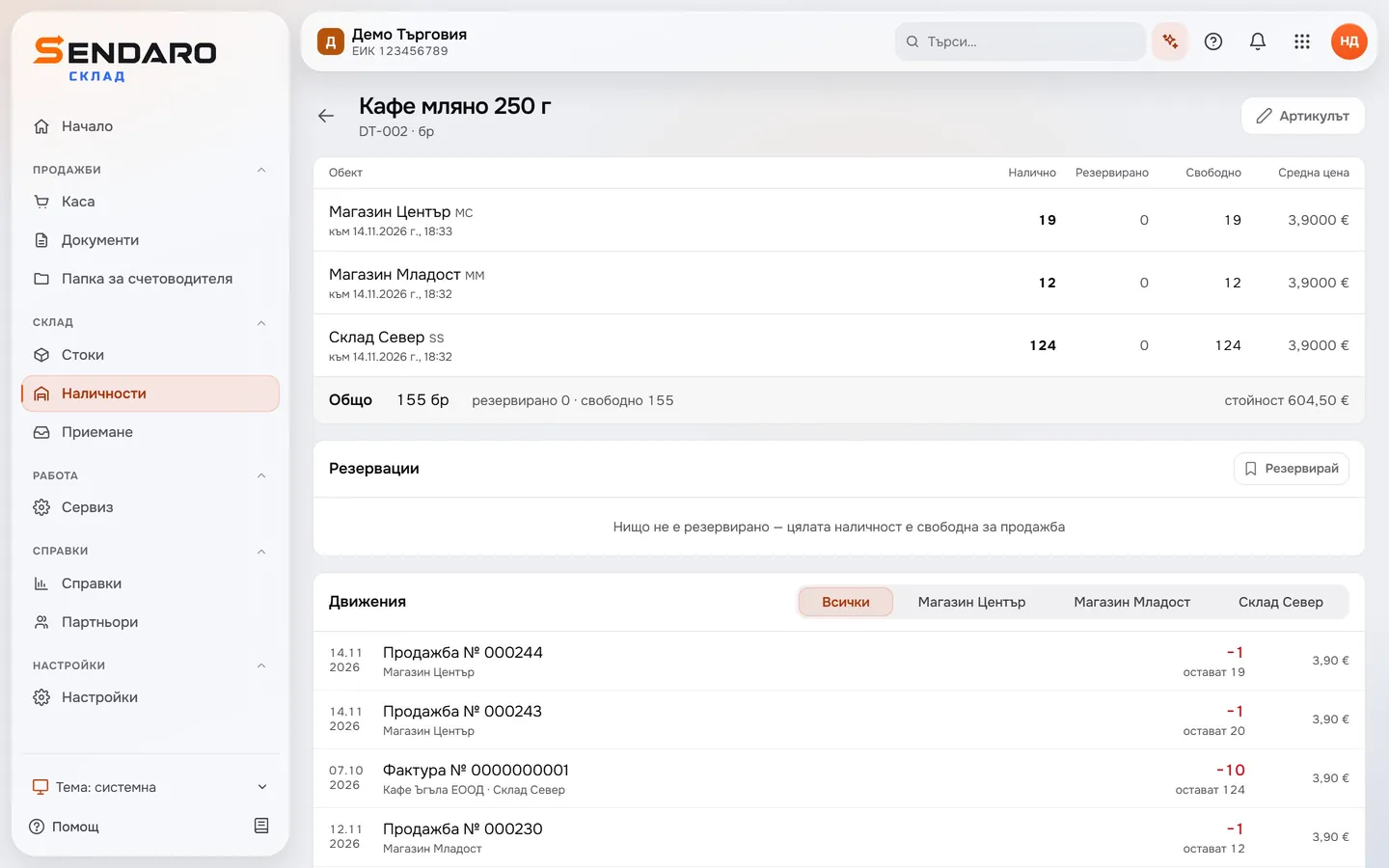
- 01
A sale comes off stock right away
As soon as a sale at the till is complete, the item comes off stock at the location where it was sold. The coffee at the Centre shop is now down by one.
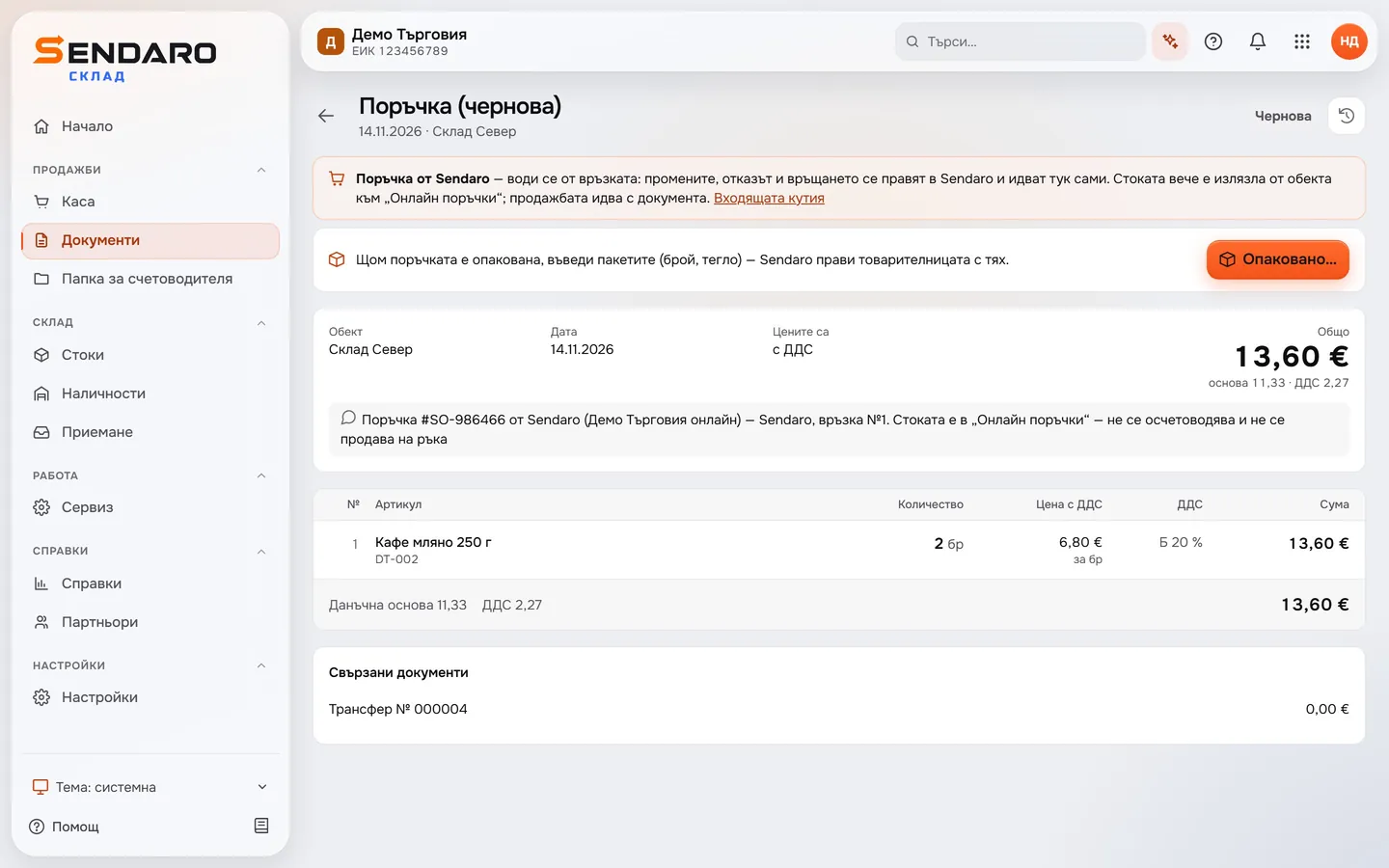
- 02
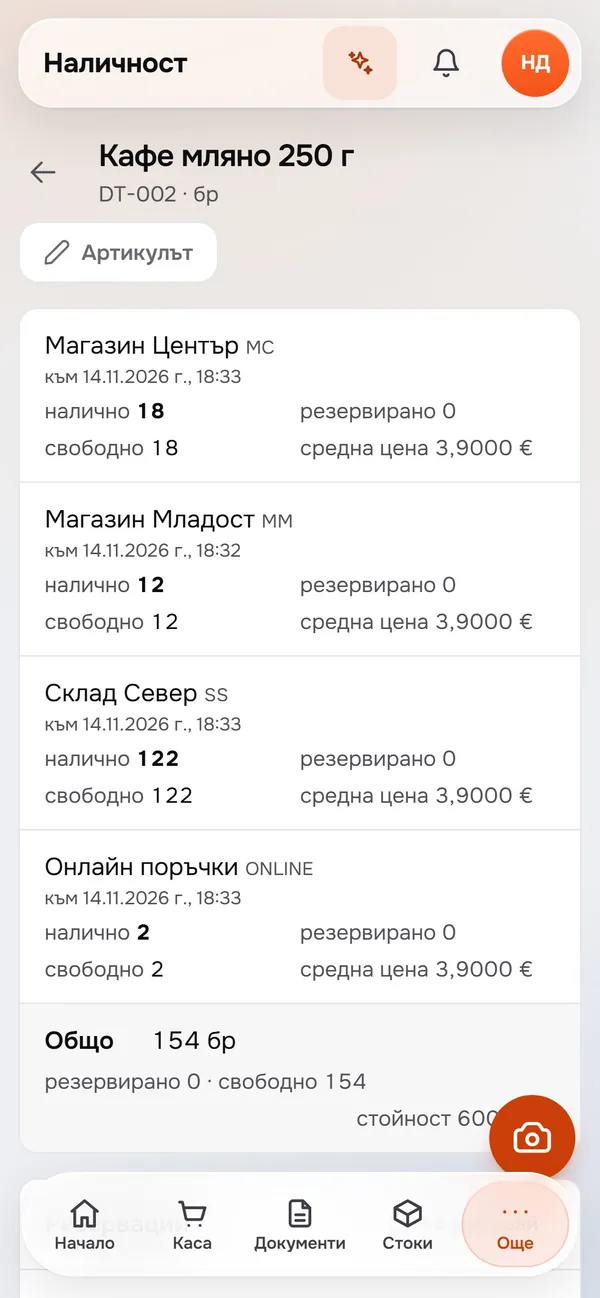
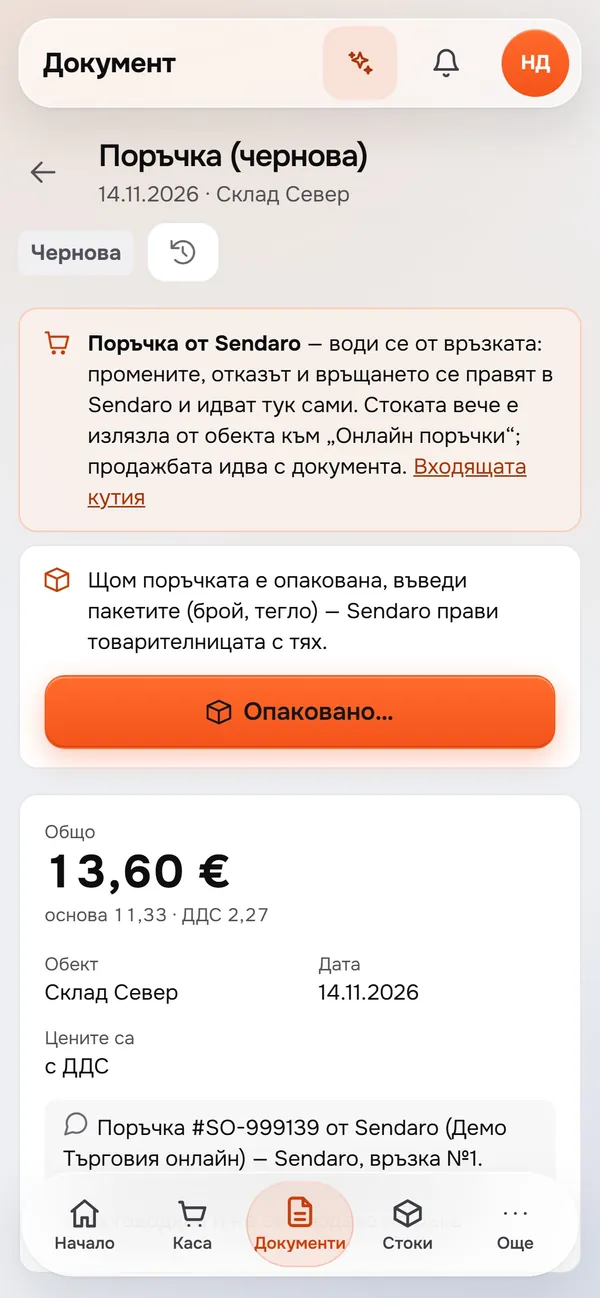
An online order sets stock aside
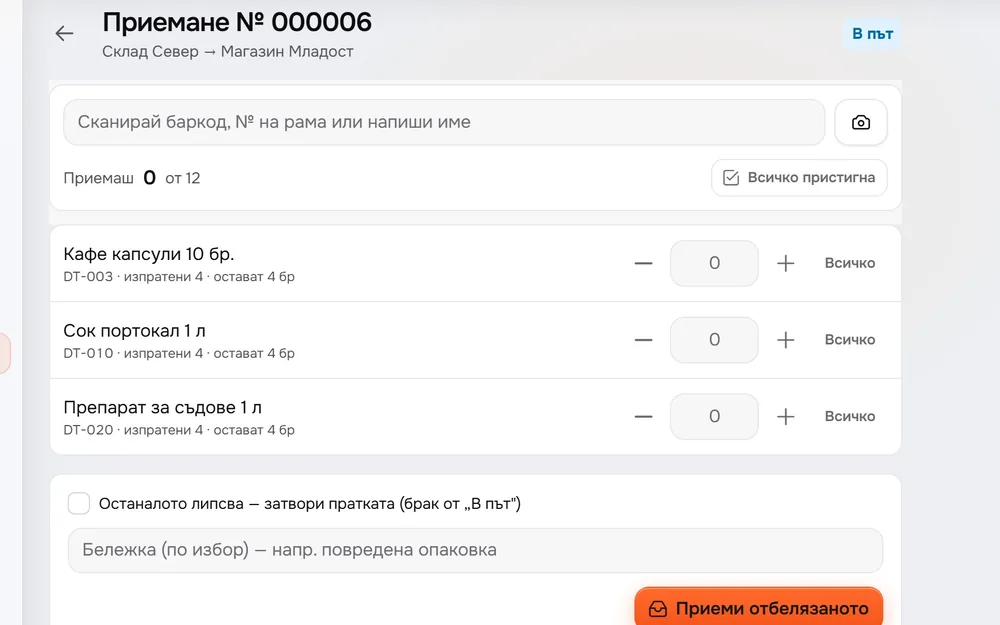
An order from Sendaro Online arrives in Sendaro Warehouse as a document, and its two units move from the North warehouse to ‘Online orders’ right away, so you don’t sell them twice. You need Sendaro Online and the ‘Reservations’ module.
- 03
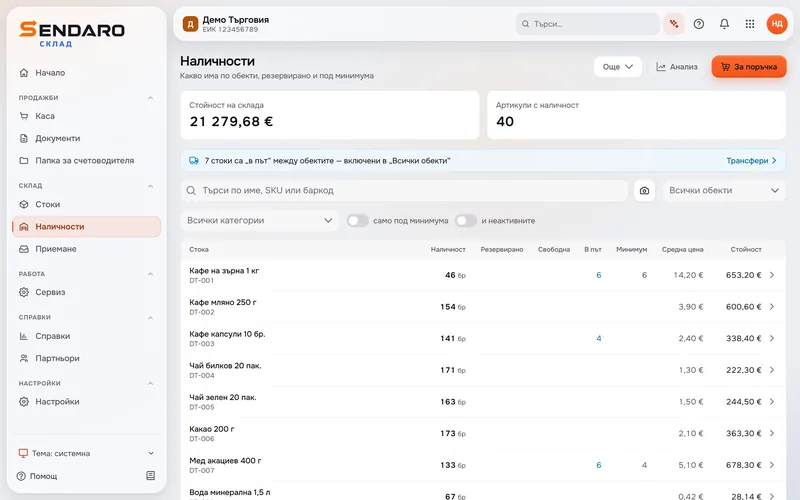
One screen shows every item
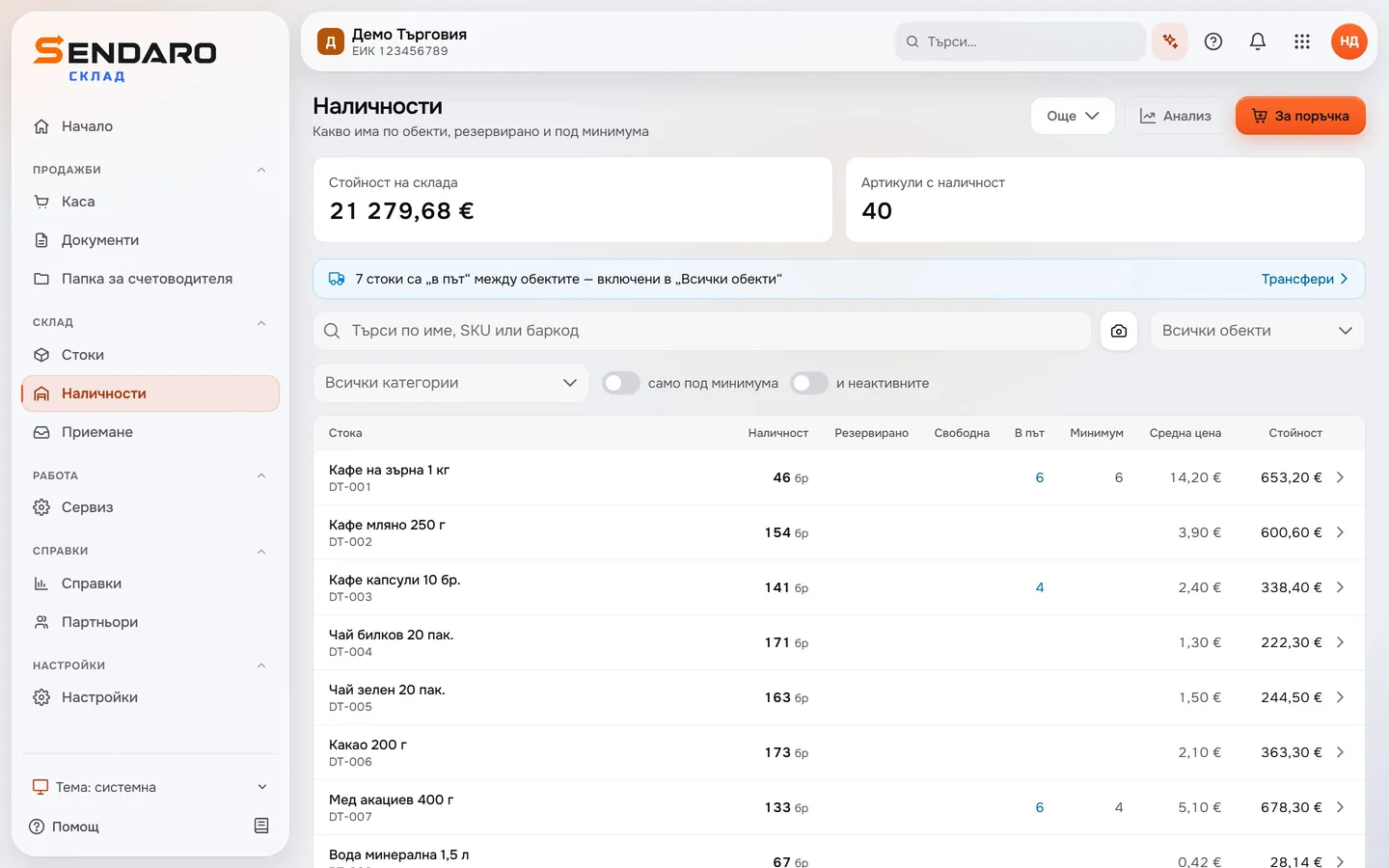
For each item, see the stock, units in transit, minimum and value, with the value of your whole warehouse at the top. Filter by location or category, or show only items below their minimum.
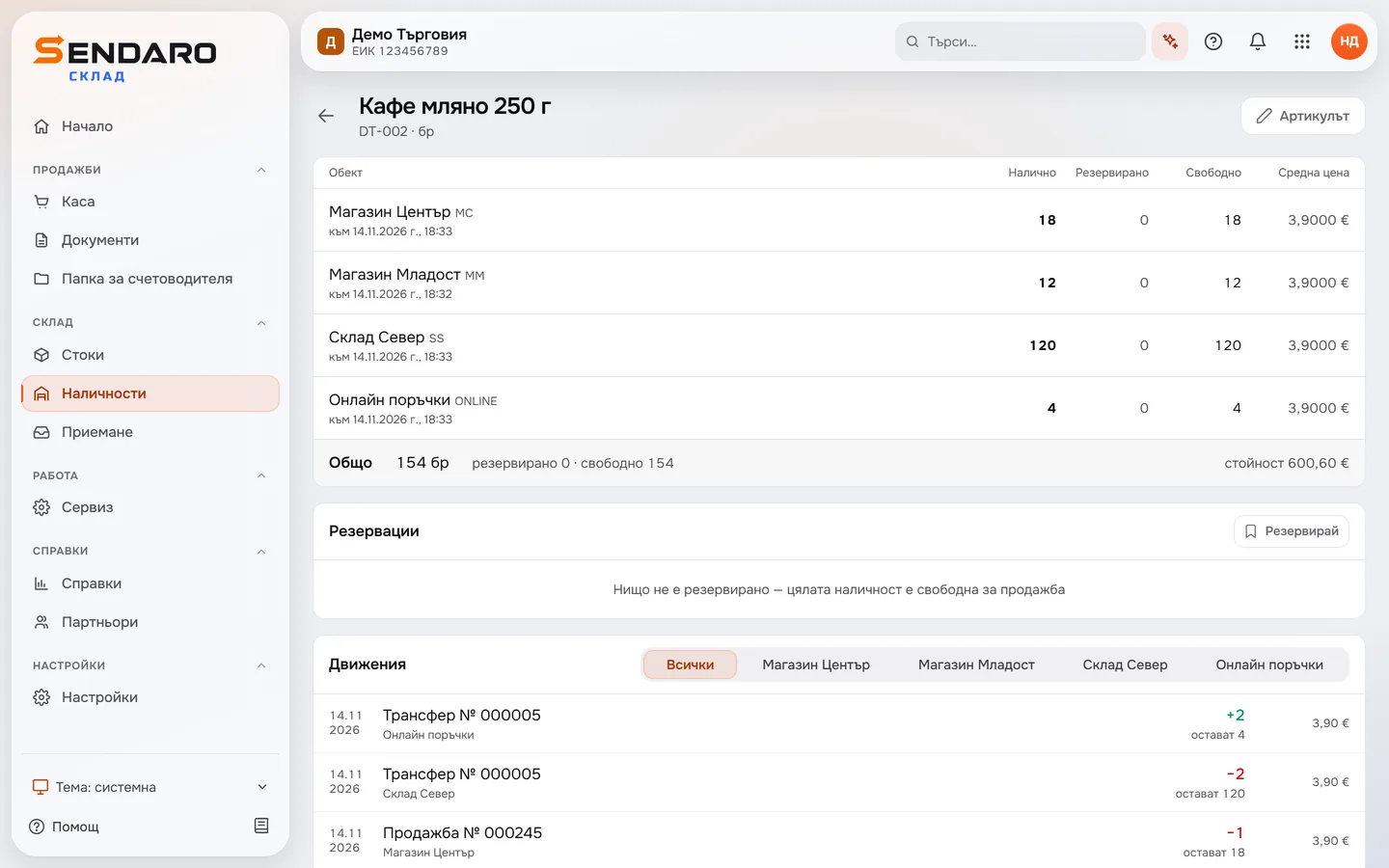
- 04
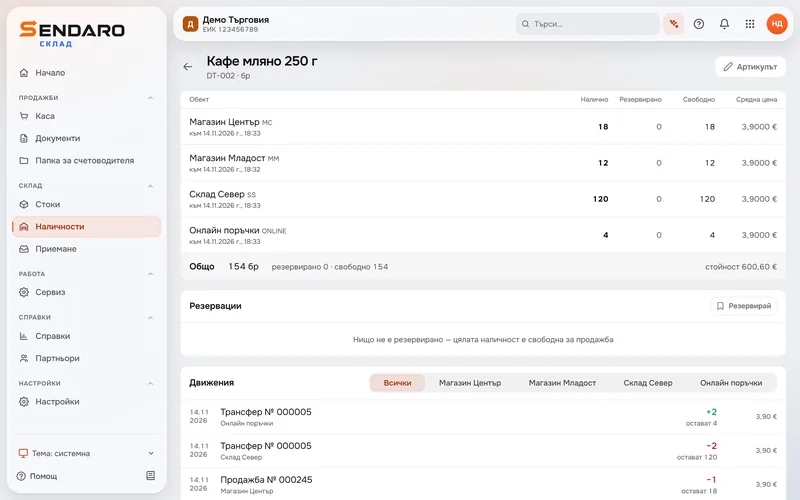
The item card keeps every movement
Open an item to see its stock at each location at the top. Below is every movement with what’s left after it: here, a transfer from the North warehouse to ‘Online orders’ and a sale at the Centre shop. Filter the movements by location.
What you get
Know what you have, and where.
Each location gets its own row
For each item, see what you have at each location and in total, and how much is reserved or available.
Sold items come off right away
A sale at the till takes the item off that location’s stock on the spot, with nothing to enter by hand.
No selling the same unit twice
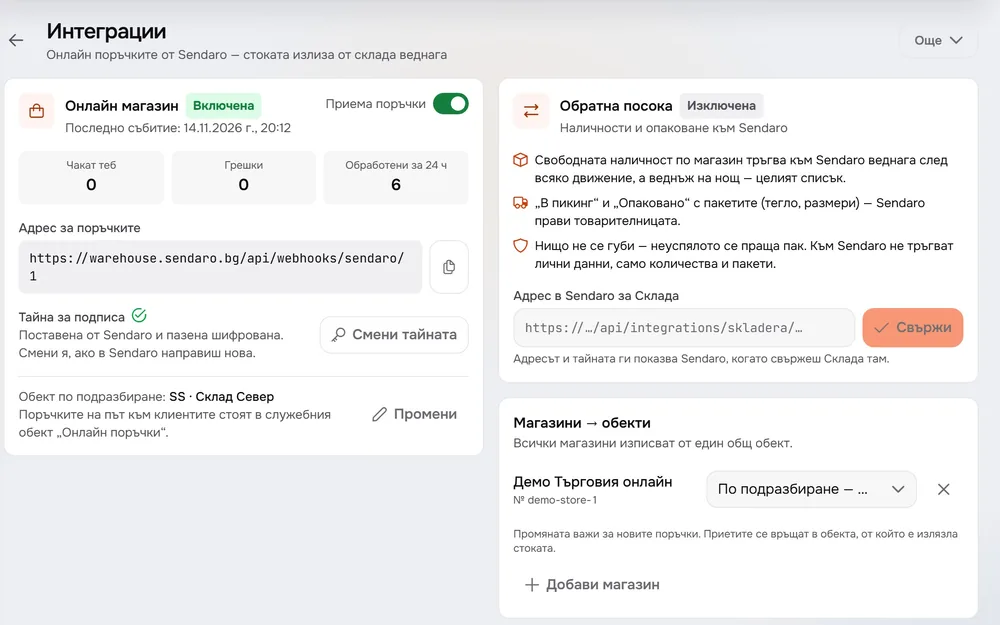
With Sendaro Online and the ‘Reservations’ module, an online order sets its units aside right away, so you don’t sell them twice.
Every movement is on record
The item card keeps sales, transfers and invoices, with what’s left after each movement.
Questions
Questions about stock.
When does stock change after a sale?
Right away. As soon as a sale at the till is complete, the item comes off that location’s stock and the movement appears on the item card.
How do online orders update stock?
You need Sendaro Online and the ‘Reservations’ module. The order then takes the units off the location’s stock right away and moves them to ‘Online orders’, so you don’t sell them twice. The module is off by default; turn it on in Settings → Modules.
Can I look at just one location?
Yes. Pick the location in ‘Stock’, and filter the movements on the item card by location.
Can I see what my stock is worth?
Yes. ‘Stock’ shows the value of your warehouse at the top, and each item’s average cost and value next to it.
More features