


- Home
- Sendaro Warehouse
- Linked to Sendaro Online

Online orders take stock out of the warehouse right away.
For online shops in Bulgaria.
Connect Sendaro Warehouse to Sendaro Online, and every online order takes its items out of the warehouse as soon as it arrives. That way you never sell the same unit twice. You also need the ‘Reservations’ module.
14 days free · No card · No contract
How it works
From the order in Sendaro Online to the stock in your warehouse.
Real Sendaro Warehouse screens, with a demo company and made-up data.
- 01
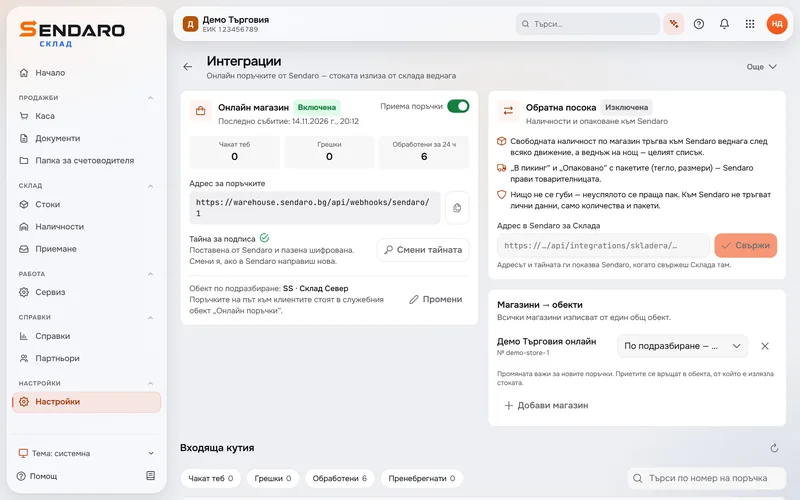
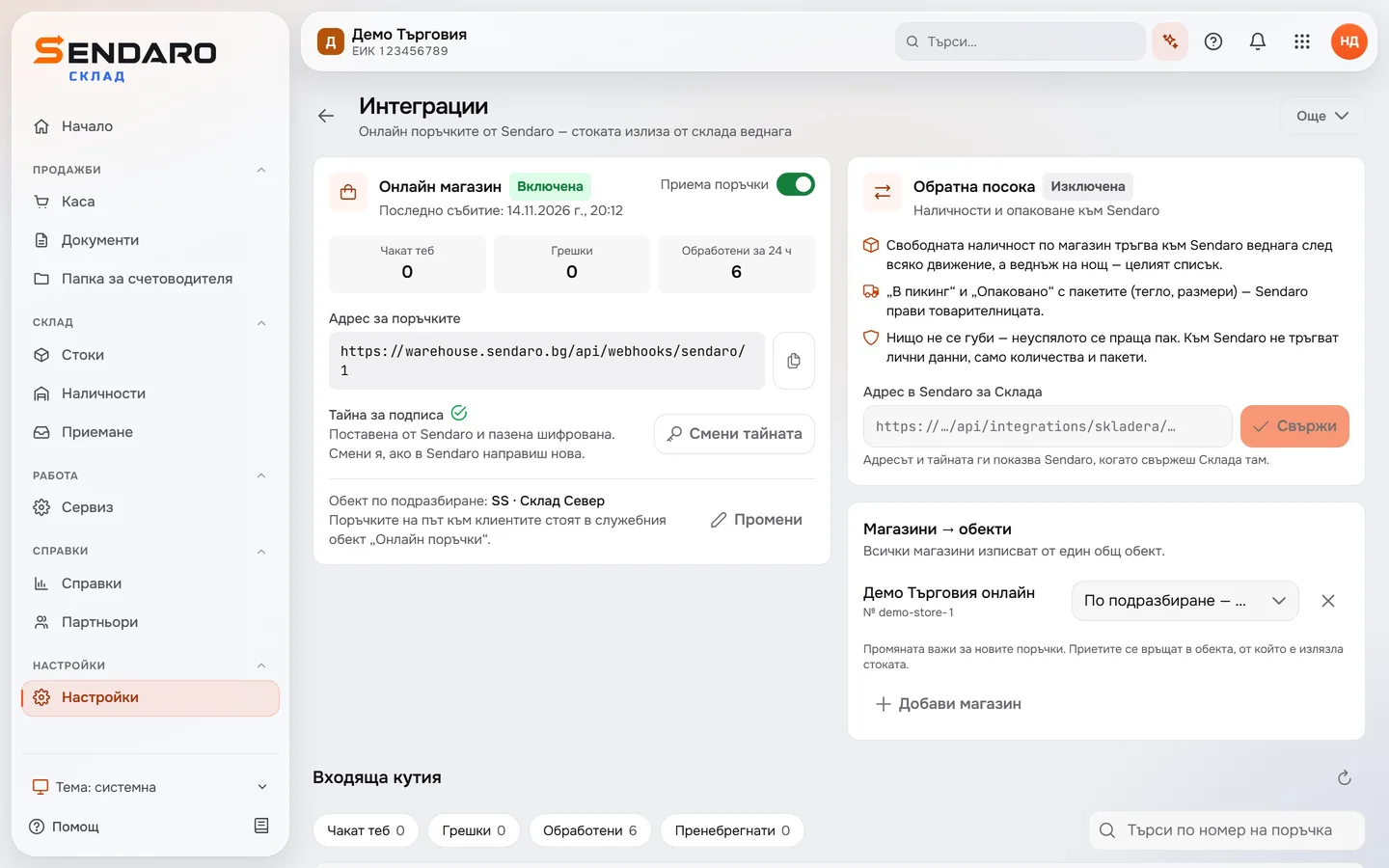
Turn on the connection in ‘Integrations’
Turn on the ‘Online shop’ connection and pick the location the stock leaves from – here, the North warehouse. The card shows how many orders are waiting for you, how many have errors and how many were processed in the last 24 hours.
- 02
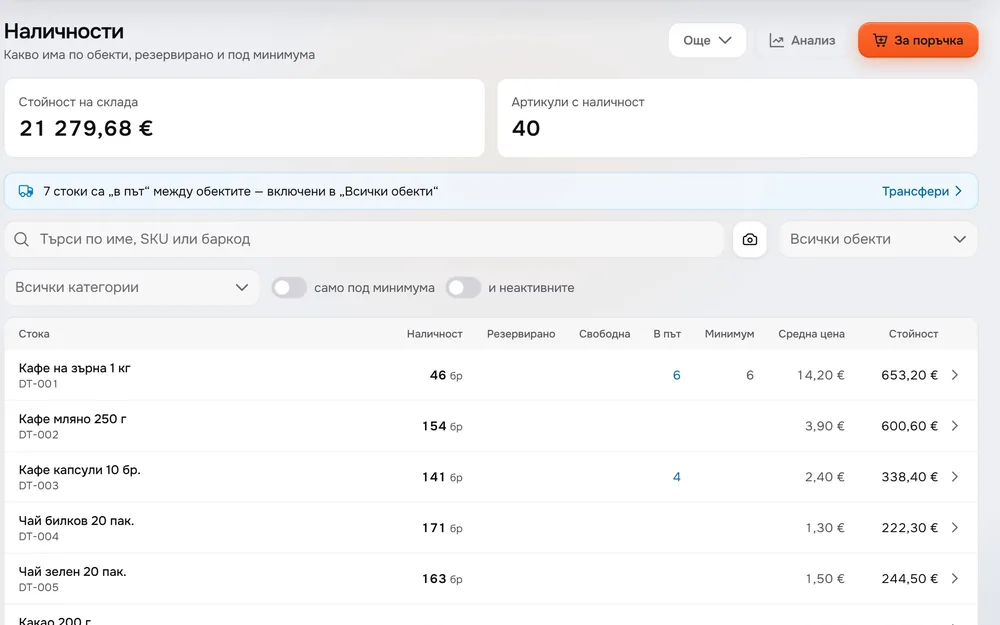
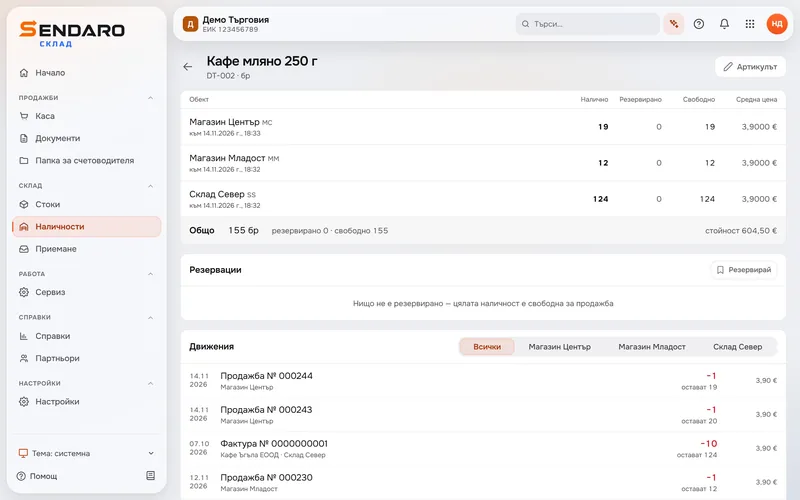
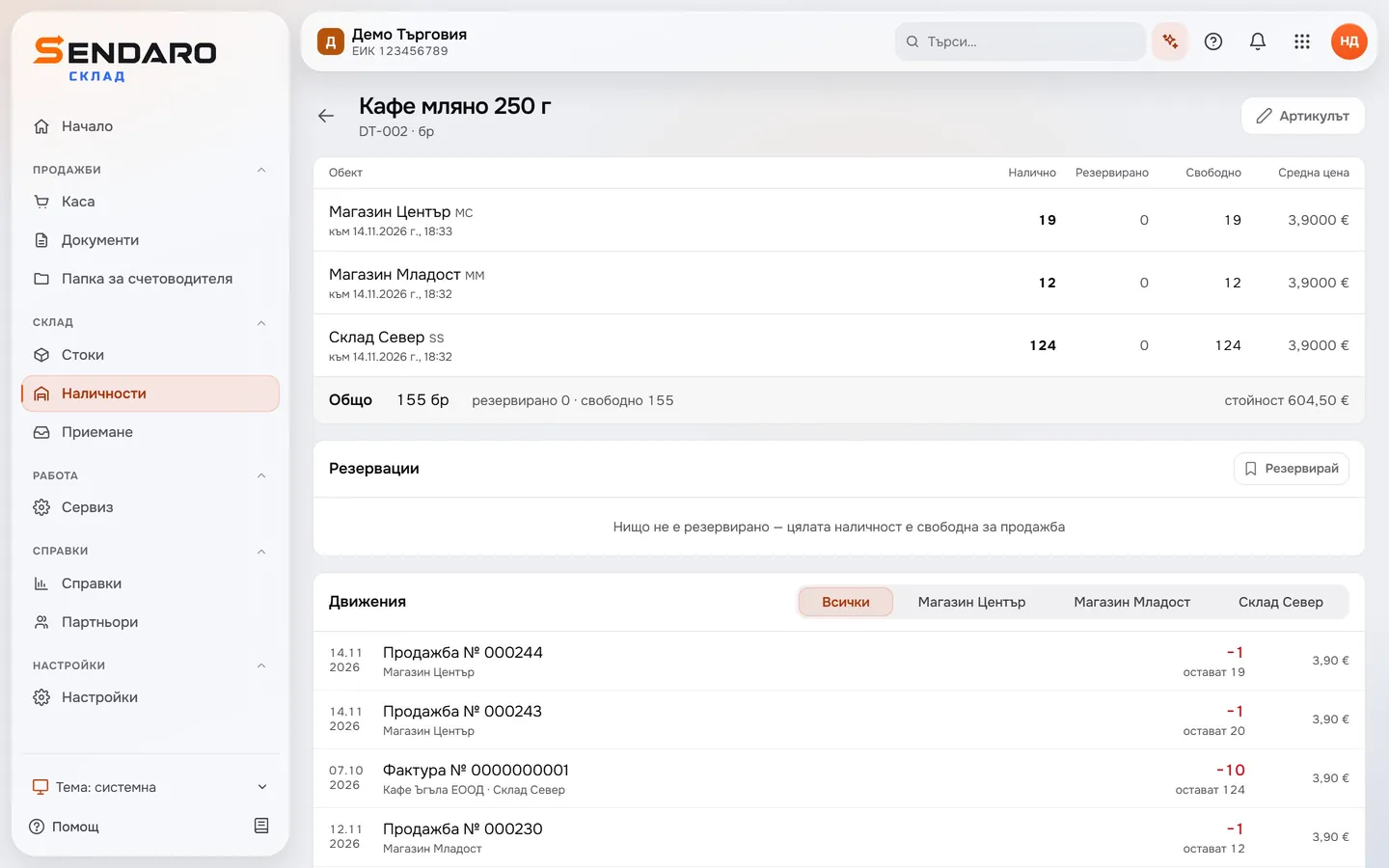
See the stock before the order
The product card shows what’s on hand, reserved and available at each location. Before the online order, the North warehouse has 124 units.
- 03
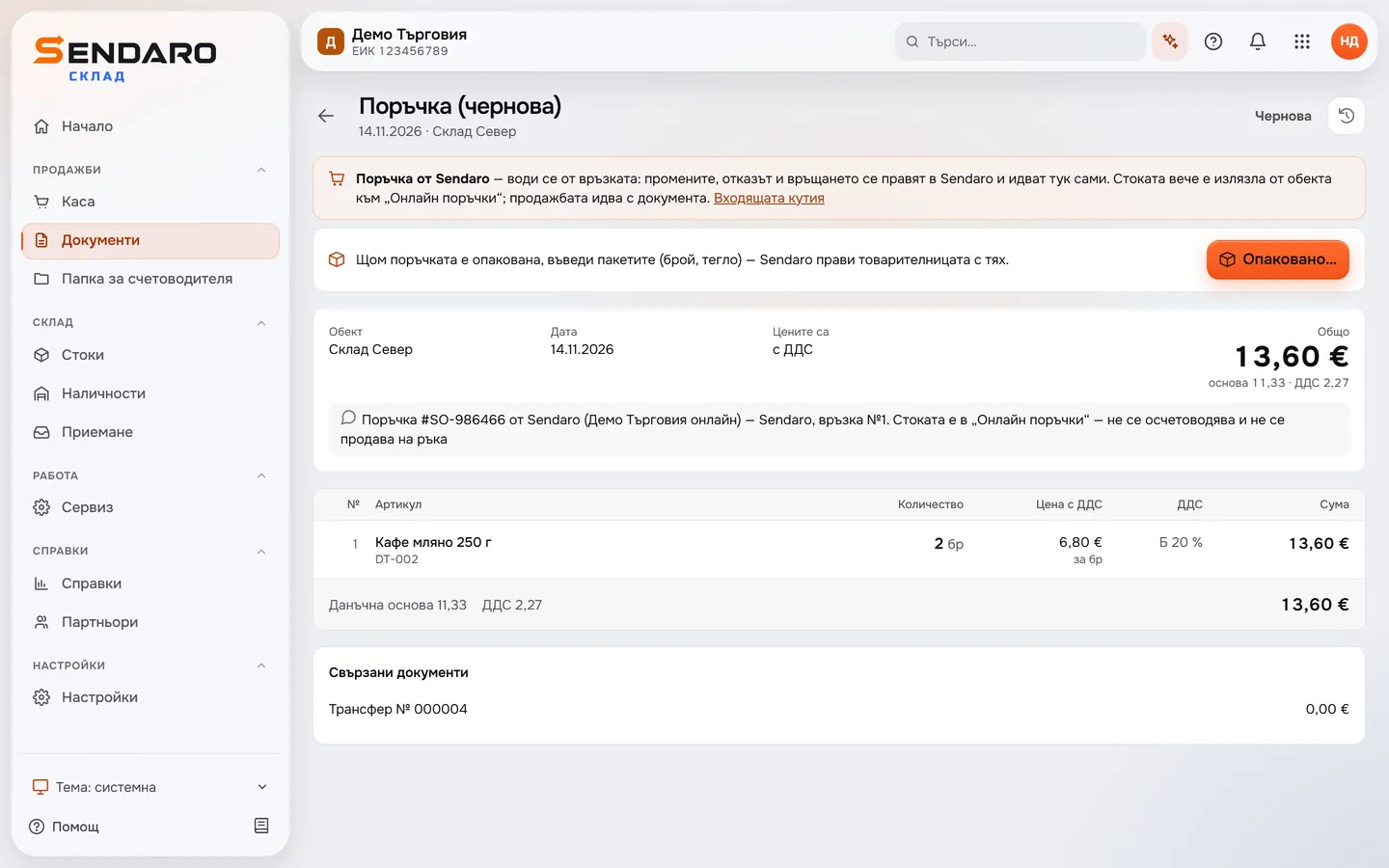
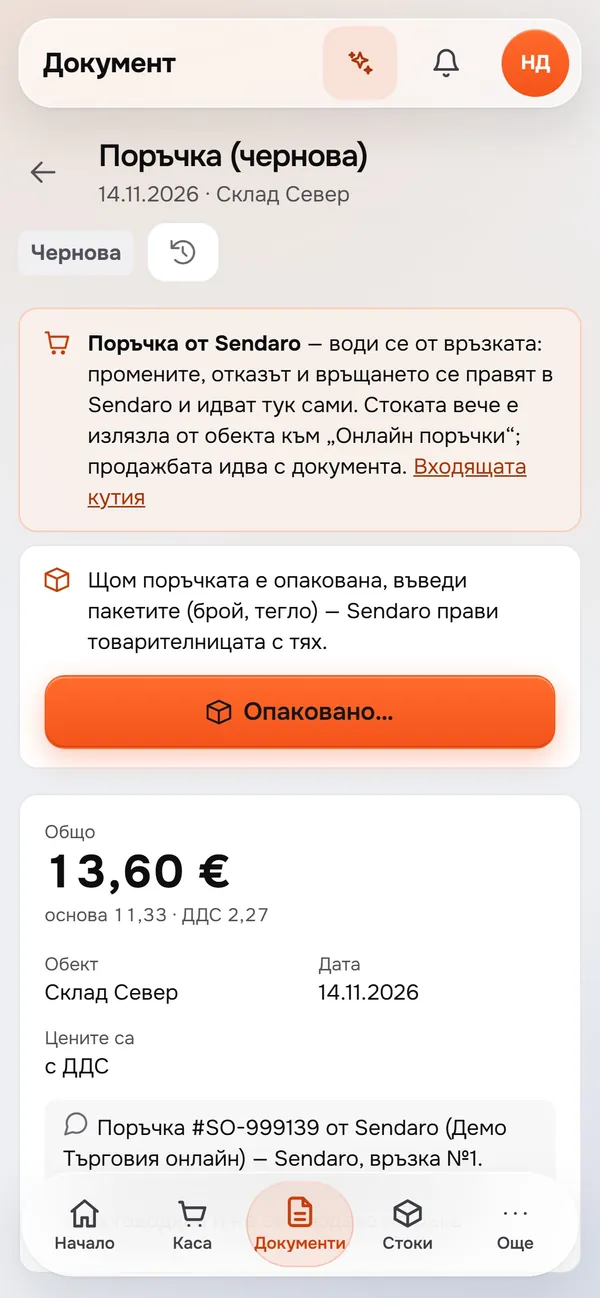
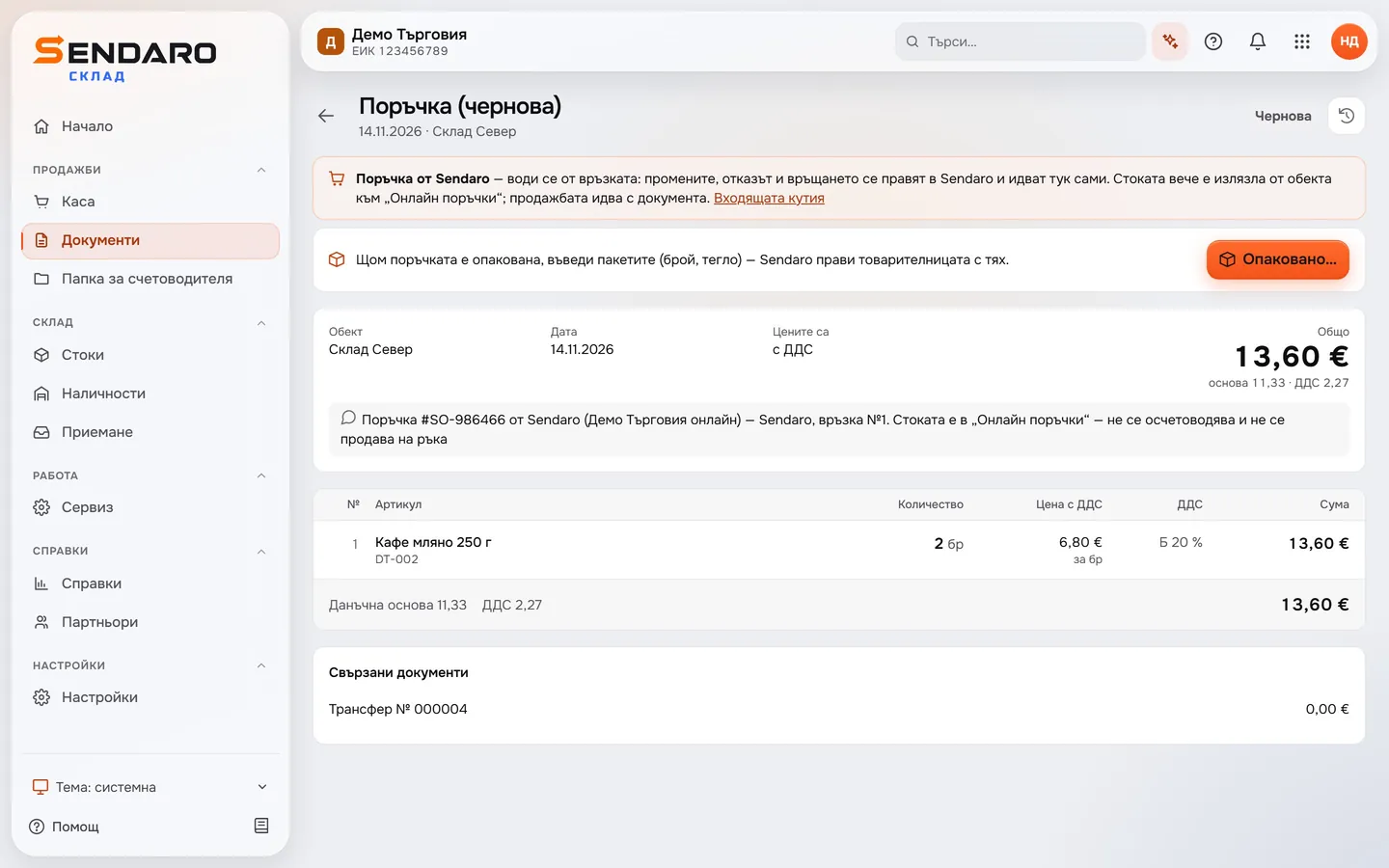
The online order arrives as a document
The order from Sendaro Online appears at the North warehouse, and its items move straight to the internal ‘Online orders’ location. You make changes, cancellations and returns in Sendaro Online, and they reach Sendaro Warehouse through the connection.
- 04
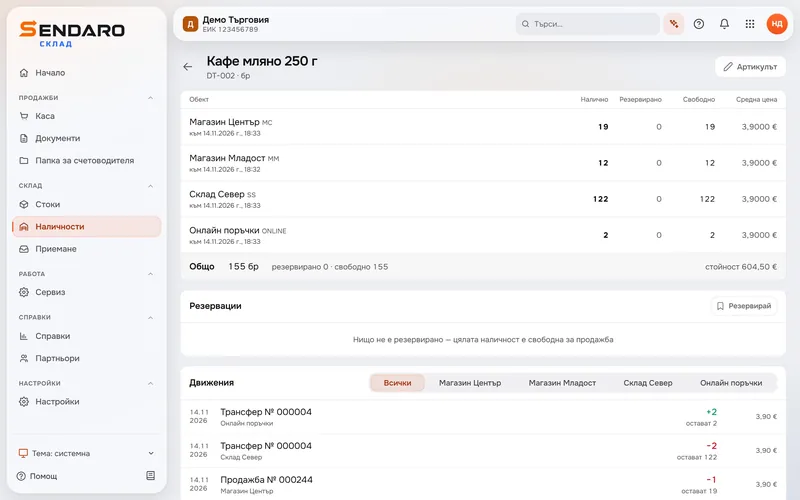
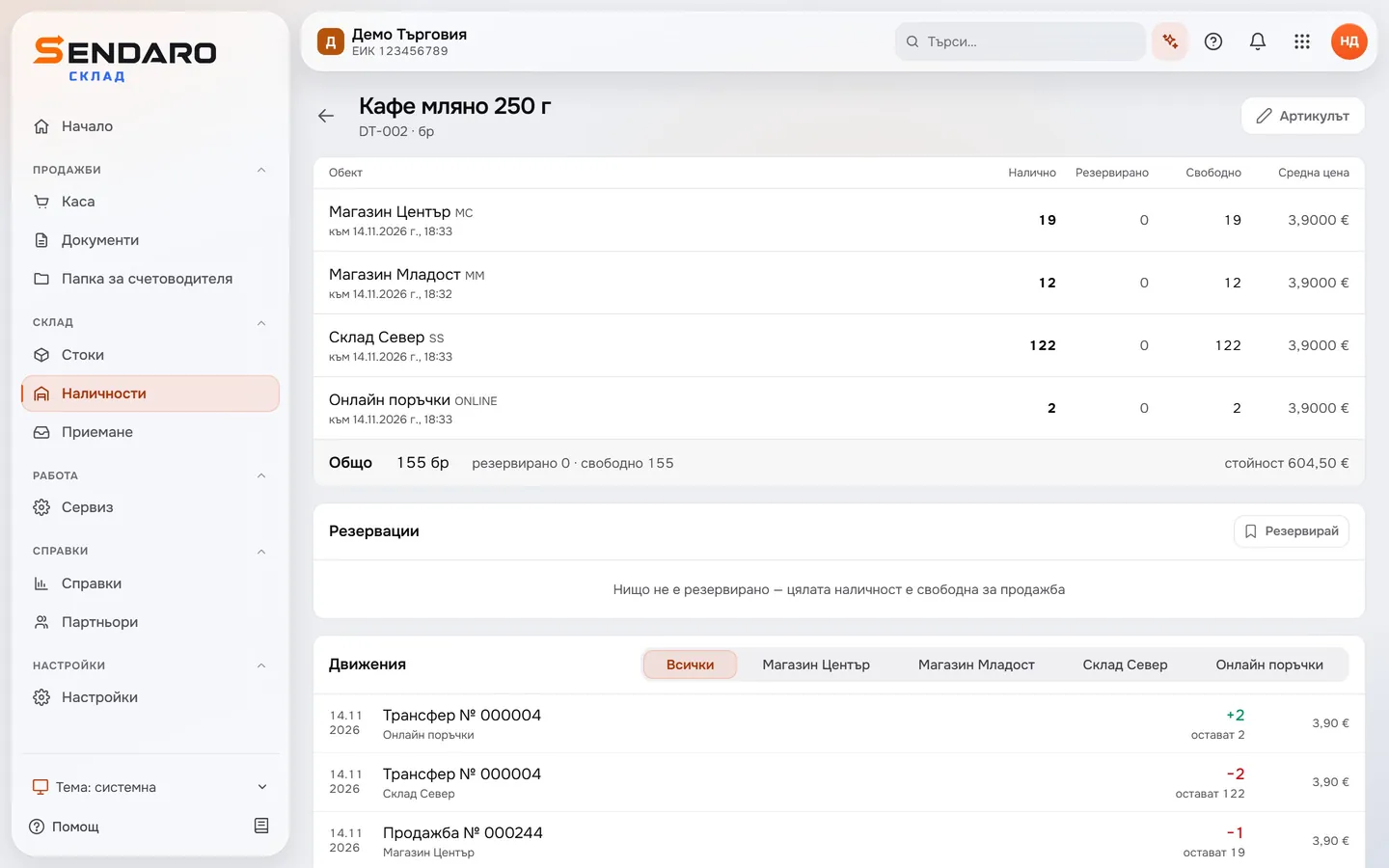
You don’t sell the same unit twice
After the order, the North warehouse has 122 units left. The other two are already in ‘Online orders’ and can’t be sold manually from there.
What you get
Your warehouse knows about every online order.
No overselling
The units for an online order leave the warehouse right away, so you don’t sell them a second time.
No manual entry
You don’t enter online orders in Sendaro Warehouse or take their stock out by hand.
Changes reach Sendaro Warehouse
You make changes, cancellations and returns in Sendaro Online and don’t repeat them in Sendaro Warehouse.
You pick the location
Stock for orders leaves from your default location, and you can set a different one for each online shop.
Questions
Questions about the connection.
What do I need for the connection?
You need Sendaro Online and the ‘Reservations’ module. The module is off by default; turn it on in Settings → Modules. Then set up the connection in ‘Integrations’ in Sendaro Warehouse.
Which location does the stock leave from?
From the default location you choose in ‘Integrations’ – the North warehouse in the example. You can also set a separate location for each online shop.
What happens when an order is cancelled or returned?
You handle cancellations and returns in Sendaro Online, and Sendaro Warehouse receives them through the connection. The same goes for changes to the order.
Where do I see the orders from Sendaro Online?
In the inbox in ‘Integrations’: processed, waiting for you, with errors and ignored. The order also appears as a document in ‘Documents’.
More features