EN
Get started
  1. Home
  2. Sendaro Warehouse
Sendaro Warehouse

Sell at the till, and your stock updates itself.

For online shops in Bulgaria.

A till with a scanner and fiscal receipts, live stock by location, labels, transfers and stocktakes on your phone.

14 days free · No card · No contract

A real recording from Sendaro Warehouse: a scanner sale at the till with a receipt, stock by location and an online order taking stock from the warehouse
A real Sendaro screen
The same on a phone: the till, the receipt and stock by location
A real Sendaro screen

Up close

See how it works.

Real screens and recordings from Sendaro Warehouse, with a demo company.

Till

Sell with a scanner, and the receipt prints on your fiscal device.

Find the item by name or scan it, and take payment in cash or by card. Stock at that location drops instantly.

  • Scanner, search by name or quick-item tiles
  • Cash or card payment
  • Fiscal receipts through a new bridge on the computer next to the till
See the checkout →

Stock by location

See how much you have at every location.

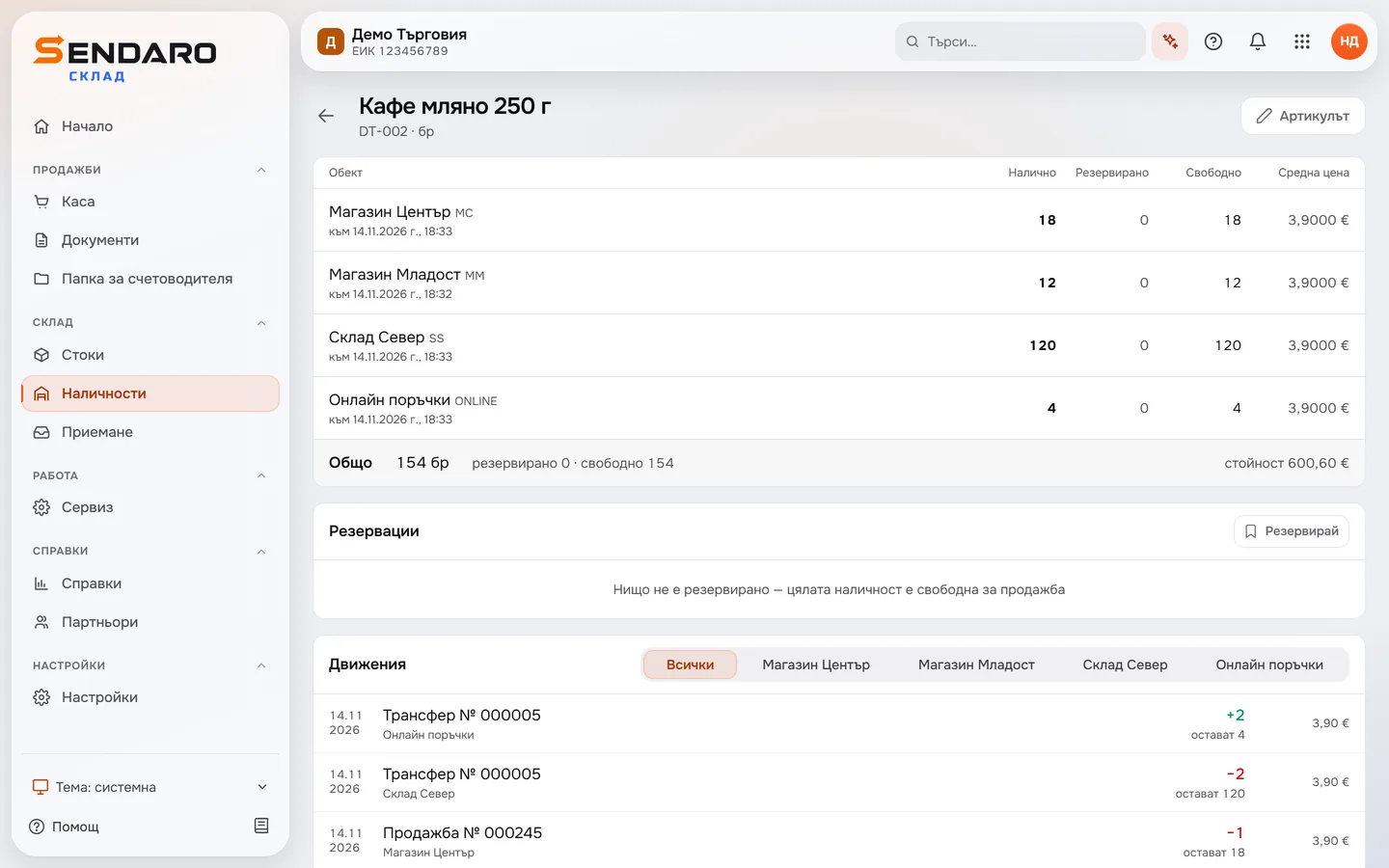
A sale at the till takes the item out of stock instantly – and with Sendaro Online and the ‘Reservations’ module, so does an online order. The item card shows stock by location, what’s reserved and every movement.

  • On hand, reserved and available
  • Every movement of each item
  • Stock value
See stock →
The item card for ‘Ground coffee 250 g’: units at each location and the item’s movements
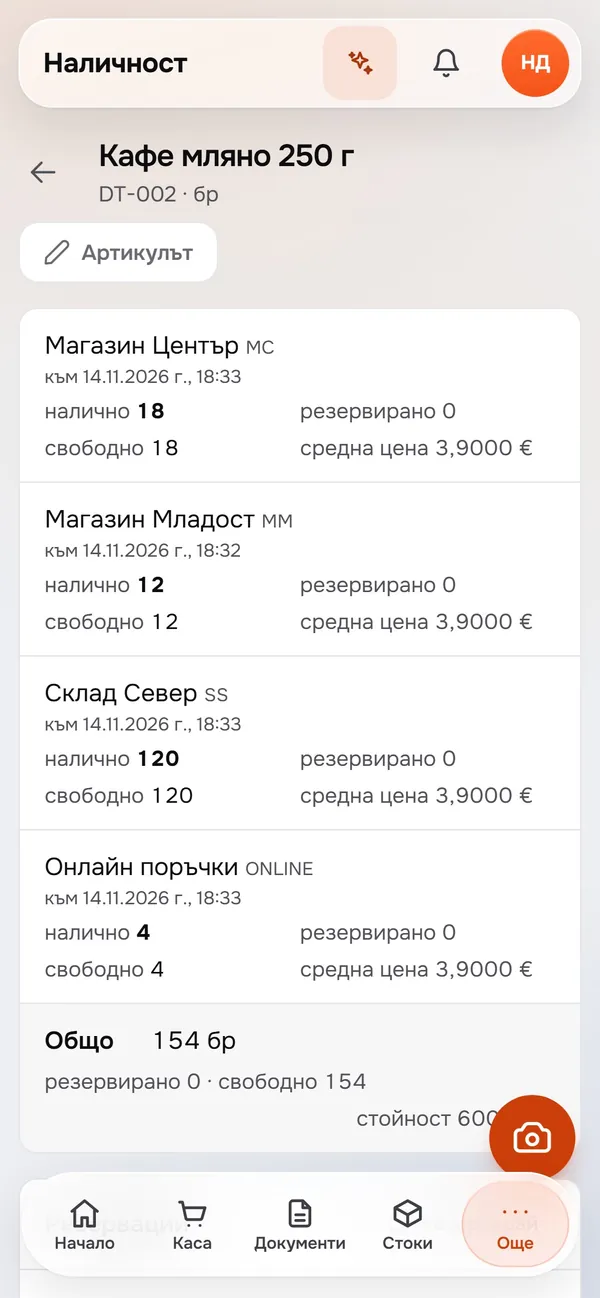
The ‘Ground coffee 250 g’ item card on a phone: on hand and available at ‘Shop Centre’, ‘Shop Mladost’, ‘Warehouse North’ and ‘Online orders’

Labels

Price and barcode labels for a whole category at once.

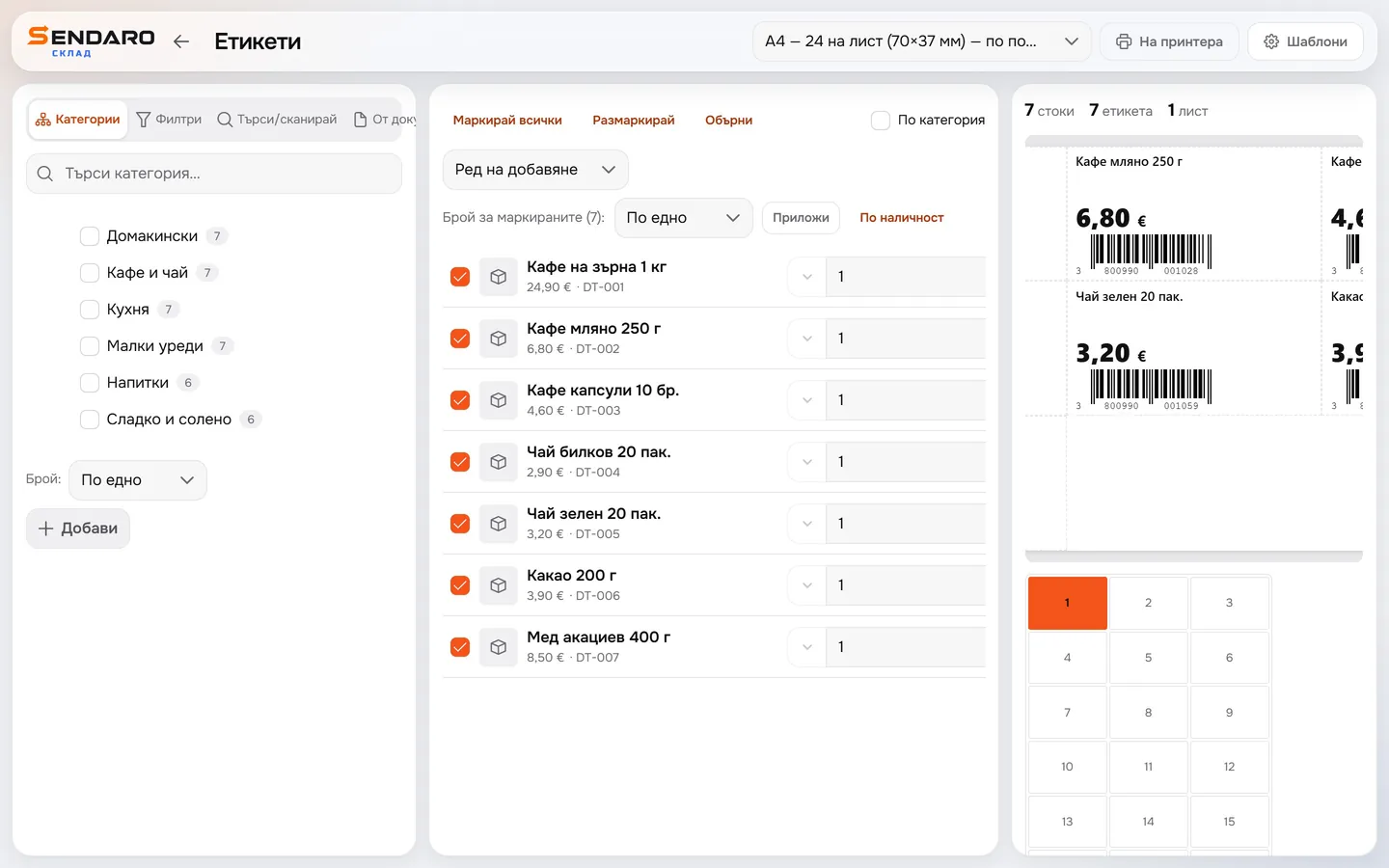
Pick items or a whole category and print labels from your own template, on an A4 sheet or a roll.

  • Your own template from the designer
  • A4 sheet or roll
  • Barcodes ready for the till and stocktakes
See labels →
Labels for ‘Coffee and tea’: seven ticked items and the A4 sheet with each one’s price and barcode

Stocktake

Count stock with your phone.

Scan the item or type in what you counted, and see the difference for each item instantly. With the ‘Stocktake 2.0’ module, you also see the differences in value.

  • Scanner or your phone’s camera
  • ‘Add’ or ‘Exact’ mode
  • Differences in value with ‘Stocktake 2.0’
See stocktakes →

Questions

Frequently asked questions

What is Sendaro Warehouse?

Software for stock and the till: live stock by location, a till with a scanner or touchscreen, labels, transfers between locations, stocktakes on your phone, goods receiving and suggestions for what to order.

Does it work with a fiscal device?

Yes. The receipt prints on your fiscal device through a bridge on the computer next to the till. The bridge is new and needs setting up.

Does it connect to my online shop?

Yes, through Sendaro Online. Online orders take the items out of stock automatically, so you never sell the same unit twice. You also need the ‘Reservations’ module, and the connection is set up in ‘Integrations’.

Is everything switched on from the start?

Transfers, receiving, reorder suggestions, ‘Stocktake 2.0’ and ‘Reservations’ are modules. They’re off by default; turn them on in Settings → Modules.

Can I use Warehouse on its own?

Yes. Each program also works on its own. Add Online and Accounting at any time with the same account.

Is there a free trial?

Yes. The first 14 days are free, with no card and no contract.

Try Sendaro Warehouse free for 14 days.

No card, no contract.

Start for free