


- Home
- Sendaro Warehouse
- POS till

Every sale at the till reduces your stock instantly.
For online shops in Bulgaria.
Scan the barcode, search by name or tap a tile on the touch screen. Your customer pays in cash or by card, and the till works out the change.
14 days free · No card · No contract
How it works
One sale, start to finish.
Real Sendaro Warehouse screens, with a demo company and made-up data.
- 01
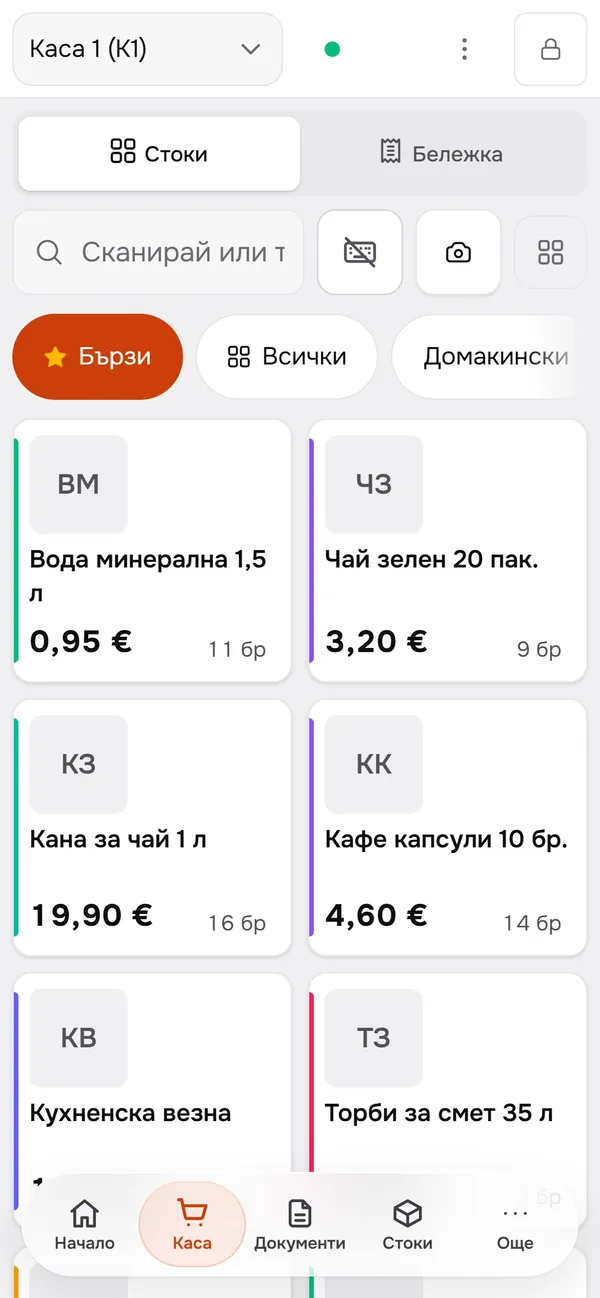
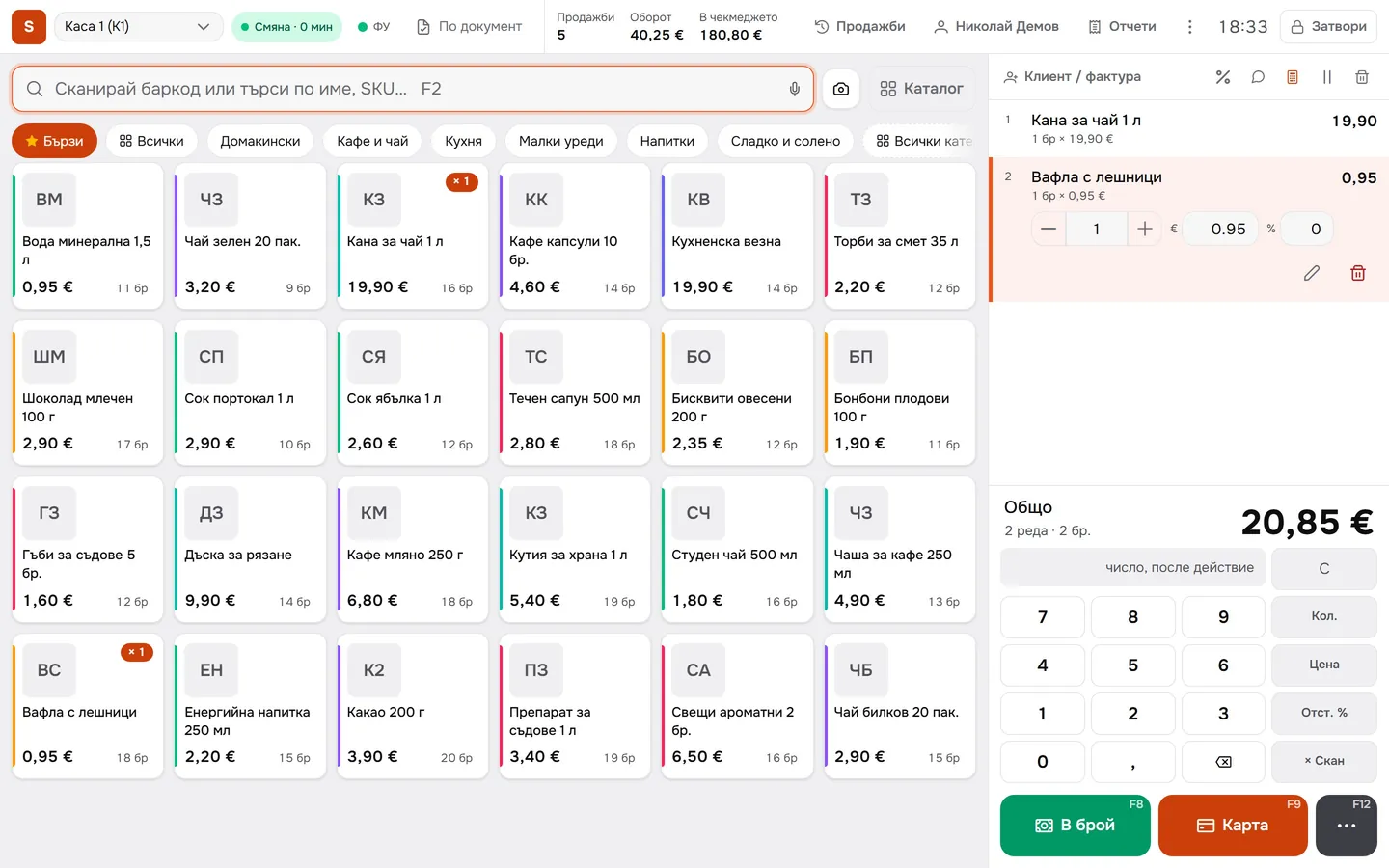
Pick from the tiles
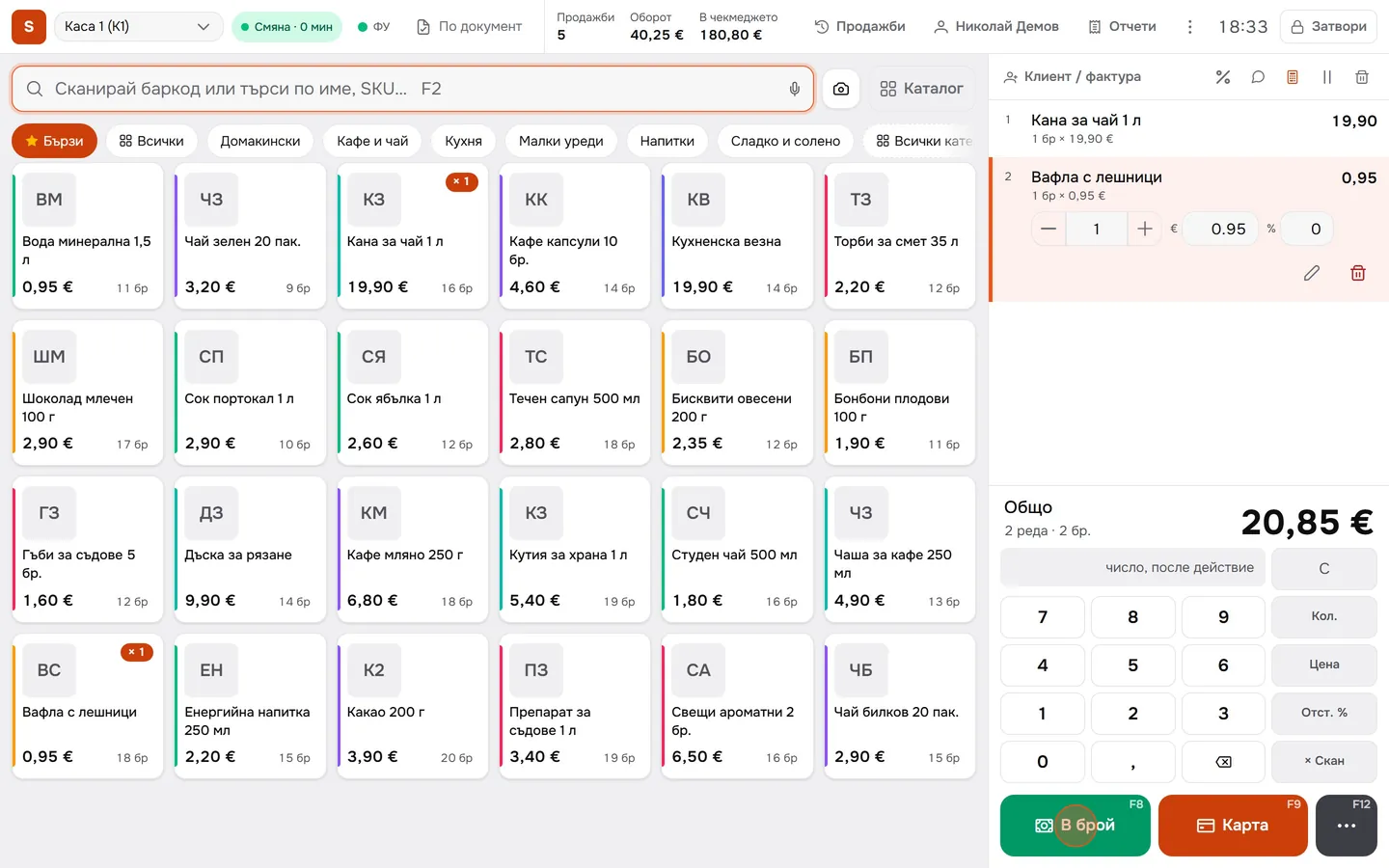
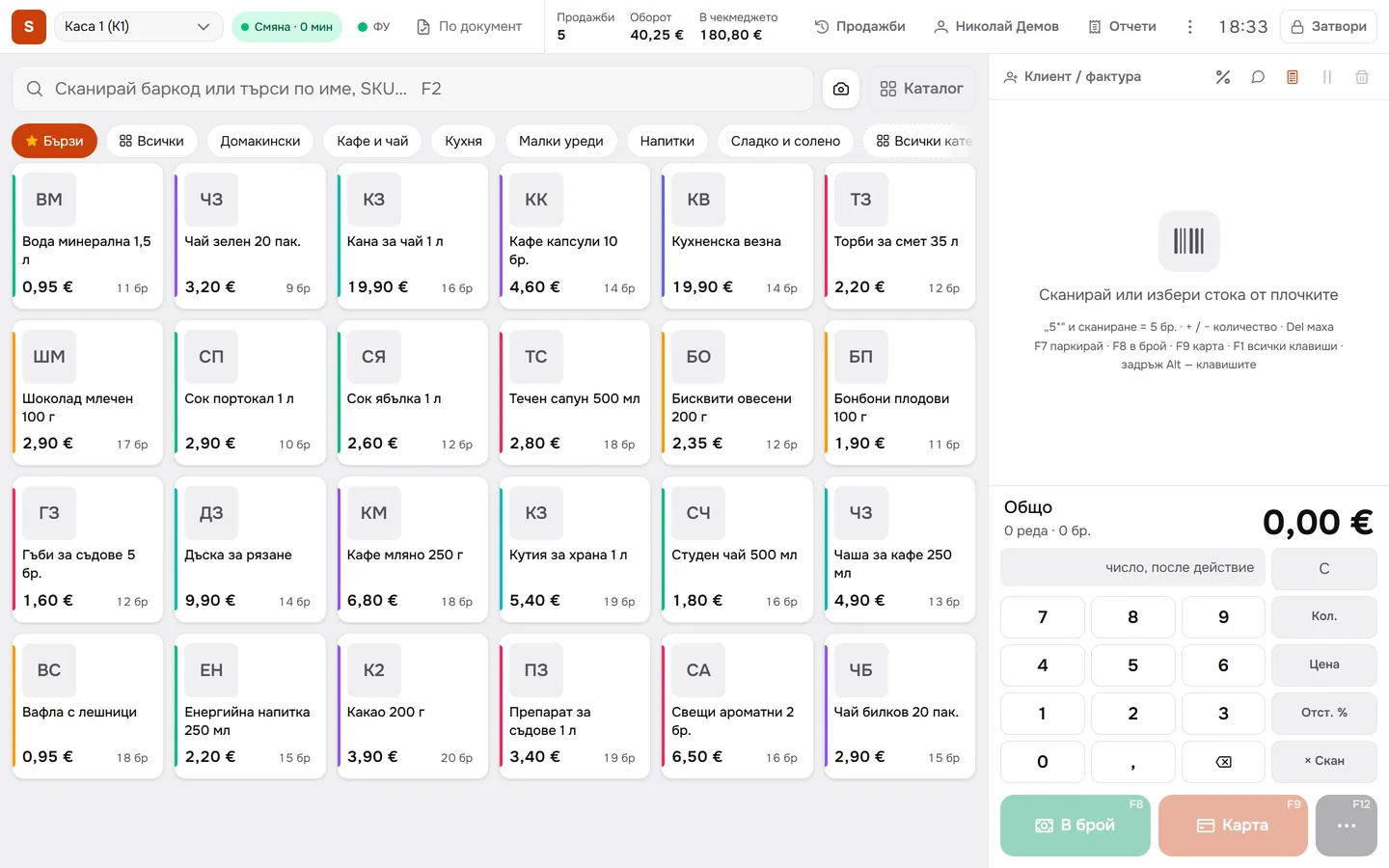
Your quick items sit on large tiles with the price and how many are in stock. On a touch screen, one tap adds the item to the sale.
- 02
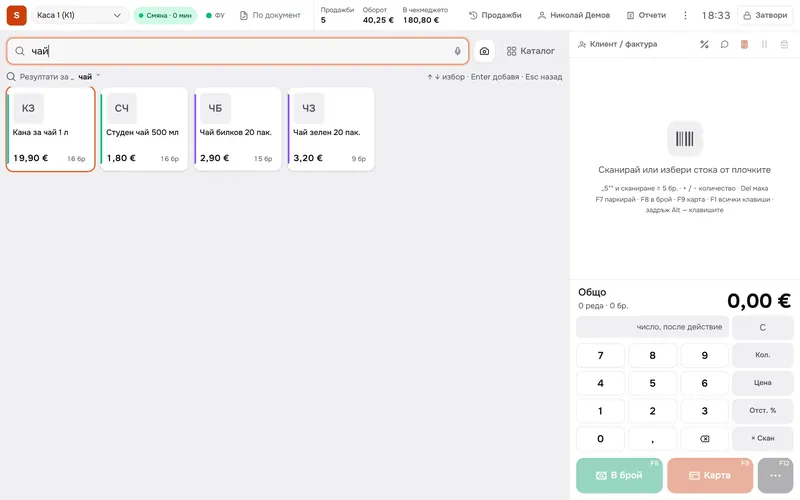
Search by name
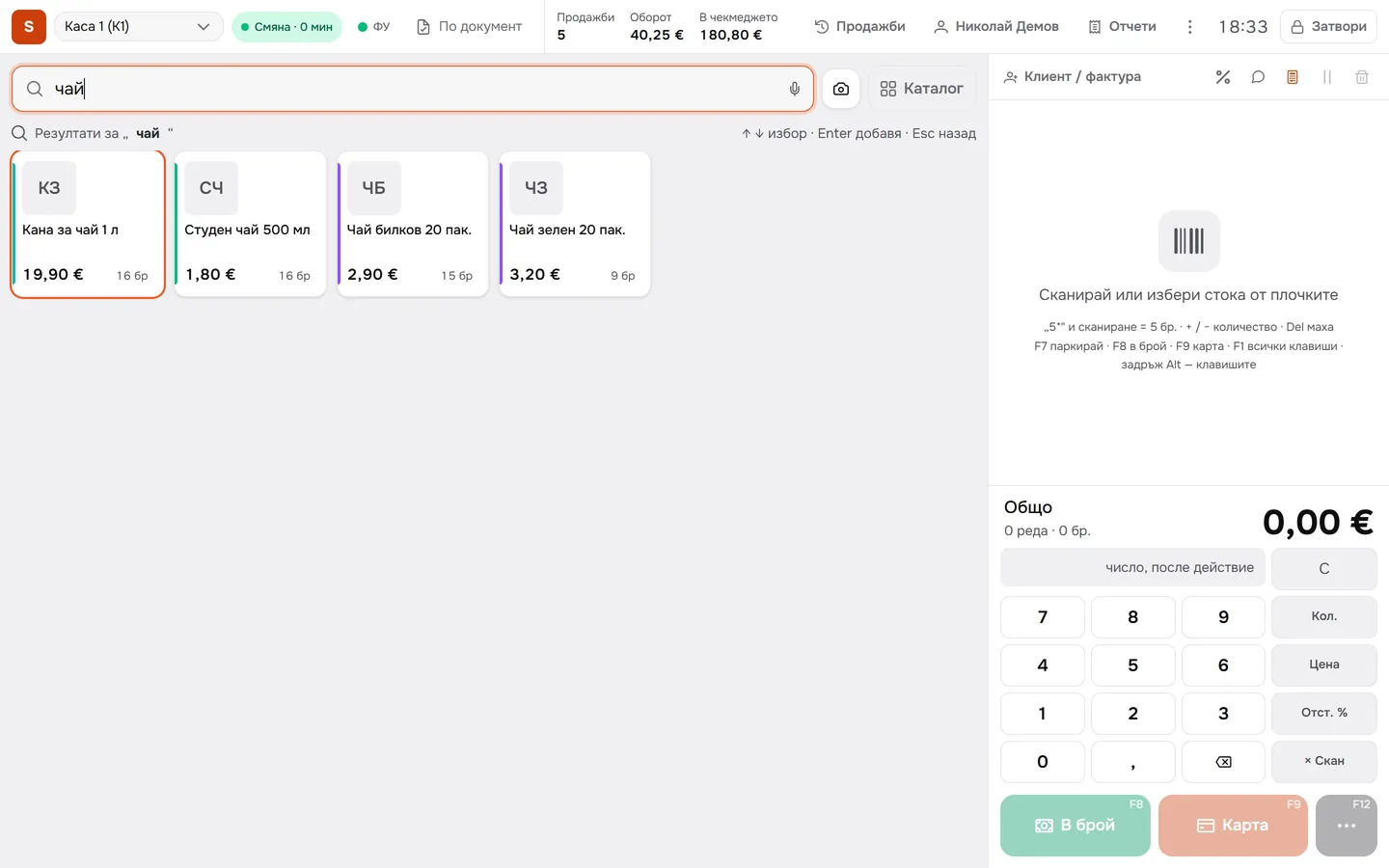
Type ‘tea’ and the till shows the matches with price and stock. Press Enter to add the selected item.
- 03
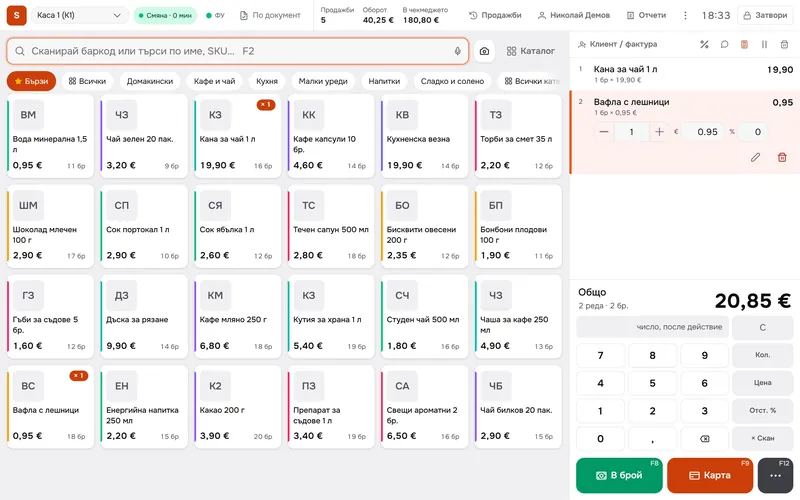
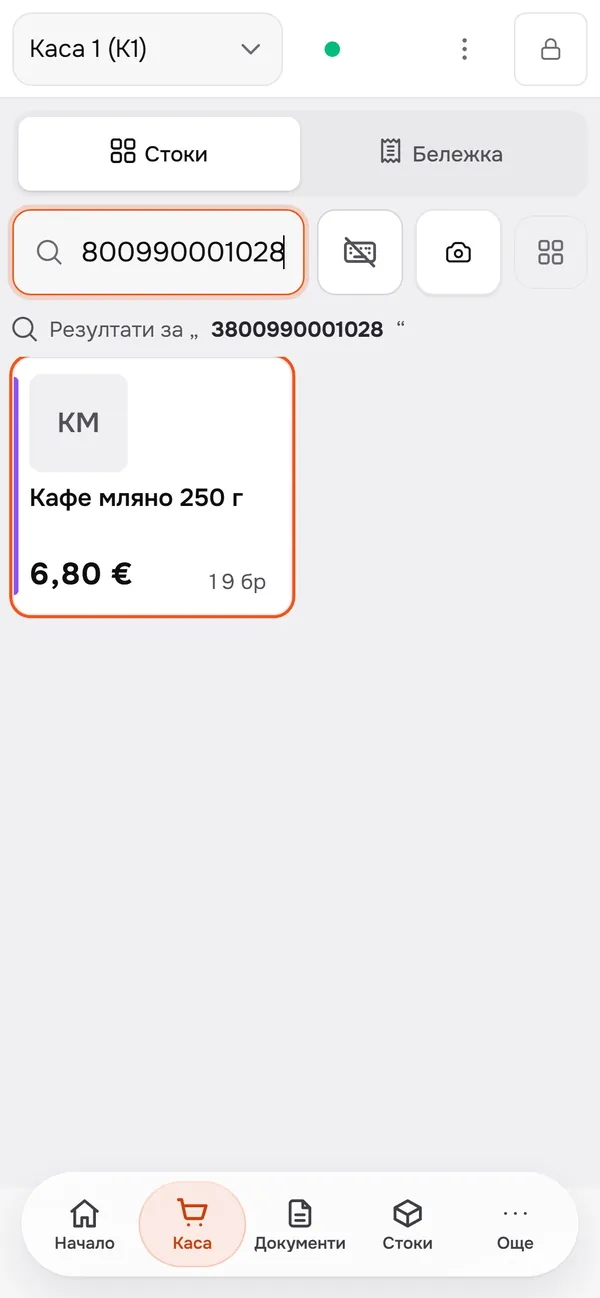
Scan the barcode
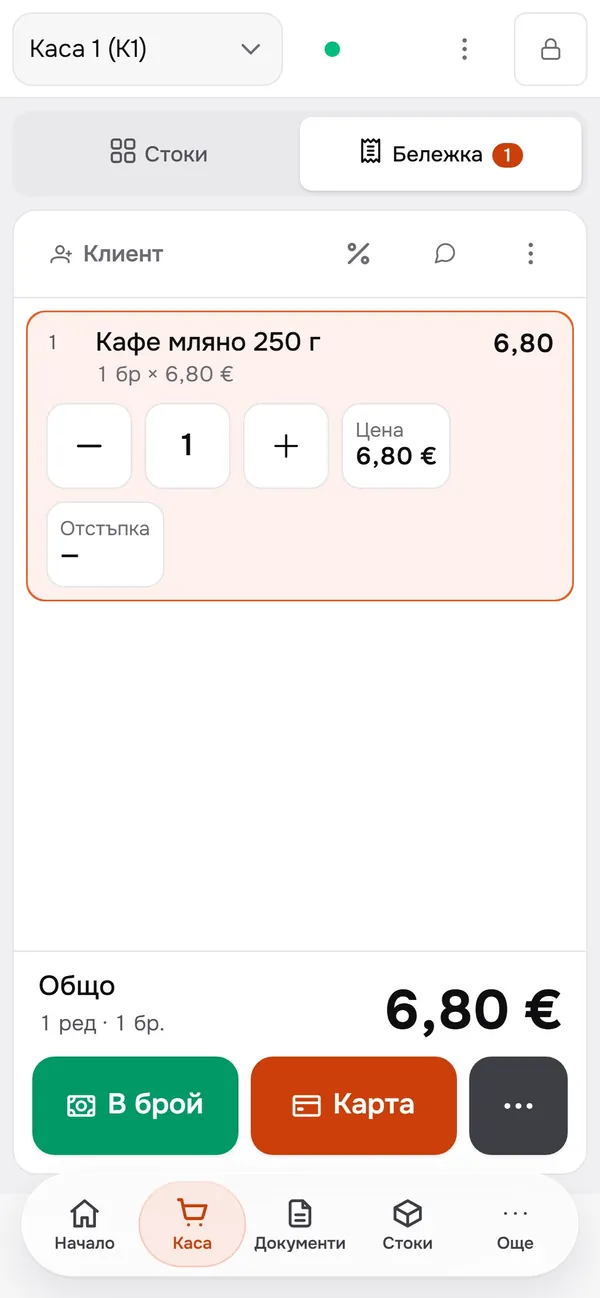
The scanner adds the item straight to the sale. Change the quantity, price or discount right on the line.
- 04
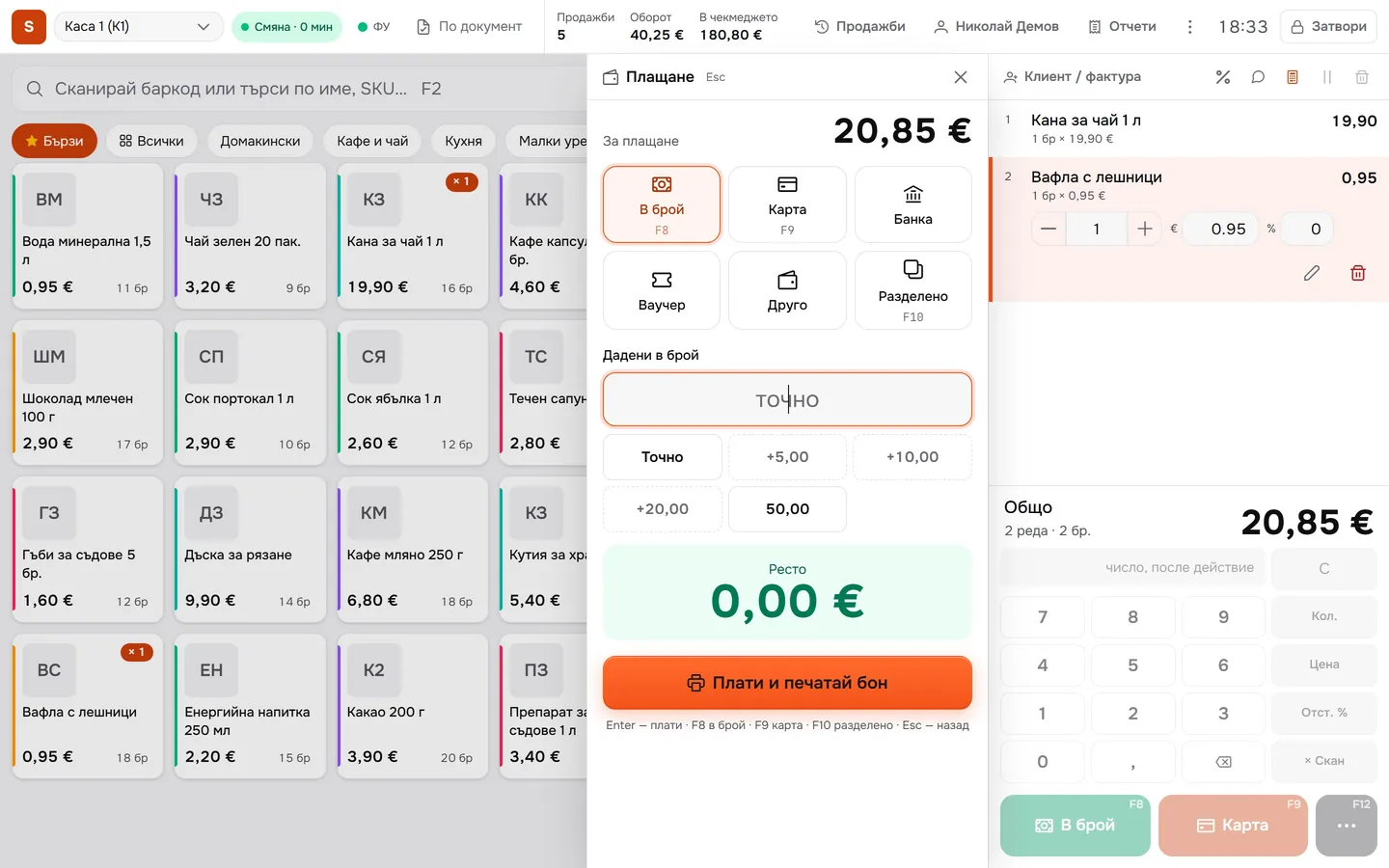
Take the payment
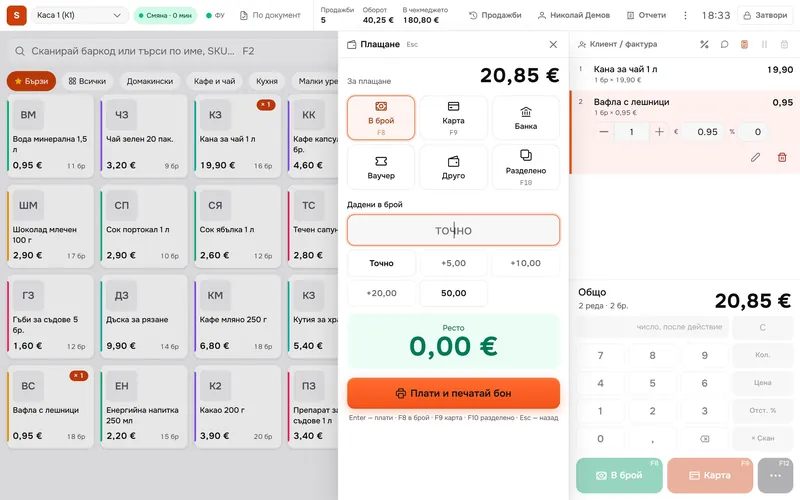
The customer pays in cash, by card, by bank transfer, with a voucher, or splits the payment. For cash, type the amount handed over or pick it with a button.
- 05
The receipt prints
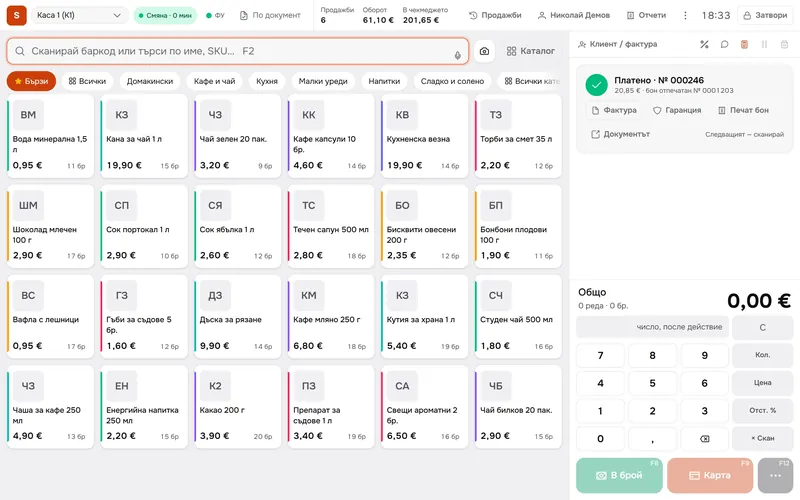
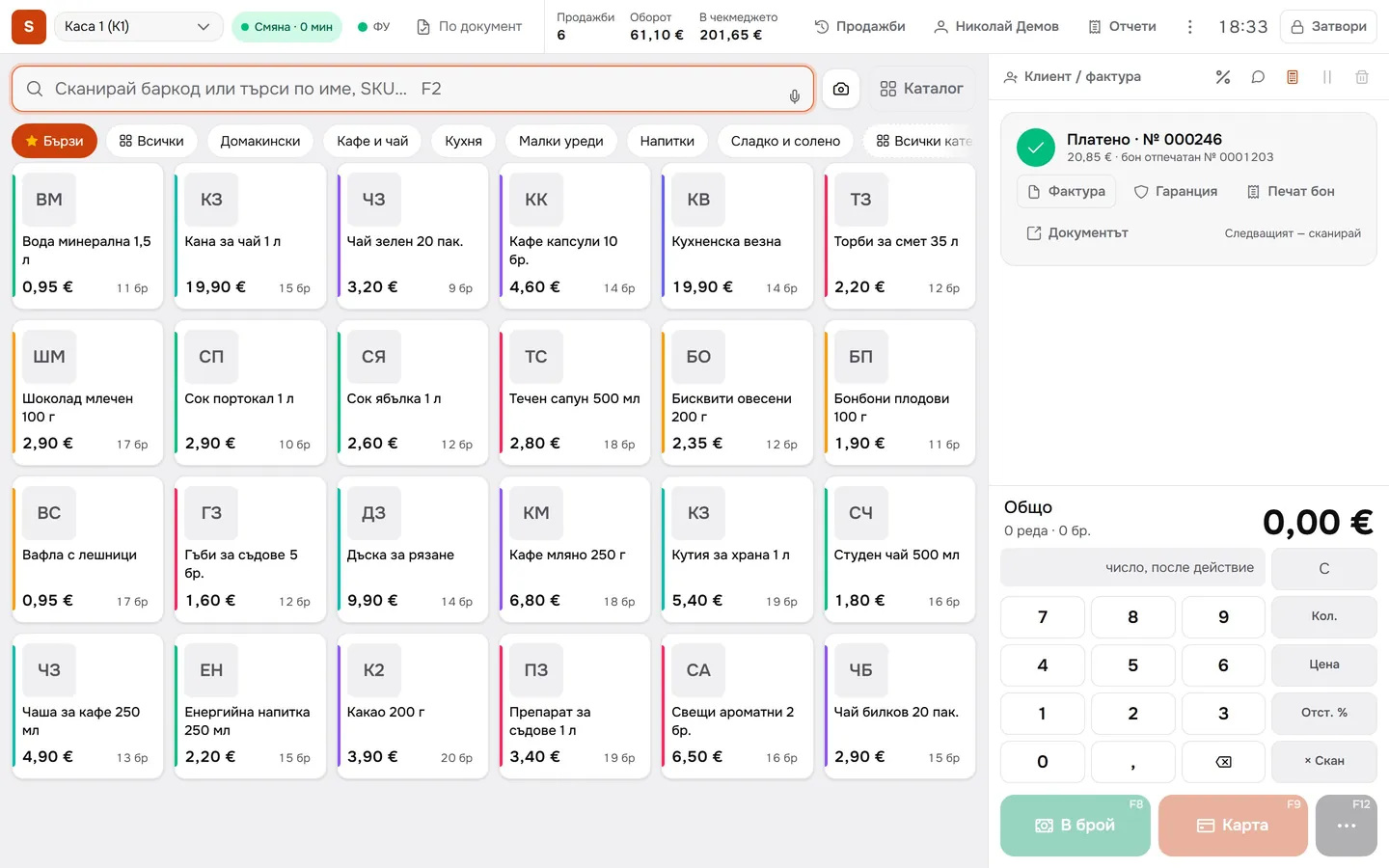
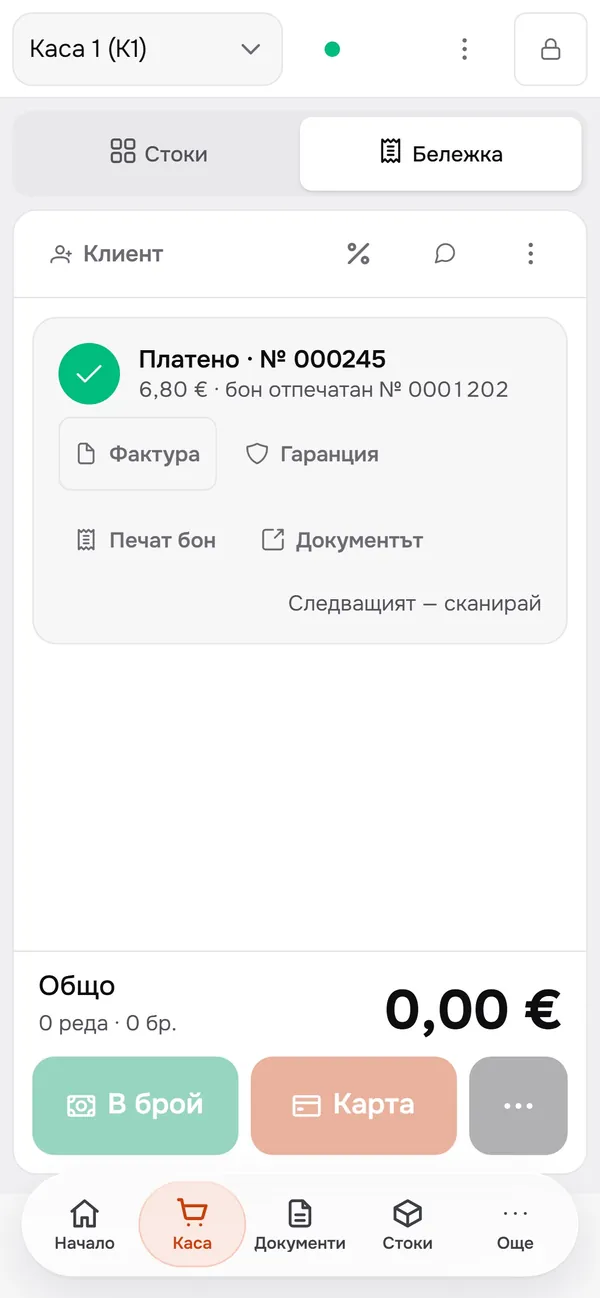
Press ‘Pay and print receipt’ and the receipt prints on your fiscal device (setup needed). The ‘Invoice’ and ‘Warranty’ buttons sit right under the paid sale.
- 06
Stock updates instantly
As soon as the sale is paid, the teapot comes off your stock: the tile now shows 15 instead of 16.
What you get
Less time at the till.
Scanner or touch screen
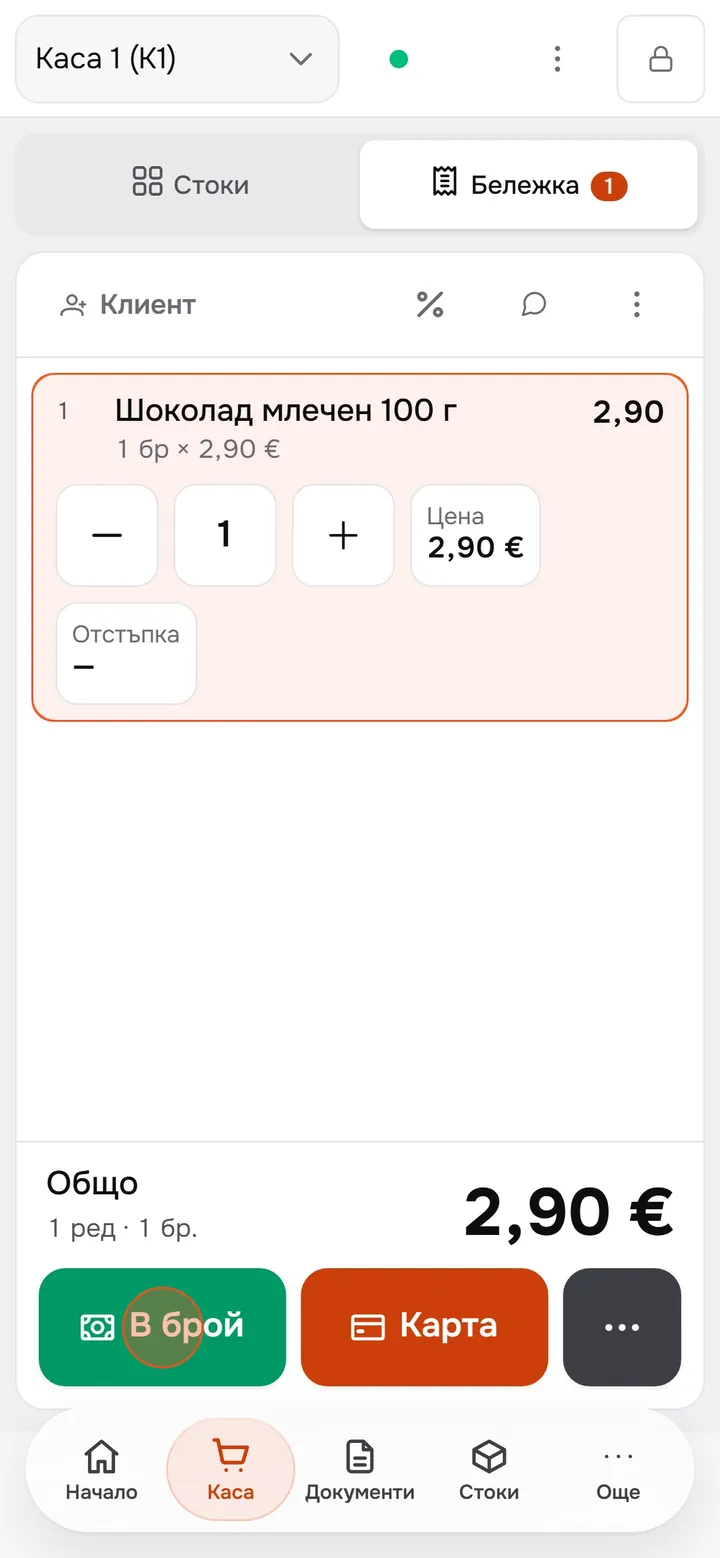
Scan the barcode or tap a tile, and the item is in the sale. The till works on a phone too.
See what’s left
Every sale lowers your stock on the spot, and the tile shows the new count after payment.
Cash in the drawer
The top of the till shows the number of sales, the turnover and how much is in the drawer.
Fiscal receipts from the till
The receipt prints on your fiscal device through a new bridge on the computer next to the till. It needs setting up.
Up close
The same checkout on a phone.
Questions
Questions about the checkout.
Do I need a fiscal device?
For a fiscal receipt, yes. The till sends the receipt to your fiscal device through a bridge on the computer next to the till. The bridge is new and needs setting up.
Does it work with a barcode scanner?
Yes. Scan the barcode and the item is in the sale. Without a scanner, search by name or SKU, or tap a tile on the touch screen.
When does stock update?
As soon as the sale is paid. The sold items come off your stock, and the tile shows the new count.
Which payment methods are there?
Cash, card, bank transfer, voucher and split payments. For cash, the till works out the change.
More features