


- Home
- Sendaro Online
- Waybills and printing

Create and print waybills for every order at once.
For online shops in Bulgaria.
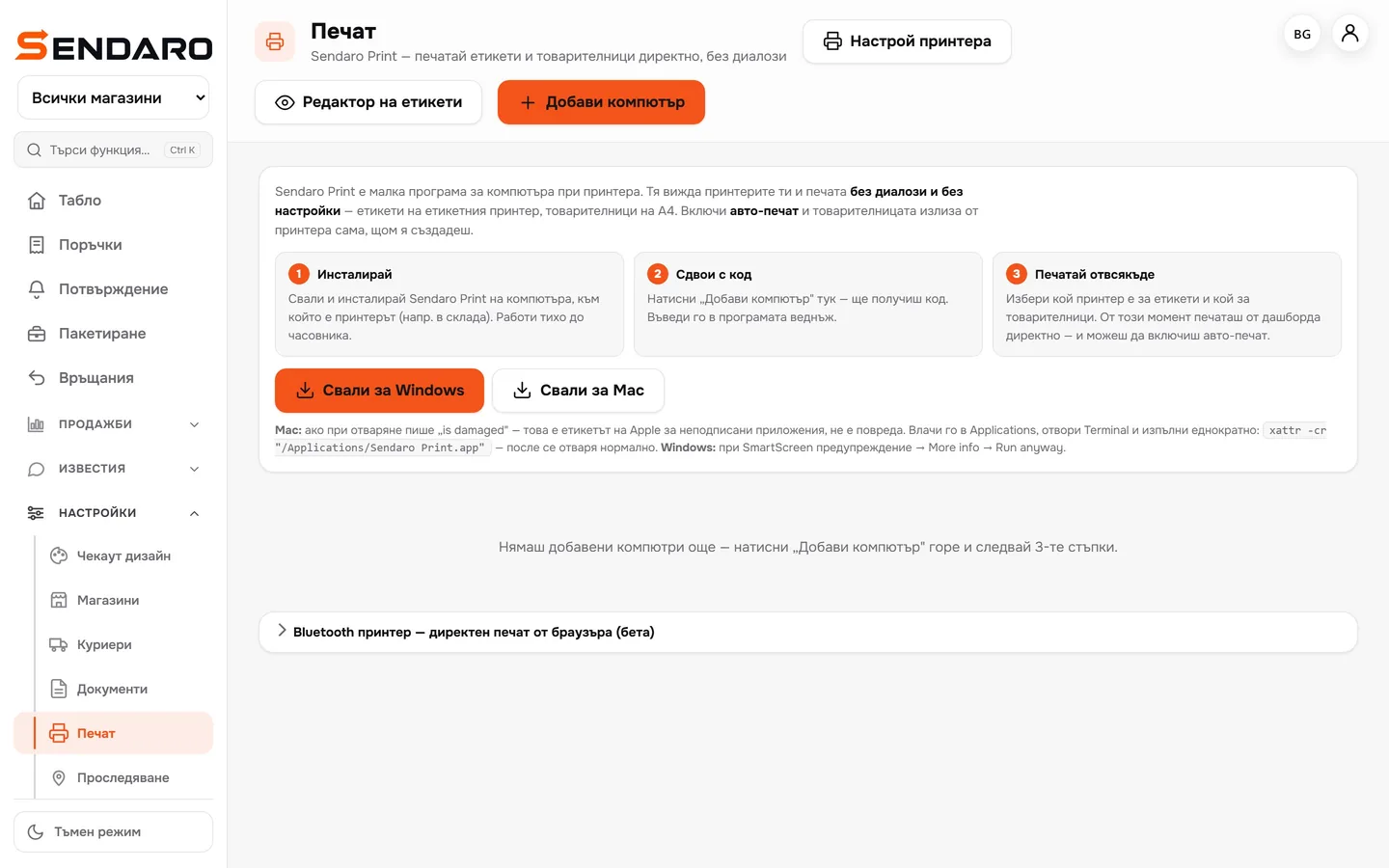
Select your orders and Sendaro creates the waybills in one go. Sendaro Print prints them without any print dialogue, and a label printer also works over Bluetooth.
14 days free · No card · No contract
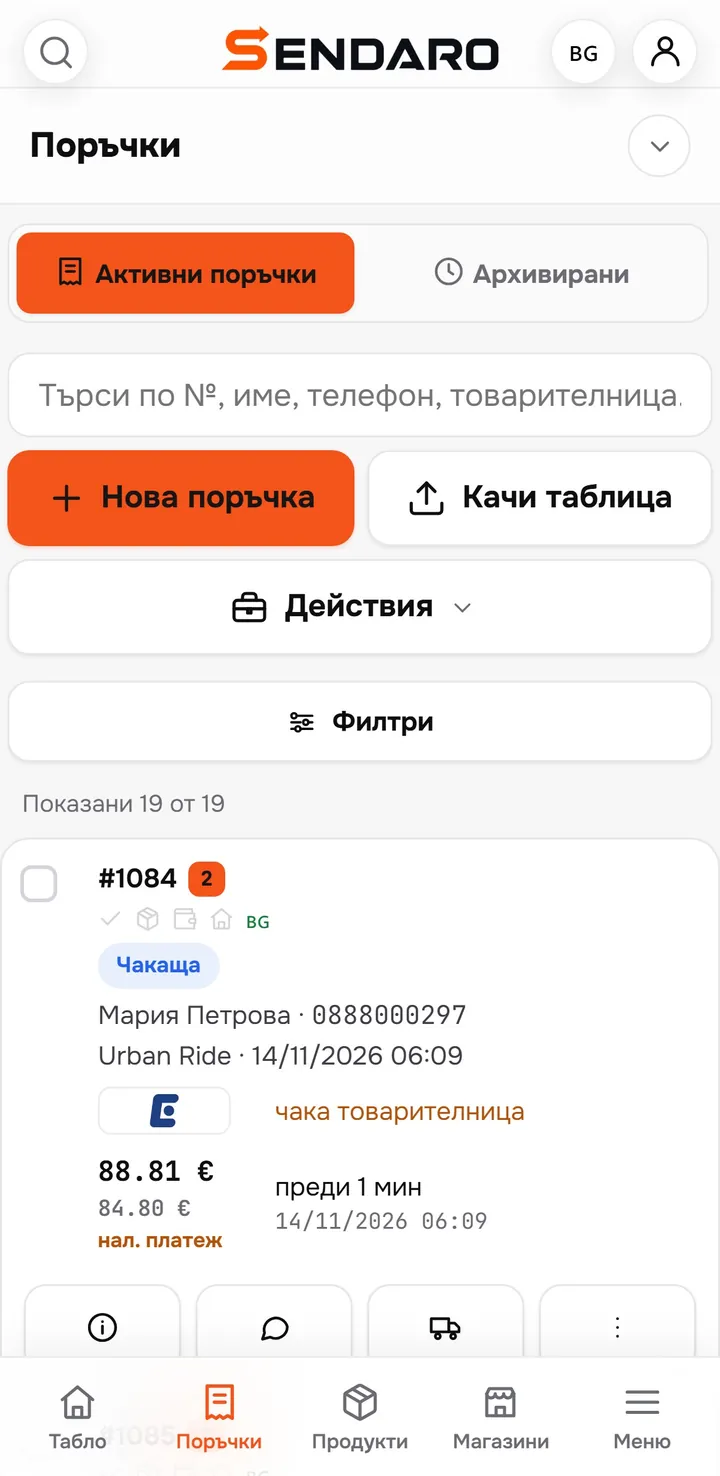
How it works
From orders to the label on the box.
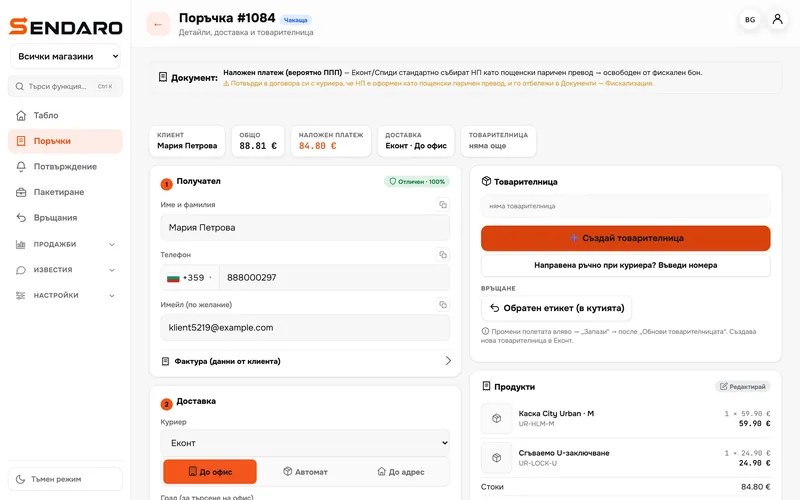
Real Sendaro screens with the Urban Ride demo shop.
- 01
Select the orders
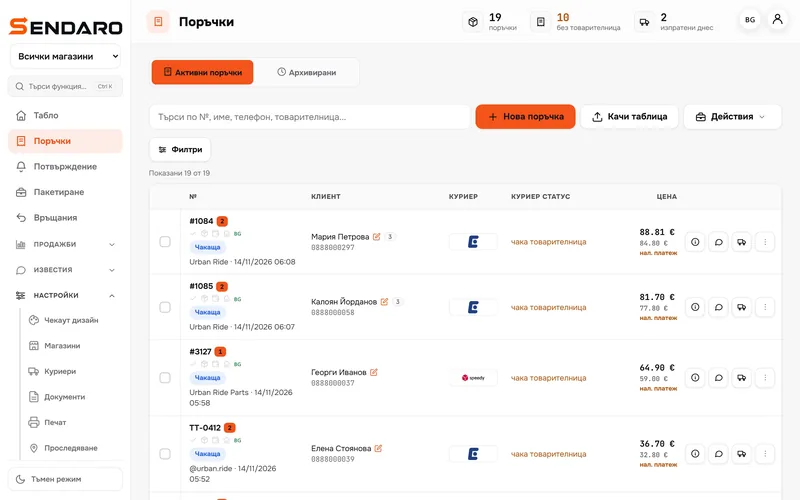
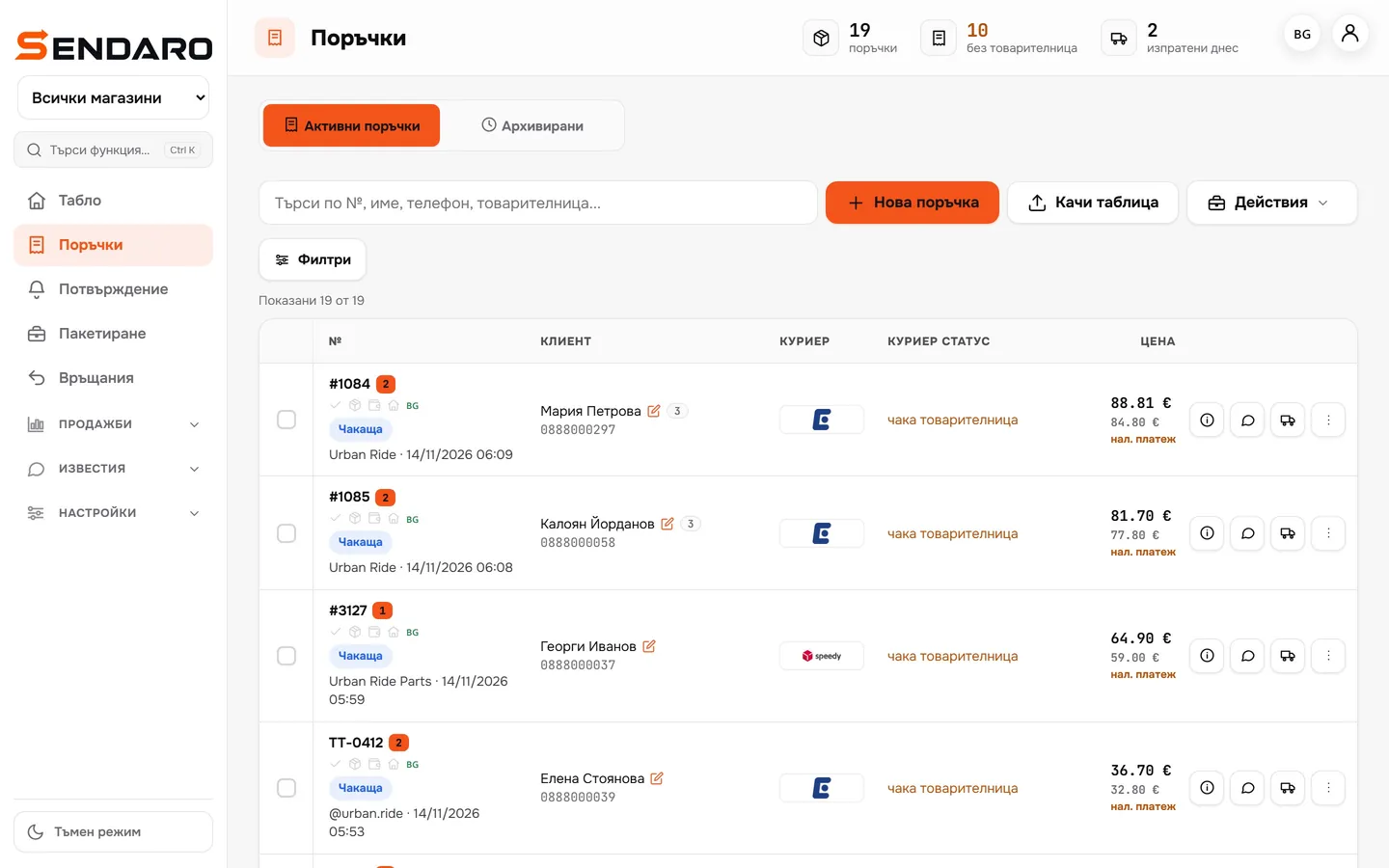
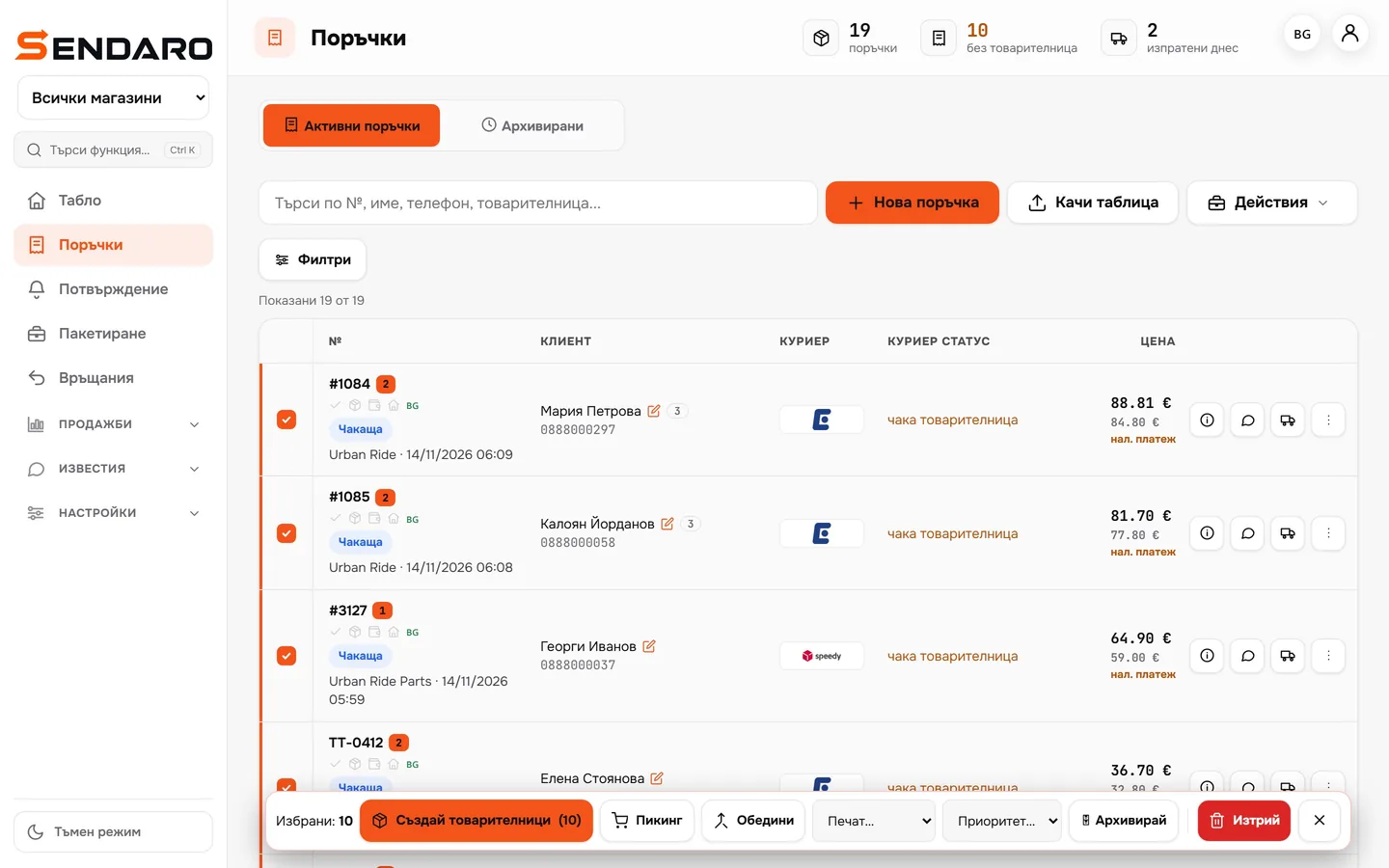
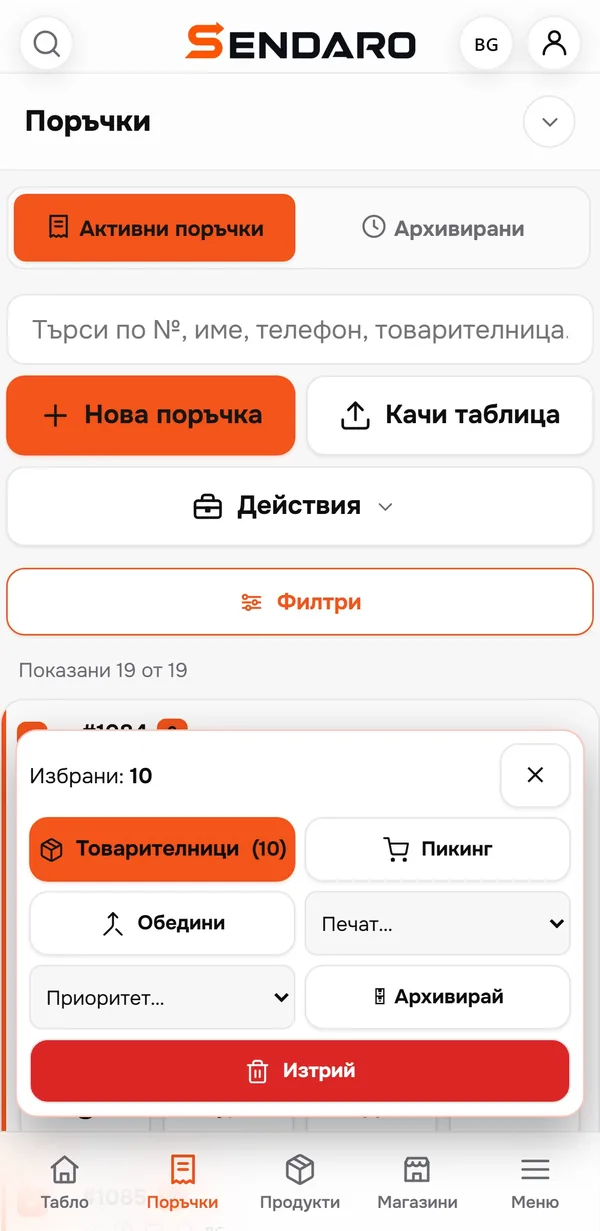
The ‘No waybill’ filter shows what’s waiting. Select all of them or just a few.
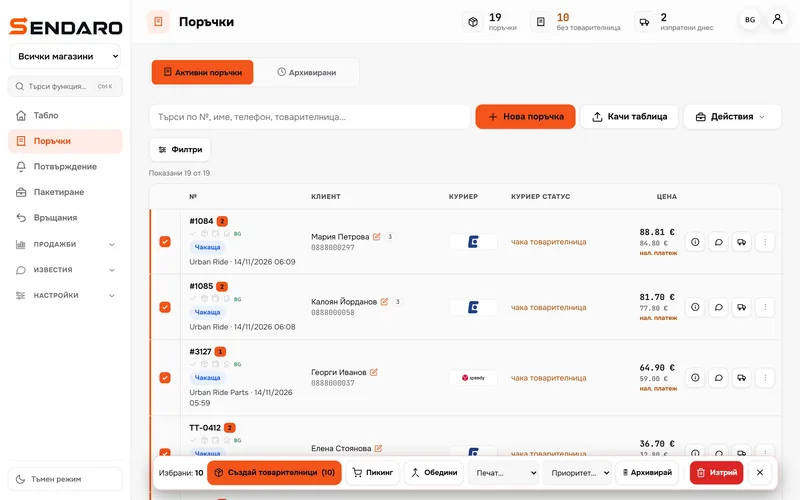
- 02
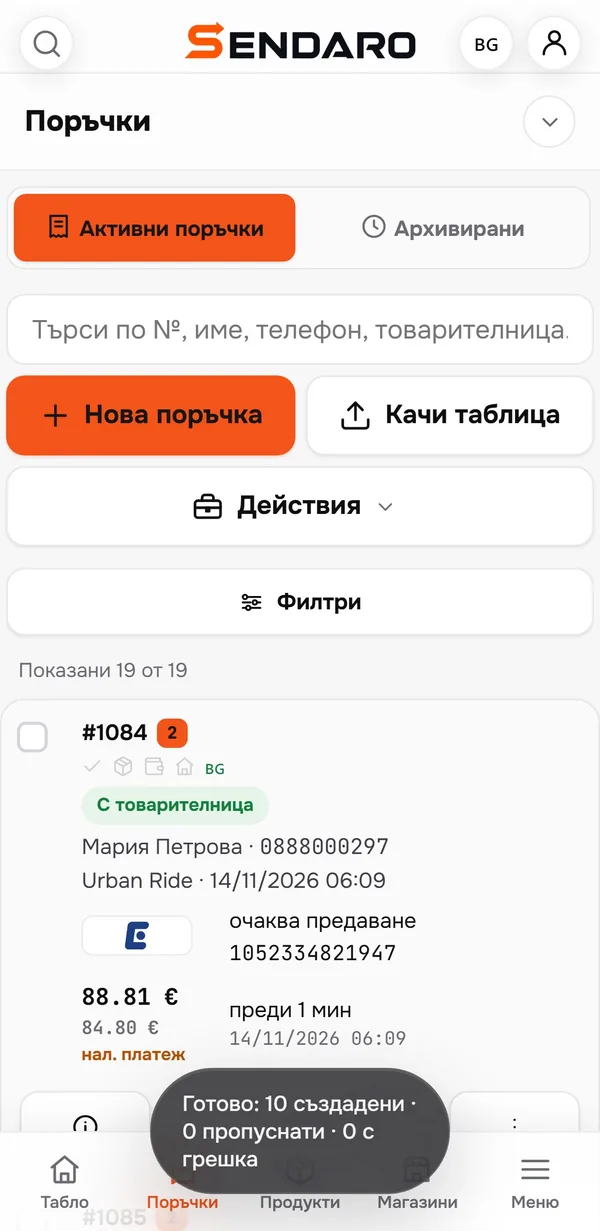
One click, every waybill
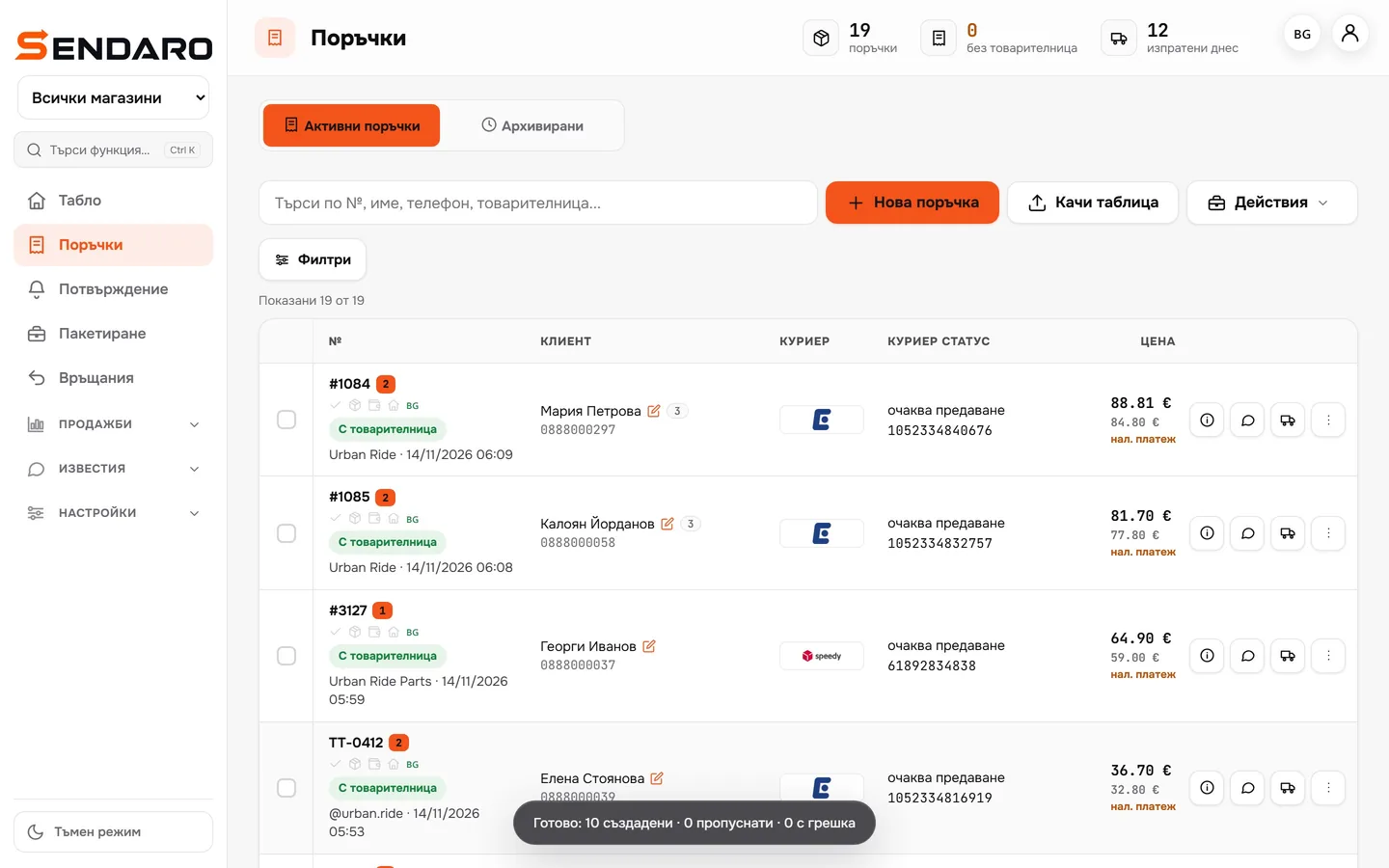
Sendaro creates them in one go and tells you how many are done, skipped or failed. The waybill numbers appear in the list.
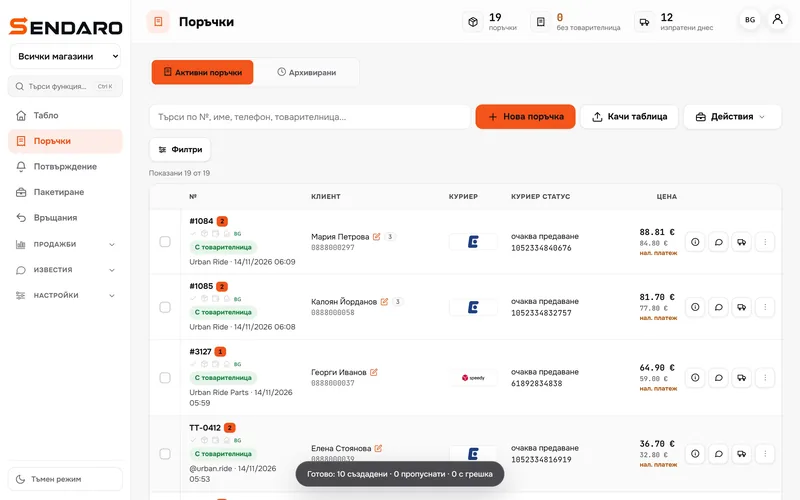
- 03
Labels print themselves
Sendaro Print on your computer (Windows or Mac) prints without any print dialogue. With auto-print, the waybill prints the moment you create it.
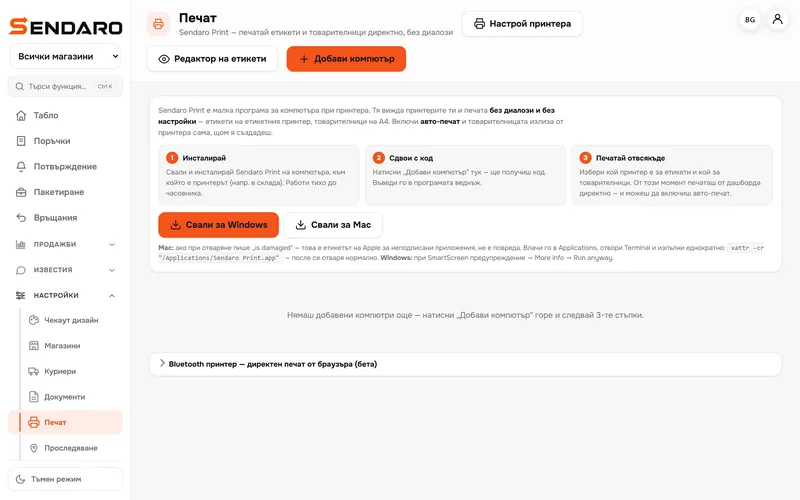
- 04
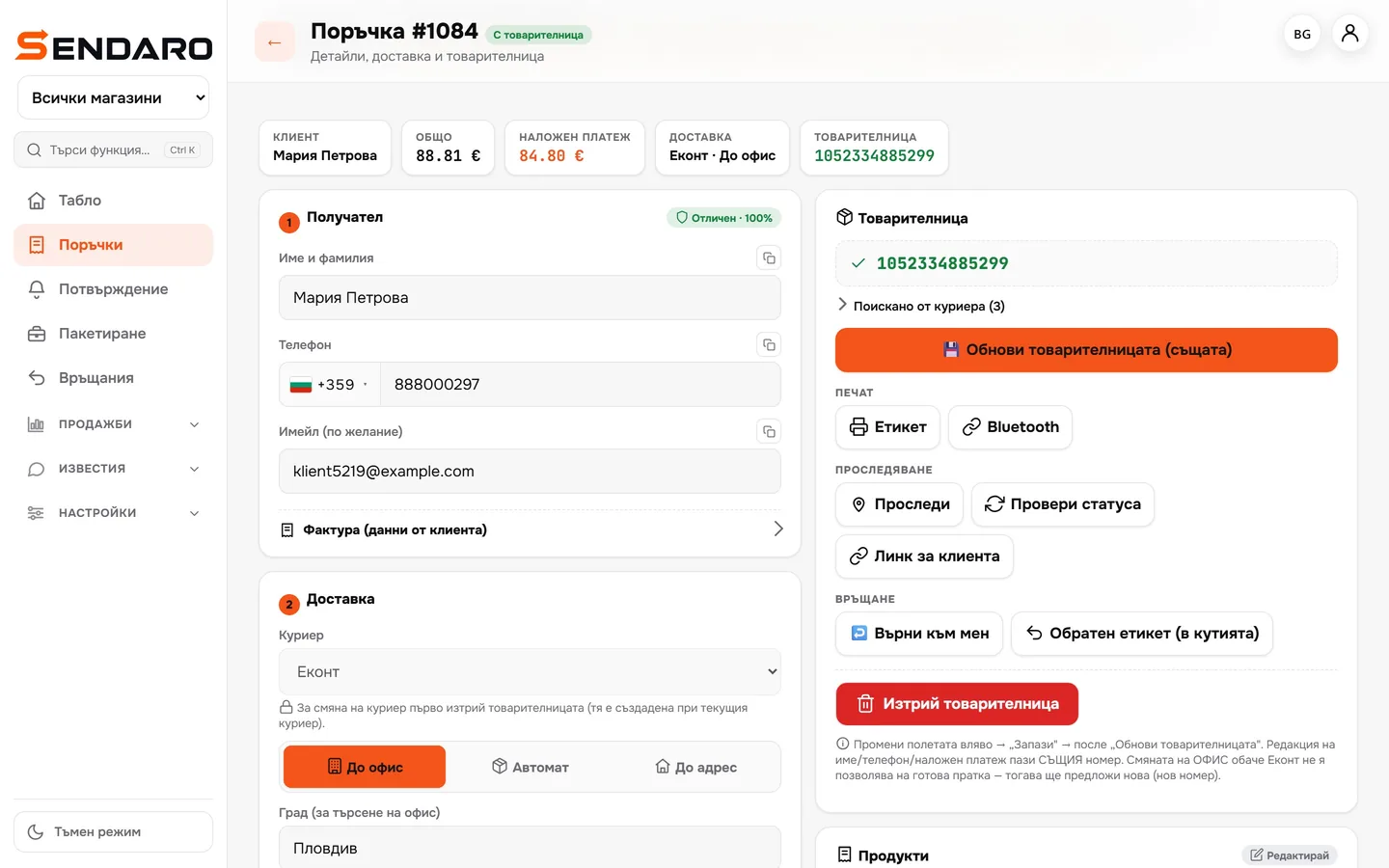
Or over Bluetooth from the order
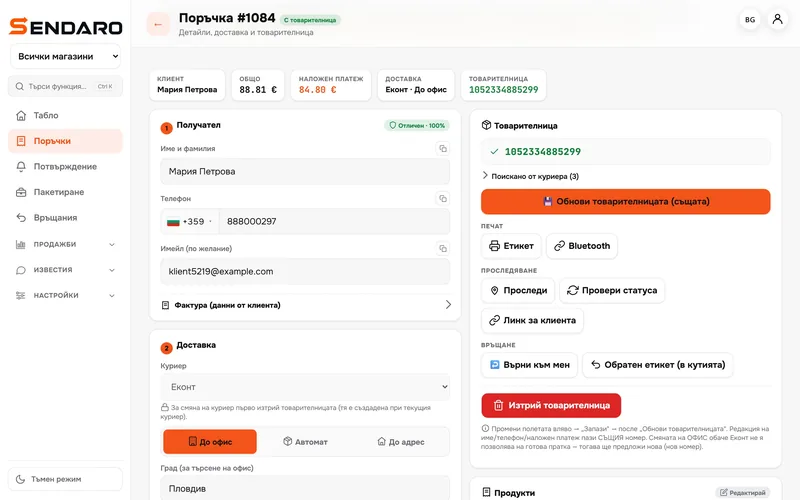
Each order has ‘Label’ and ‘Bluetooth’ buttons. A label printer prints straight from the browser (new).
- 05
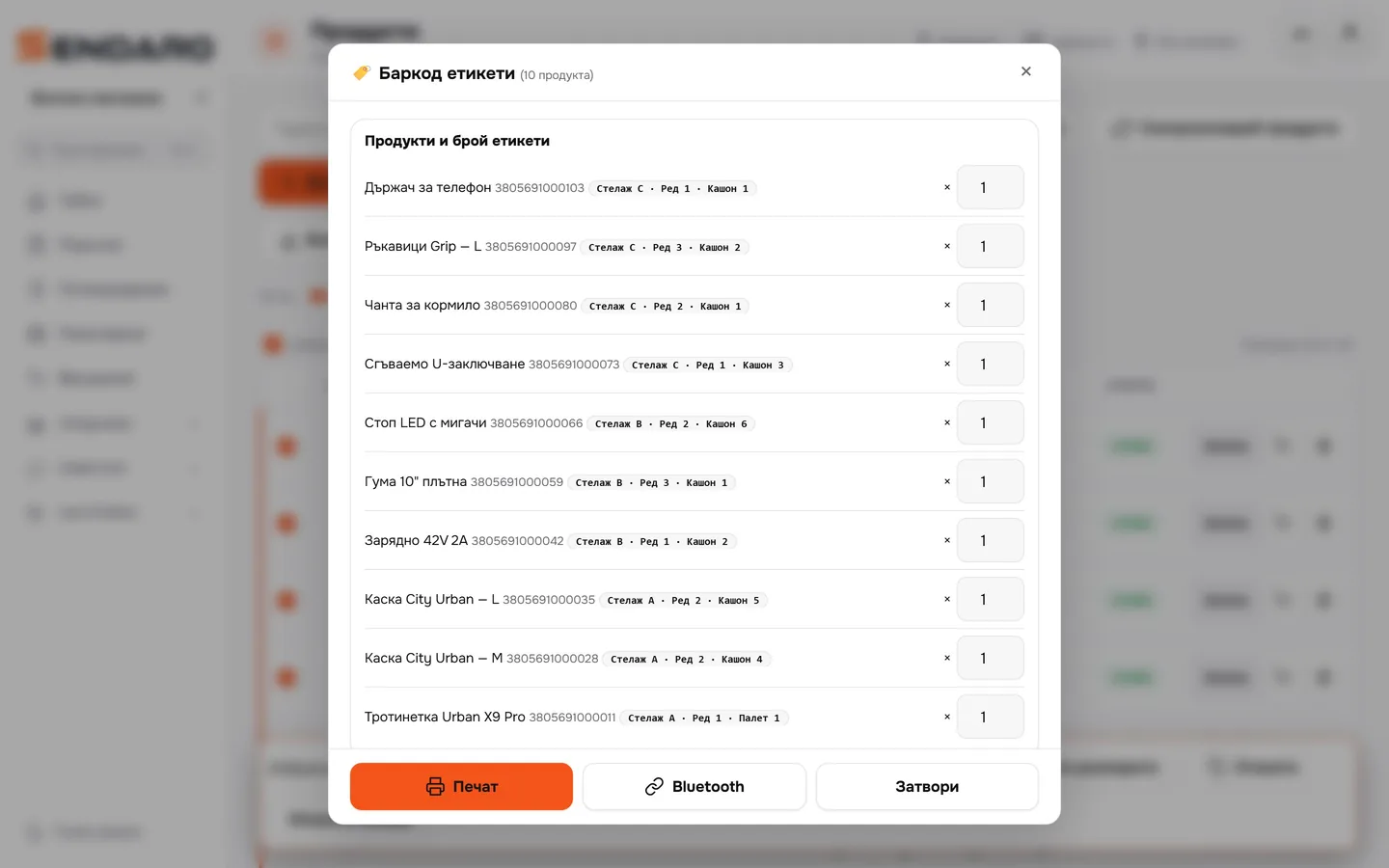
Barcode labels for your stock
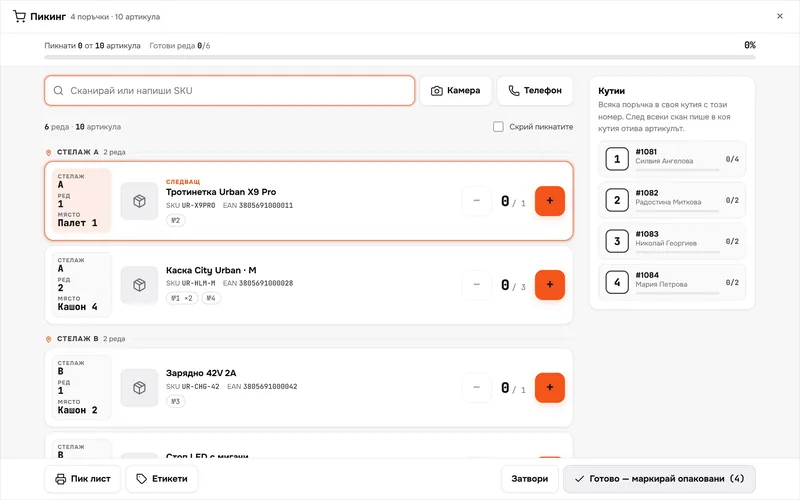
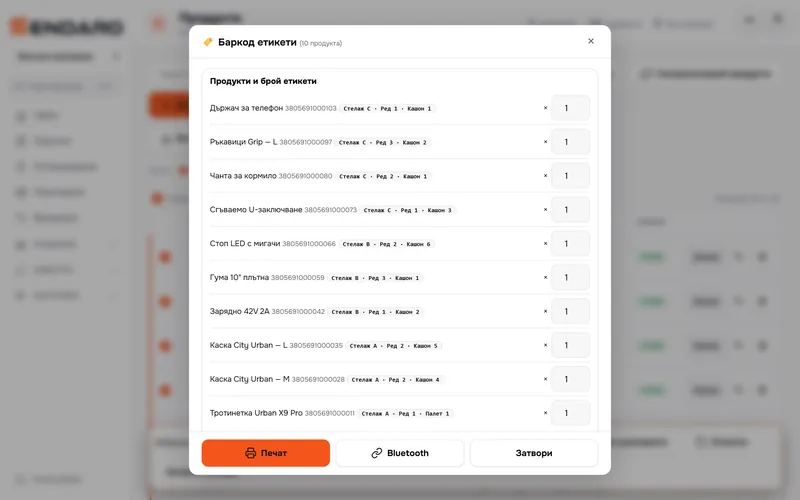
Labels with a barcode and a warehouse location: rack, row, box. Print them on your own printer or over Bluetooth.
What you get
Less time at the printer.
A whole batch at once
Waybills for every selected order in one click.
No print dialogues
Sendaro Print sends the label to the printer for you. No clicking ‘Print’ for each one.
Clear results
See how many were created, skipped or failed, and fix only the ones that need it.
Labels for the warehouse
A barcode and a warehouse location for every product, ready for picking.
Up close
From your phone too.
Works with
Waybills for every courier.
Questions
Questions about printing.
Which printers does it work with?
With the printers on your computer, through Sendaro Print (Windows and Mac). A label printer can also print over Bluetooth straight from the browser (new).
Does the browser need to stay open?
Not with Sendaro Print. The app on your computer prints even when the browser is closed.
Can I print from an iPhone?
Yes, through the printer’s own app: open the finished label from the order and send it to the printer.
What if a waybill can’t be created?
You see how many were created, skipped or failed. Fix only the problem ones and run them again.