


- Home
- Sendaro Warehouse
- Stocktake on your phone

Count stock on your phone and see the differences right away.
For online shops in Bulgaria.
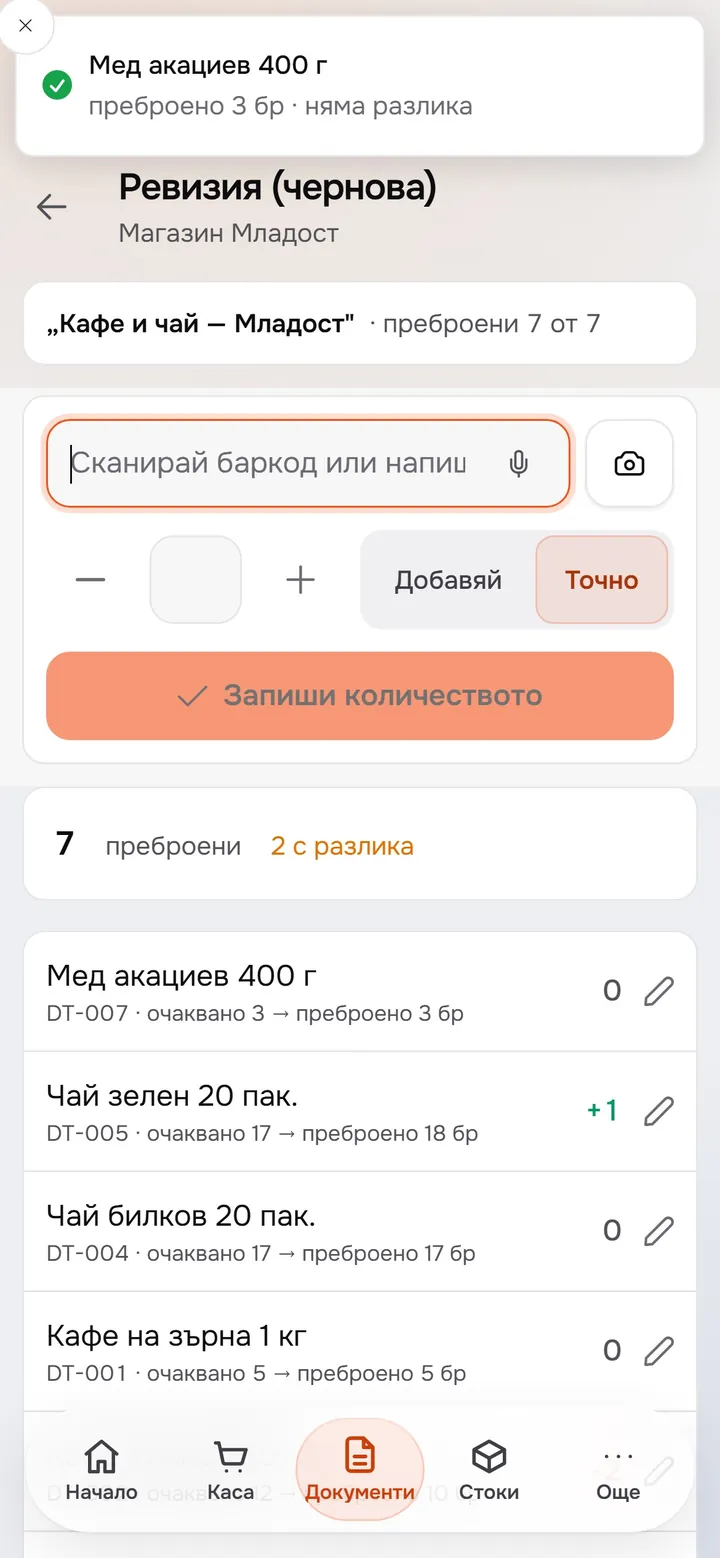
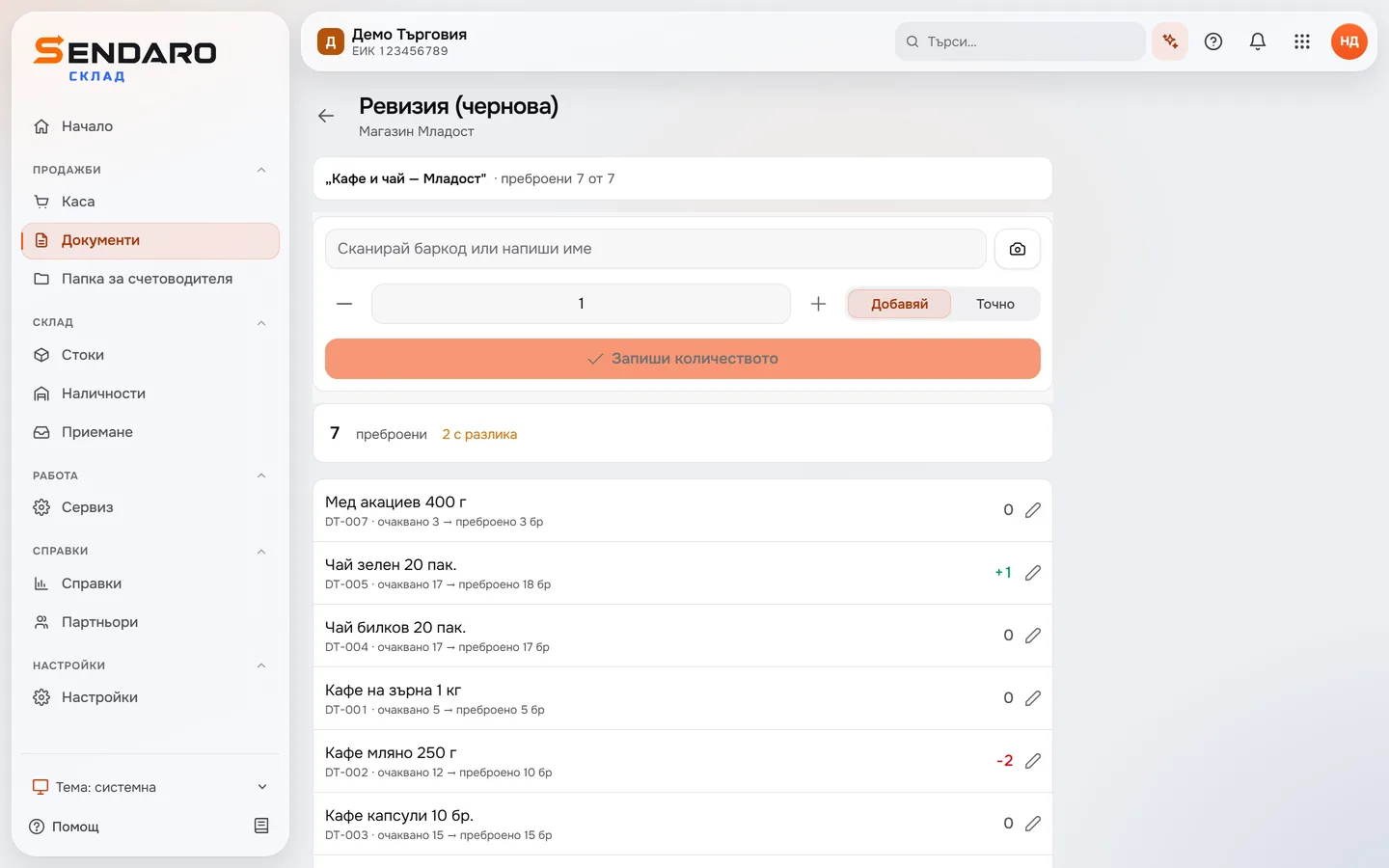
Scan barcodes with a scanner or your phone’s camera. Every product shows the expected quantity, your count and the difference, with surpluses in green and shortages in red.
14 days free · No card · No contract
How it works
Count where the stock is.
Real Sendaro Warehouse screens on a phone, with a demo company and made-up data.
- 01
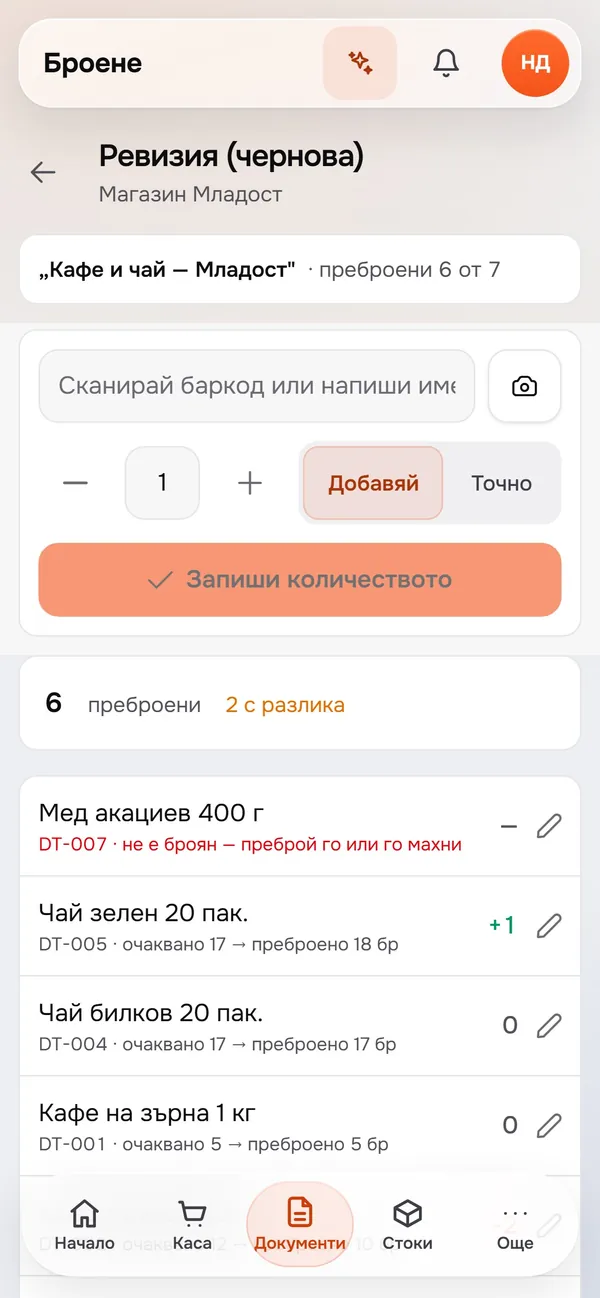
Open the stocktake on your phone
See how many products are counted and how many have a difference. Each product shows the expected quantity and your count.
- 02
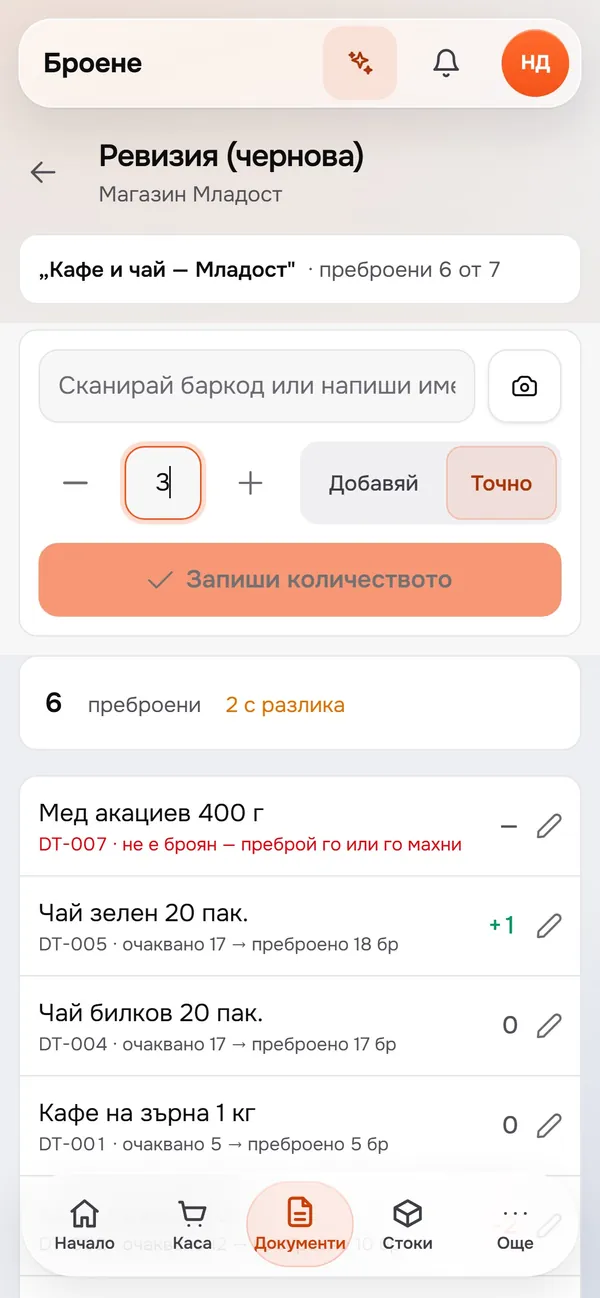
Choose ‘Exact’ and type the count
‘Add’ adds every scan to the count. ‘Exact’ records the quantity you type – here, 3. Correct it with ‘−’ and ‘+’.
- 03
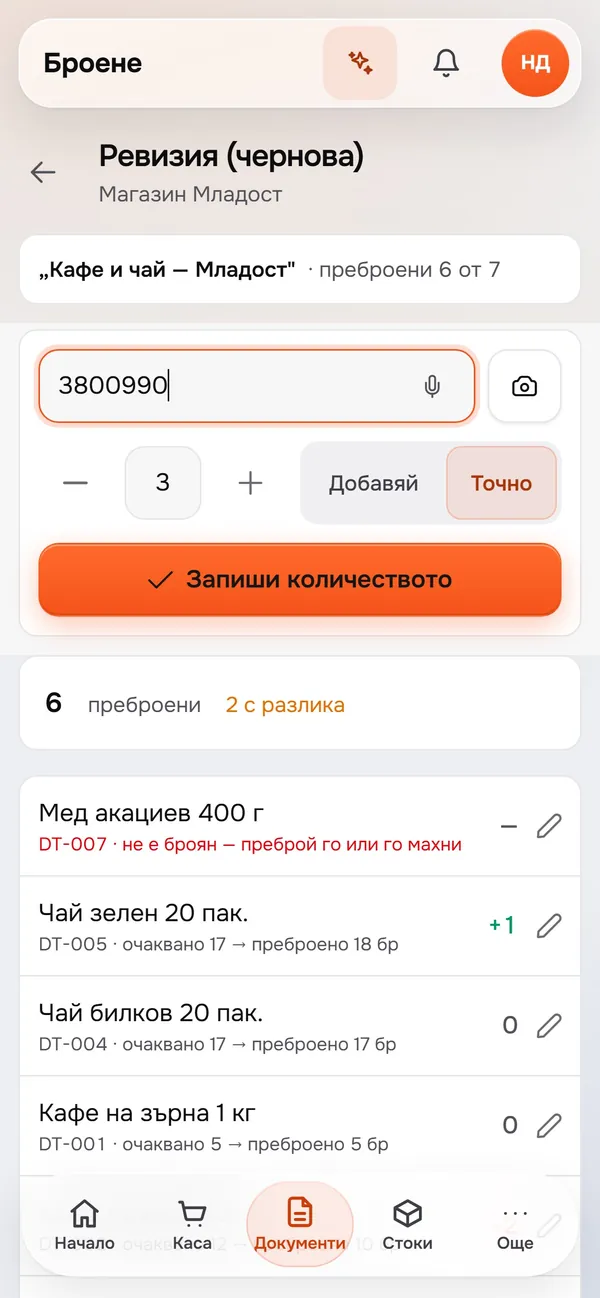
Scan the product
The scanner types the barcode into the field. Your phone’s camera reads barcodes too, or you can type the product name.
- 04
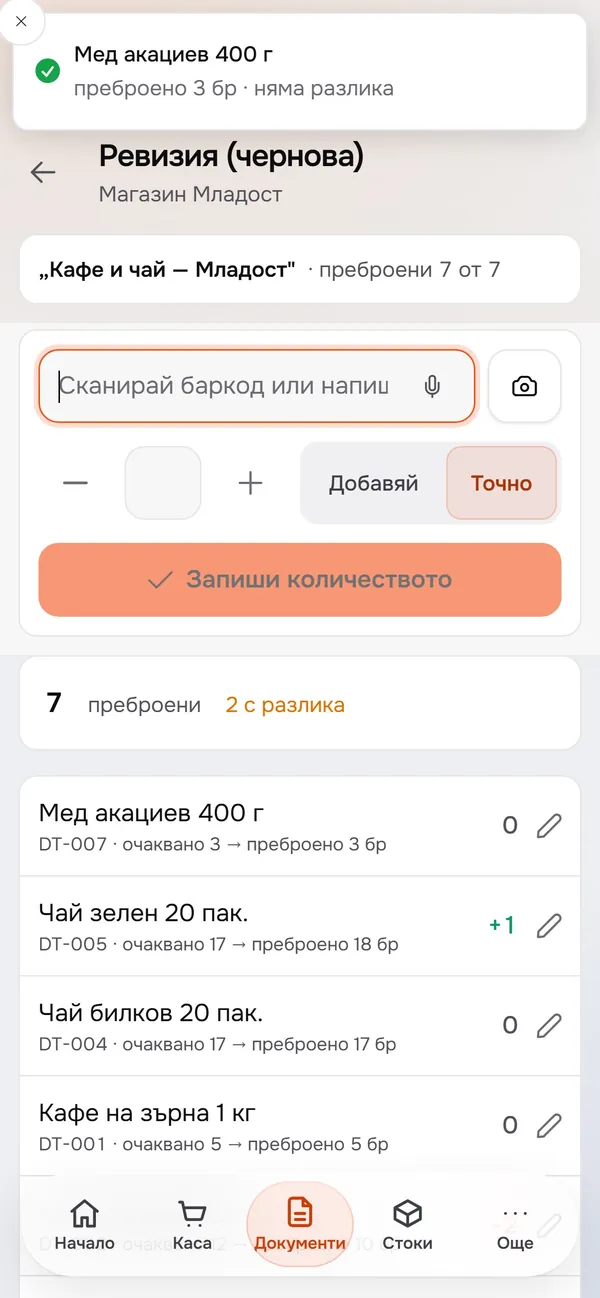
Save and see the result
A notification shows your count and the difference right away. Here, 3 units of ‘Acacia honey 400 g’ are counted, with no difference.
What you get
Your counts are saved as you go.
Scanner, camera or name
Count with a barcode scanner or your phone’s camera. You can also find products by name.
The difference on every line
The expected quantity, your count and the difference sit next to each product, so you can see straight away where there’s a surplus or a shortage.
One by one or all at once
With ‘Add’, every scan adds to the count. With ‘Exact’, you type how many there are and scan the product once.
Differences by value
With the ‘Stocktake 2.0’ module, you see differences by value and by reason, and cashiers can count blind.
Up close
Shortages show in red, surpluses in green.
Questions
Questions about stocktakes.
Do I need a barcode scanner?
No. Your phone’s camera reads the barcode, and you can also find a product by name. If you have a scanner, you can count with it too.
What’s the difference between ‘Add’ and ‘Exact’?
‘Add’ adds each scan to what you’ve counted so far. ‘Exact’ replaces the count with the quantity you type.
Can I run a blind count?
Yes, with the ‘Stocktake 2.0’ module. In a blind count, the cashier sees only what they’ve counted, without the expected quantity or the difference. The module is off by default; turn it on in Settings → Modules.
Can I see the differences in money?
Yes, with the ‘Stocktake 2.0’ module. The stocktake review shows differences by value, and you can add a reason to each one.
More features